Posted on

Graphic Design Licensing Terms: New Guide for Designers and Businesses

Graphic Design Licensing Terms

Table of Contents

  1. Introduction
  2. What Are Graphic Design Licensing Terms?
  3. Why Design Licensing Matters
  4. Common Types of Design Licenses
    • Personal Use License
    • Commercial Use License
    • Desktop License
    • Web License
    • App, Server, and Digital Product License
    • Broadcast and Film License
    • Extended & Enterprise License
  5. Examples of Licensing in Real Design Projects
  6. Fonts for Demonstrating Licensing Usage
  7. How to Choose the Right License
  8. Common Mistakes Designers Make
  9. Final Thoughts
  10. References

1. Introduction Graphic Design Licensing Terms

In the design world, creativity may be limitless—but legal usage rights are not. Whether you’re a designer, business owner, or creative agency, understanding Graphic Design Licensing Terms is essential to avoid copyright violations, protect your work, and stay compliant when using commercial design assets such as fonts, illustrations, templates, and mockups.

This article breaks down licensing terms in simple language, complete with examples, mockup font recommendations, and references from industry-trusted sources.
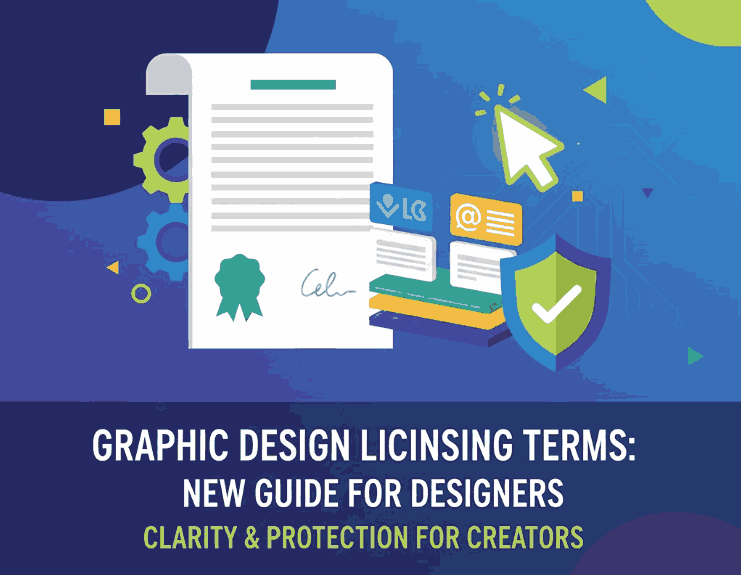
Graphic Design Licensing Terms

2. What Are Graphic Design Licensing Terms?

Graphic Design Licensing Terms refer to the legal agreements that specify how a design asset may be used—including fonts, graphics, templates, icons, and digital artworks.

Licensing governs:

  • Where you can use the asset
  • How many projects it can be used in
  • Whether commercial use is allowed
  • Whether redistribution is permitted
  • Whether modifications are allowed
  • The number of users, devices, or installations

Licenses help creators protect their intellectual property while allowing buyers to legally use the asset according to agreed rules.

3. Why Graphic Design Licensing Terms Matters

Understanding licensing prevents serious issues such as:

  • Copyright infringement
  • Fines and legal disputes
  • Blocked commercial projects
  • Misuse of design assets by clients
  • Rejected advertising submissions
  • Violations in brand guidelines

For businesses, proper licensing ensures professional compliance.
For designers, it maintains the integrity and value of creative work.

4. Common Types of Graphic Design Licensing Terms

1. Personal Use Graphic Design Licensing Terms

A personal license allows the asset to be used for:

  • Personal artwork
  • Practice designs
  • School projects
  • Personal prints

Commercial usage is not allowed.

2. Commercial Use Graphic Design Licensing Terms

This license allows use in:

  • Business branding
  • Client projects
  • Marketing materials
  • Product packaging
  • Ads and promotions

It is the most commonly purchased license for professional designers.

3. Desktop Graphic Design Licensing Terms

A desktop license lets you install the font or asset on a computer and use it for:

  • Print design
  • Logos
  • Posters
  • Packaging
  • Offline content

This is the standard license for graphic designers.

4. Web Graphic Design Licensing Terms

A web license allows the asset (usually a font) to be used on a website via @font-face embedding.

It covers:

  • Website typography
  • Landing pages
  • Online branding
  • Web ads

The license typically limits monthly pageviews.

5. App, Server, or Digital Product Graphic Design Licensing Terms

Covers usage in:

  • Mobile apps
  • Software interface
  • Digital publications
  • E-books
  • Video games
  • SaaS platforms

This license is required when distributing a product that embeds the asset.

6. Broadcast and Film Graphic Design Licensing Terms

Required for usage in:

  • TV broadcasts
  • Streaming services
  • YouTube shows
  • Films
  • Commercial video content

Ideal for production houses, filmmakers, and video creators.
Graphic Design Licensing Terms

7. Extended or Enterprise Graphic Design Licensing Terms

The most flexible license. It allows:

  • Unlimited commercial usage
  • Unlimited sales volume
  • Unlimited views
  • Multi-user access
  • Broad embedding rights

Used by agencies, corporations, and large brands.

5. Examples of Licensing in Real Design Projects

✔ Branding & Logo Creation

Requires commercial or desktop license.

✔ Website Typography

Requires a web license.

✔ App Interface Typography

Requires an app / digital product license.

✔ Product Packaging

Requires commercial or extended license.

✔ Social Media Ads

Requires commercial license.

✔ T-shirt / Merchandise

May require extended license depending on volume.

✔ Streaming Video / Ads

Requires broadcast license.

Understanding these examples helps designers choose the correct license for every project.

6. Fonts for Demonstrating Graphic Design Licensing Terms Usage

Here are curated premium fonts from CalligraphyFonts.net that you can include as visual examples when explaining licensing types:

1. Belleriana Font

Beautiful, expressive calligraphy font—perfect for branding, packaging, and commercial usage examples.

2. Jungle Tribe Font

Unique display font ideal for product packaging, merchandise, and commercial license samples.

3. Monoscreen Modern Display Font

A futuristic display font perfect for app UI, web license demonstrations, or digital product mockups.

4. Anthonyela Calligraphy Font

Elegant, premium calligraphy font—great for showcasing personal vs. commercial license usage.

Using different font styles helps illustrate how various licenses apply across branding, print, digital, and commercial projects.

7. How to Choose the Right License

Before purchasing or using any asset, consider:

✔ What type of project is it? (Print, web, app, merchandise)

✔ Is the project commercial?

✔ How many people will use the asset?

✔ Will the asset be embedded or distributed?

✔ Will the asset be seen publicly?

✔ Is the project for a client or a company?

By answering these questions, you can avoid legal issues and select the correct license with confidence.

8. Common Mistakes Designers Make

Avoid these frequent licensing misunderstandings:

  • Using a personal-use font for a business logo
  • Installing a font on multiple computers with a single-user license
  • Embedding a font in apps without proper licensing
  • Distributing editable files containing licensed fonts
  • Assuming “free font” means “free for any use”
  • Offering clients assets you don’t legally own
  • Ignoring pageview limits for web fonts

Correct licensing protects both the designer and the client from legal complications.

9. Final Thoughts

Understanding Graphic Design Licensing Terms is one of the most important skills for modern designers. Licensing ensures legal protection, ethical usage, and respect for creative ownership. With the right knowledge, designers and businesses can safely use fonts, graphics, and digital assets—while also supporting the creators behind them.

For premium, license-friendly fonts suitable for commercial design, explore high-quality options at CalligraphyFonts.net.

10. References

  1. Adobe — Licensing & Terms
  2. Creative Market — License Overview
  3. AIGA — Intellectual Property for Designers
  4. Nielsen Norman Group — Digital Design Standards
Posted on

Design Games for Designers: New Play to Sharpen Your Craft

Design Games for Designers

Table of Contents

  1. Introduction: Why Designers Need Games Too
  2. The Value of Design Games in Skill Building
  3. Popular Design Games You Should Try
    • 3.1 Kerntype (Typography Spacing)
    • 3.2 The Bézier Game (Vector Curves)
    • 3.3 Color / Color Method / Hue Games
    • 3.4 Can’t Unsee / UI comparison challenges
    • 3.5 Shape / Anatomy / Layout puzzles
    • 3.6 Other fun ones (e.g. Designercize, Hex Invaders)
  4. How to Use Design Games in Your Daily Practice
  5. Applying Game-Inspired Methods in Font / Mockup Work
  6. Font Mockup Examples to Try with Game Mindset
  7. Tips to Get the Most From Design Games
  8. Caveats & When Not to Use Them
  9. Conclusion & Call to Action
  10. References

1. Introduction: Why Designers Need Games Too

Learning design through traditional tutorials is useful—but sometimes dry. Design games for designers bring playful and interactive approaches that challenge your eye, speed, intuition, and visual acuity. They help you internalize design principles by doing, experimenting, and testing in bite-sized challenges.

As a font designer or visual creator, using these games sharpens the very senses you rely on (typography spacing, curves, color harmony, layout balance). Think of them as training drills for your design muscles.

Design Games for Designers

2. The Value of Design Games for Designers in Skill Building

Design games offer several advantages:

  • Immediate Feedback — You see instantly whether your choice was good or not, which accelerates learning.
  • Deliberate Practice — Games isolate specific design skills (kerning, color selection, curve control).
  • Low Stakes Environment — You can experiment risk-free, try wrong paths, and learn visually.
  • Motivation & Fun — The playful nature helps overcome creative fatigue or mental blocks.
  • Retention — Interactive challenges help memory more than passive reading.

Many designers recommend games to keep the eye sharp and the intuition active.

3. Popular Design Games for Designers You Should Try

Here are well-known design games, what they train, and how they help:

3.1 Kerntype (Typography Spacing)

In Kerntype, you adjust spacing between letters to make words “perfectly” kerned. It trains your sense of letter spacing and visual balance.

3.2 The Bézier Game (Vector Curves)

This game helps you master control of anchor points and Bézier handles — skills essential for designing smooth letterforms and vector curves.

3.3 Color / Color Method / Hue Games

These help with your understanding of hues, saturation, contrast, and harmony. Games like Color or Color Method test your ability to match or identify correct color values.

3.4 Can’t Unsee / UI Comparison Challenges

In Can’t Unsee, you’re shown two interface designs and must spot subtle improvements — great for visual sensitivity in UI design.

3.5 Shape / Anatomy / Layout Puzzles

Games like Shape Method or layout puzzles challenge your compositional sense, alignment, and spatial decisions.

3.6 Other Fun Ones (Designercize, Hex Invaders, etc.)

  • Designercize prompts random design challenges.
  • Hex Invaders is a color/hex code game.

These games combine fun with skill training. Over time, they help you sharpen instincts.

4. How to Use Design Games for Designers in Your Daily Practice

Here’s how to integrate design games into your workflow:

  1. Set a daily or weekly slot — e.g. 10 minutes at start or end of day.
  2. Pick one skill to train (kerning, color, curve) and choose the game accordingly.
  3. Track your progress — record scores, compare sessions to see improvement.
  4. Apply insights immediately — bring lessons into your font drafts or mockups.
  5. Rotate games so you exercise multiple design muscles, not just one.

Consistency is key—games are tools for gradual mastery.

Design Games for Designers

5. Applying Game-Inspired Methods in Font / Mockup Work

Here’s how to bring the mindset of design games into your real font work:

  • Use interactive mini challenges: e.g. for a few letters, try multiple kerning variants and pick the best by eye (like a mini kerning game).
  • Reverse engineer: take a professional type specimen and try to match spacing or curves like a game.
  • Color test segments: pick a font mockup and try 3 color versions rapidly (like color games) then pick your favorite.
  • Micro-battles: challenge yourself to improve one letter or detail within 5 minutes.

These methods foster reflexes and visual acuity in normal design work.

6. Font Mockup Examples to Try with Design Games for Designers Mindset

Here are some fonts from your collection and mockups you can use as “mini challenges”:

  • Aeromove Font — try perfecting curvature or smoothness of motion-inspired letters.
  • Overcame Font — test color harmony by quickly generating alternative palettes and picking best match.
  • Dripped Ink Font — challenge: refine drip shapes or outlines in iterations.
  • Jungle Tribe Font — create mockups in different jungle or nature palette versions and compare.

Treat each mockup as a mini game: generate 3 versions, choose the best, repeat.

7. Tips to Get the Most From Design Games for Designers

  • Focus more on the eye than the score — scores decline in value if you only chase them.
  • Mix types of games to avoid overtraining one skill.
  • At low energy times, play games to “warm up” rather than forcing major work.
  • Use games as a break but still related to your craft.
  • Reflect after playing: what did you learn about spacing, color, curves? How will you apply it?

8. Caveats & When Not to Use Them

  • Games are tools — don’t overdo them or substitute all practice with them.
  • Some games simplify context too much; be careful applying lessons blindly to complex work.
  • They might frustrate if you’re tired — avoid when your visual acuity is bad.
  • Don’t force your style to match game results — use insight, not imitation.

9. Conclusion & Call to Action Design Games for Designers

Design games for designers are more than playful distractions — they are training modules for your visual sense, typographic eye, and design reflexes. By incorporating them into your routine, you build sharper instincts that feed into your font creation, mockup design, and visual branding.

Action: Pick one of the games above (e.g. Kerntype or Bézier Game). Spend 5–10 minutes daily for a week. After that, try applying a lesson into one font detail (like kerning or curve). See how your sensitivity improves.

References

  • Toptal — “Sharpen Your Skills With Fun Online Games for Designers”
  • UXDesign.cc — “A list of games for bored (and curious) UX/UI designers”
  • EasyEdit blog — “15 Best Interactive Games for Designers”
  • Yes I’m a Designer — “7 Games that will teach you Graphic Design”