Posted on

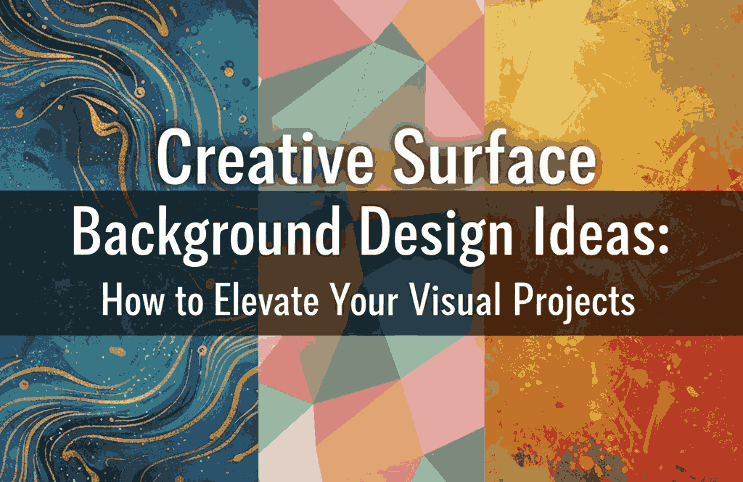
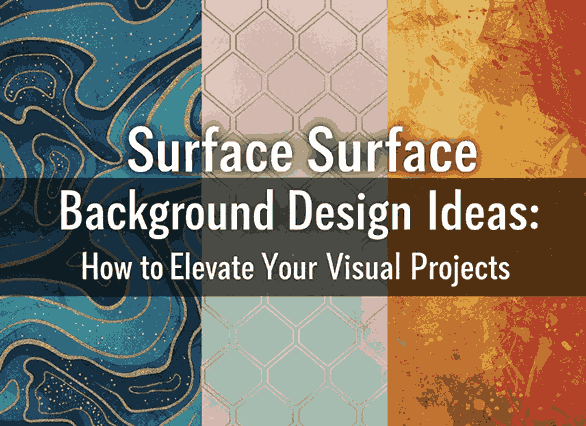
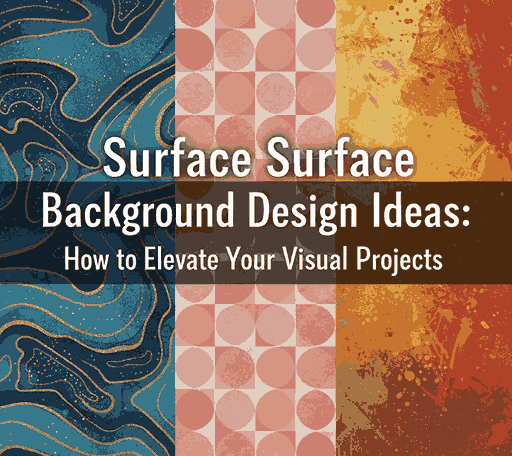
Creative Surface Background Design Ideas: How to Elevate Your Visual Projects

Surface Background Design Ideas

Table of Contents

  1. Introduction: The Role of Backgrounds in Design
  2. Understanding Surface Background Design
  3. Types of Surface Backgrounds in Modern Design
  4. How to Choose the Right Surface for Your Project
  5. Enhancing Surface Backgrounds with Typography
  6. Font Examples to Pair with Surface Backgrounds
  7. Final Thoughts
  8. References

1. Introduction: The Role of Surface Background Design Ideas

In graphic design, the Surface Background Design Ideas is more than just a backdrop — it’s the foundation that sets the mood, tone, and atmosphere of your visual story. A well-chosen background complements the subject, enhances typography, and creates emotional depth.

Among the many approaches to backgrounds, surface background design stands out for its versatility and tactile appeal. Whether you’re designing posters, packaging, digital ads, or social media content, using surface backgrounds can help you create textures that feel real, inviting, and professional.

Surface Background Design Ideas

2. Understanding Surface Background Design Ideas

Surface background design refers to using textures, patterns, and material-inspired visuals (like wood, marble, paper, or fabric) as the main visual foundation of a design. It brings a sense of realism, helping your audience emotionally connect with your artwork.

Common types of surface backgrounds include:

  • Textured surfaces – concrete, paper grain, sand, or fabric.
  • Natural surfaces – wood, leaves, water ripples, or marble.
  • Industrial surfaces – metal plates, brushed steel, or stone.
  • Minimal surfaces – flat tones, gradients, or subtle shadows.

These backgrounds can be real photographs, digital textures, or vector-based patterns, depending on your project’s style.

3. Types of Modern Surface Background Design Ideas

Surface backgrounds can be classified based on the emotional tone or design goal. Let’s explore a few examples used by professional designers:

a. Organic Surfaces

Organic backgrounds use natural elements like wood, stone, or plants. These are ideal for eco-friendly brands, wellness products, or nature-inspired campaigns.

b. Minimal and Flat Surfaces

These use smooth gradients or single-tone colors, perfect for modern branding or tech industries. Minimal surfaces help the main elements (like logos or text) stand out.

c. Textured & Rough Surfaces

Textures like rough paper, brick, or fabric bring depth and authenticity. Great for handcrafted product branding, coffee shops, or vintage aesthetics.

d. Abstract & Artistic Surfaces

These designs use brush strokes, gradients, or abstract shapes. Ideal for creative studios and art-based promotions, they evoke emotion and movement.

4. How to Choose the Right Surface Background Design Ideas for Your Project

When selecting a surface background, always consider the purpose and audience of your design. Here are a few practical tips:

  • Match your brand tone: Use sleek surfaces for corporate brands and rough textures for artisanal ones.
  • Prioritize readability: Avoid overly busy textures behind important text.
  • Use contrast wisely: Pair dark text with light backgrounds (and vice versa).
  • Stay consistent: Maintain a unified visual theme across all brand materials.
  • Experiment with blending: Use overlays and opacity adjustments to harmonize the surface with your typography or logo.

Remember — your background should support your message, not compete with it.

Surface Background Design Ideas

5. Enhancing Surface Background Design Ideas with Typography

Typography and background are inseparable. A surface background provides the visual context, while typography delivers the message. The right combination turns your design from ordinary to unforgettable.

Here’s how to make typography shine on surface backgrounds:

  • Use contrasting fonts: Bold fonts pop better on textured backgrounds.
  • Add subtle shadows or outlines: Improves readability against uneven surfaces.
  • Choose font tones carefully: Warm tones pair well with organic surfaces, while cooler tones match industrial or modern surfaces.
  • Limit the number of fonts: Stick to 2–3 complementary fonts to maintain harmony.

A powerful design balances texture and text — the surface adds depth, and the typography commands attention.

6. Font Examples to Pair with Surface Background Design Ideas

To bring your surface background designs to life, here are some stunning font mockups from CalligraphyFonts.net that perfectly complement textured or layered visuals:

  • Brafio Font – A stylish serif font designed for clarity and sophistication. Perfect for luxury or editorial designs on subtle backgrounds.
  • Classicly Font – A bold serif display with timeless elegance. Ideal for headlines or poster designs layered over marble or vintage paper textures.
  • Westerners Font – A charming handwritten font that brings warmth and personality, perfect for rustic or organic background designs.
  • Senjalara Calligraphy Font – Elegant, flowing, and expressive — this calligraphy font pairs beautifully with minimal or watercolor-style backgrounds.

When used thoughtfully, fonts like these help establish a visual hierarchy and enhance storytelling within your background design.

7. Final Thoughts

Designing with surface backgrounds is all about texture, tone, and balance. Whether you prefer minimal, natural, or industrial aesthetics, the right background can transform your design from flat to captivating.

Combine it with purposeful typography and the result is a visually cohesive composition that feels authentic and professional.

Explore hundreds of beautifully crafted typefaces at CalligraphyFonts.net to find the perfect match for your next creative project. Each font is designed to complement your background textures and help you express your brand’s personality through typography.

8. References

  1. Smashing Magazine – Principles of Texture in Visual Design
  2. DinStudio – Most Common Background in Graphic Design
  3. Adobe article – Create professional-quality backgrounds for any kind of media
  4. Adobe Express blog – Designing with blue backgrounds for aesthetic appeal
Posted on

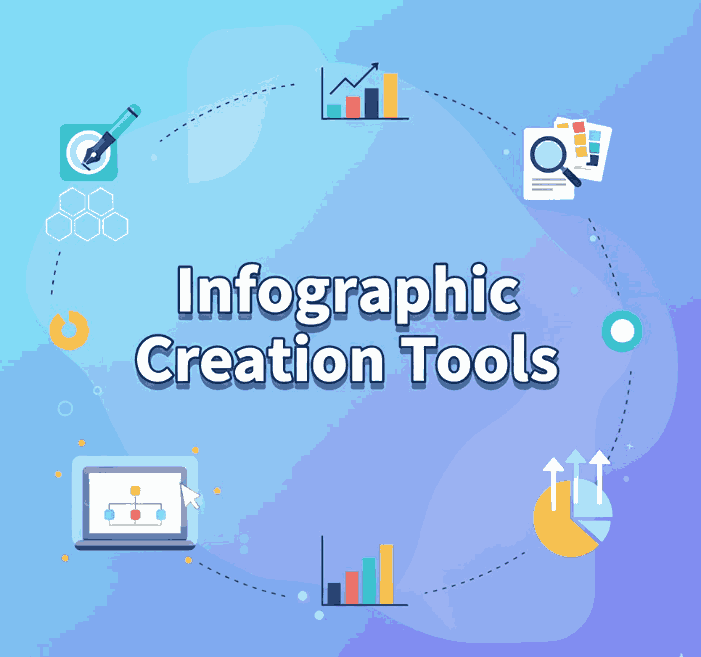
Top Infographic Creation Tools Every New Designer Should Know

Infographic Creation Tools

Table of Contents

  1. Introduction: The Power of Infographics in Modern Design
  2. Why Infographics Matter
  3. Key Features of Effective Infographic Tools
  4. Top Infographic Creation Tools to Try
  5. How Fonts Elevate Your Infographic Design
  6. Final Thoughts

1. Introduction: The Power of Infographics in Modern Design

In today’s digital landscape, visuals dominate communication. People prefer to see information rather than read long paragraphs — and that’s where Infographic Creation Tools come in. Infographic Creation Tools turn complex data into visually engaging and easy-to-understand graphics, making them essential for marketers, educators, and content creators alike.

But creating a powerful infographic isn’t just about design; it’s about choosing the right tools. The best infographic creation tools help designers organize ideas, use templates effectively, and save valuable time — all while maintaining aesthetic appeal.

2. Why Infographic Creation Tools Matter

Infographic Creation Tools

Infographics combine Infographic Creation Tools to tell stories visually. Research shows that visuals are processed 60,000 times faster by the human brain than text, and well-designed infographics can boost engagement, shares, and brand credibility.

Here’s why every designer should integrate infographics into their workflow:

  • Simplify complex ideas: Visuals make data easier to digest.
  • Increase engagement: Social media posts with visuals receive significantly higher interactions.
  • Boost SEO: Infographics are highly shareable and attract backlinks, improving search visibility.
  • Strengthen branding: Consistent use of colors, fonts, and layouts reinforces brand identity.

Infographics are more than decoration — they’re communication tools that make information both beautiful and memorable.

3. Key Features of Effective Infographic Creation Tools

Before choosing a platform, it’s important to understand what makes an infographic tool truly effective. Look for these features:

  • User-friendly interface: Drag-and-drop features save time for beginners and professionals.
  • Pre-designed templates: Templates help you start fast and maintain visual consistency.
  • Customizable elements: The ability to adjust colors, shapes, and fonts to match your brand identity.
  • Export flexibility: Options to download in multiple formats (PNG, PDF, SVG) for digital or print use.
  • Collaboration support: Cloud-based tools allow team members to edit and review in real time.

Whether you’re a marketer creating reports or a designer illustrating data stories, the right tool can make the process seamless.

4. Top Infographic Creation Tools to Try

Here are some of the best infographic creation tools that combine simplicity, versatility, and design excellence:

1. Canva

Canva is one of the most popular online design tools for beginners and pros alike. It offers thousands of templates and easy drag-and-drop features. You can create infographics, social media posts, presentations, and more — all from one dashboard.

2. Piktochart

Piktochart focuses on data visualization. It’s ideal for reports, charts, and professional infographics that require accuracy and storytelling combined.

3. Venngage

Venngage offers hundreds of customizable templates with excellent brand integration features. You can upload your logo, choose brand colors, and design consistent visuals quickly.

4. Visme

Visme stands out for its interactive elements — perfect for presentations, dashboards, and infographics that require animation or embedded links.

5. Adobe Express

Adobe Express (formerly Adobe Spark) provides high-quality templates backed by Adobe’s creative technology. It’s excellent for teams needing professional-grade visuals with minimal effort.

Each of these tools empowers designers to focus on creativity while the software handles the technical side of layout and structure.

Infographic Creation Tools

5. How Fonts Elevate Your Infographic Creation Tools

One element that often gets overlooked in infographic design is typography. Fonts do more than display words — they shape your audience’s perception, highlight key points, and define the mood of your infographic.

When designing infographics, it’s essential to use fonts strategically:

  • Use contrasting fonts for hierarchy — bold for headings, simple for body text.
  • Keep readability in mind — choose clear letterforms that remain legible at any size.
  • Match the tone of your topic — playful fonts for lifestyle content, elegant ones for professional infographics.

Here are some font mockups from CalligraphyFonts.net that can enhance your infographic visuals:

  • Holters Font – A modern calligraphy font that adds elegance and sophistication to infographic headlines.
  • Salvations Font – Bold and expressive, perfect for title emphasis or key statistics.
  • Dinernighty Font – Retro-inspired and distinctive, excellent for thematic infographics or branding visuals.
  • Banana Delight Font – Fun and friendly, ideal for lifestyle, education, or social-media-style infographics.

Typography helps establish visual hierarchy, guiding the viewer’s eye from headline to supporting details. The right combination of fonts and layout can make your design both stunning and easy to understand.

6. Final Thoughts

Infographics have become a cornerstone of digital storytelling — a bridge between data and design. Whether you’re showcasing business metrics, health tips, or creative insights, choosing the right infographic creation tools can turn your ideas into captivating visuals.

And remember: a powerful infographic doesn’t rely solely on visuals — it relies on clarity, structure, and emotion.
Pair great design tools with beautiful fonts from CalligraphyFonts.net, and your infographics will not only inform but also inspire.

7. References

  1. Piktochart – Infographic Design Tips for Beginners
  2. Canva – Infographic Design: Everything You Need to Know
  3. Venngage – What Is an Infographic? Examples, Templates & Design Tips
  4. DinStudio – Ready to Create an Infographic Design? Check These Tools Out!
Posted on

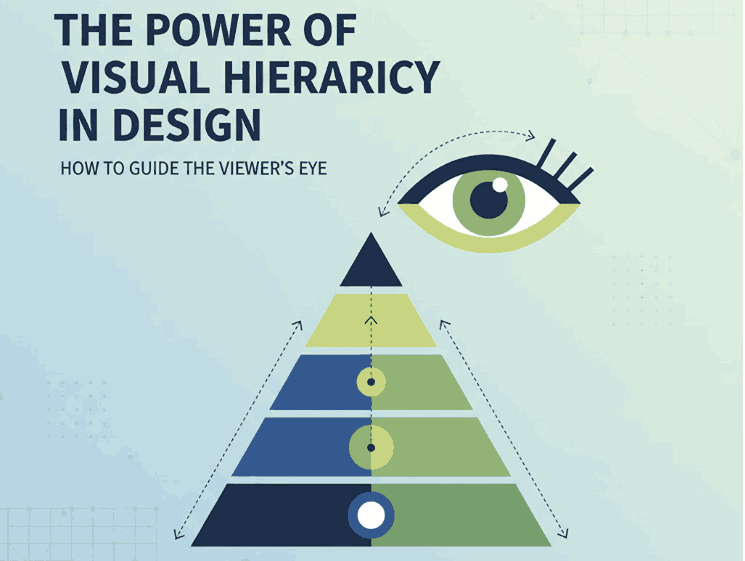
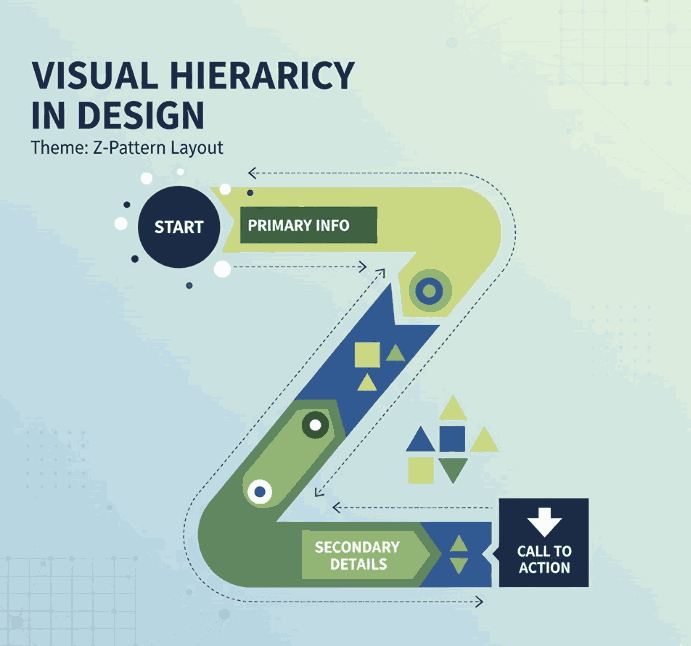
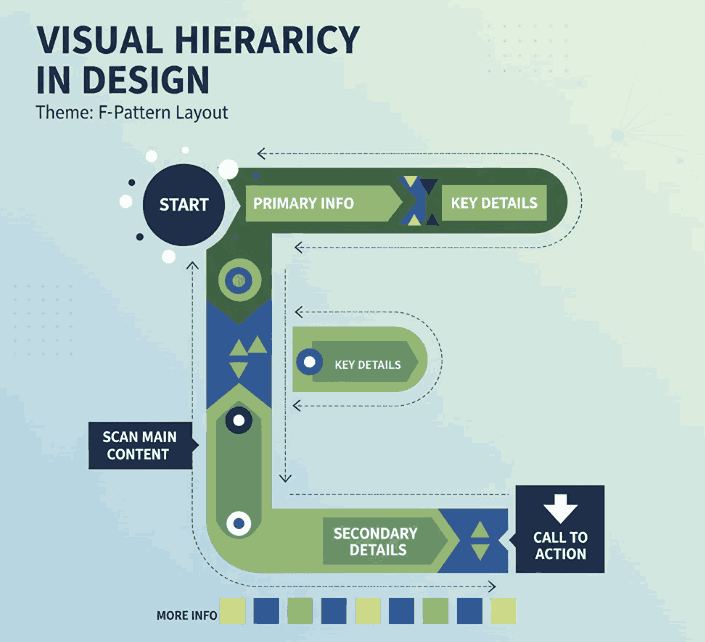
The Power of Visual Hierarchy in Design: How to Guide the Viewer’s Eye 2025

Visual Hierarchy in Design

Table of Contents

  1. What Is Visual Hierarchy in Design?
  2. Why Visual Hierarchy Matters
  3. Key Principles of Visual Hierarchy
  4. Practical Tips to Improve Visual Hierarchy
  5. Using Fonts to Enhance Hierarchy
  6. Final Thoughts

1. What Is Visual Hierarchy in Design?

Visual hierarchy in design refers to the strategic arrangement of elements in a way that clearly communicates their order of importance. In simpler terms, it’s how designers guide the viewer’s eye from the most important element to the least.

When used effectively, visual hierarchy helps audiences absorb information naturally and efficiently — whether on a website, poster, logo, or social media post. It’s the foundation that makes a design both aesthetically pleasing and functionally effective.

Visual Hierarchy in Design

2. Why Visual Hierarchy in Design Matters

A well-crafted visual hierarchy is the secret to communicating your message clearly. When hierarchy is missing, your design can appear cluttered or confusing — leaving your audience unsure where to look first.

Here’s why it’s important:

  • Enhances readability and comprehension. Clear hierarchy helps users process content effortlessly.
  • Directs attention strategically. It emphasizes what’s most important — such as a headline, product name, or call-to-action.
  • Creates emotional engagement. Proper balance and contrast create flow, making your design feel dynamic and professional.

When done right, visual hierarchy turns ordinary layouts into captivating compositions that tell a visual story.

3. Key Principles of Visual Hierarchy in Design

There are several foundational principles every designer should understand when applying visual hierarchy:

a. Size and Scale

Larger elements naturally attract more attention. Headings, key images, or call-to-action buttons should be visually dominant compared to supporting text.

b. Color and Contrast

High-contrast colors help highlight important information, while muted tones guide attention elsewhere. Designers often use color psychology to evoke specific emotions.

c. Alignment and Balance

Proper alignment establishes harmony and order. Balanced compositions feel stable and trustworthy, while asymmetrical layouts can create energy and focus.

d. Typography

Font choice dramatically affects perception. Serif fonts convey elegance, sans-serif fonts show modernity, and script or calligraphy fonts express creativity and warmth.

e. White Space

Negative space isn’t “empty” — it’s a powerful tool to separate elements and improve focus. Well-used white space enhances sophistication and clarity.

4. Practical Tips to Improve Visual Hierarchy

To make your designs more visually structured and appealing, consider the following actionable tips:

  • Establish a focal point: Always determine the element you want viewers to notice first.
  • Use consistent typography styles: Keep heading, subheading, and paragraph fonts distinct but cohesive.
  • Play with proximity: Group related items together to indicate relationships.
  • Create rhythm with repetition: Repeating colors, shapes, or lines helps unify your composition.
  • Experiment with grid systems: They help maintain consistent spacing and structure across multiple design formats.
Visual Hierarchy in Design

5. Using Fonts to Enhance Hierarchy

Typography plays a central role in visual hierarchy. The right font choice can immediately set the tone of your design and help guide the viewer’s eye.

Here are some stunning examples from CalligraphyFonts.net that can elevate your design hierarchy:

  • Holters Font – A sophisticated calligraphy typeface that’s perfect for headings and luxury branding.
  • Salvations Font – A bold yet elegant script font that draws immediate attention, ideal for quotes and logo marks.
  • Dinernighty Font – Retro-inspired with strong letterforms, perfect for highlighting focal text or signage.
  • Banana Delight Font – A playful handwritten script that adds warmth and personality to any visual layout.

When combining fonts, maintain contrast and consistency:

  • Use one typeface for titles and another for body text.
  • Pair bold display fonts with simple sans-serif fonts to achieve visual balance.
  • Avoid overusing decorative fonts — one accent typeface is usually enough to stand out.

Good typography hierarchy isn’t just about style; it’s about clarity, flow, and emotion.

6. Final Thoughts

Mastering visual hierarchy in design is one of the most valuable skills for any graphic designer, brand builder, or creative entrepreneur. It ensures your audience sees, feels, and understands your message exactly as intended.

Whether you’re crafting a brand identity, poster, or web layout, remember that hierarchy guides perception.
Experiment with size, color, alignment, contrast, and font choice until your design feels intuitive and balanced.

And if you’re searching for the perfect fonts to elevate your next creative project, explore more exclusive typefaces at
CalligraphyFonts.net — where design meets emotion.

References

  1. DinStudio – 5 Basic Principles of Layout in Graphic Design
  2. Canva Design School – What Is Visual Hierarchy in Design?
  3. Interaction Design Foundation – Visual Hierarchy and Its Role in UX Design
Posted on

ChatGPT for Graphic Designers: New Creativity in the Digital Age

ChatGPT for Graphic Designers

Table of Contents

  1. Introduction
  2. What Is ChatGPT and Why It Matters to Designers
  3. How Graphic Designers Can Use ChatGPT in Their Workflow
  4. Benefits of ChatGPT for Graphic Designers
  5. Real-World Examples and Creative Applications
  6. Recommended Fonts to Complement Your Designs
  7. Final Thoughts
  8. References

1. Introduction ChatGPT for Graphic Designers

In the ever-evolving world of digital design, artificial intelligence (AI) has become a creative partner rather than a competitor. Among the most revolutionary tools today is ChatGPT for Graphic Designers, an AI language model developed by OpenAI. While writers and marketers have embraced it quickly, graphic designers are also discovering its power to inspire ideas, streamline workflows, and push creative boundaries.

This article explores how ChatGPT for graphic designers is shaping a new era of creativity, collaboration, and innovation — and how designers can leverage it to produce stunning results more efficiently.

2. What Is ChatGPT and Why It Matters to Designers

ChatGPT is an AI-powered language model that can generate text, brainstorm concepts, and even simulate creative dialogues. For designers, it acts as a virtual assistant that helps with:

  • Creative idea generation
  • Design brief interpretation
  • Content creation for portfolios and social media
  • Naming, branding, and tagline ideas
  • Visual storytelling inspiration

In the digital age, where time efficiency and creative originality are vital, ChatGPT offers designers an edge by speeding up repetitive tasks and expanding their conceptual thinking.

ChatGPT for Graphic Designers

3. How Can Use ChatGPT for Graphic Designers in Their Workflow

Here are several practical ways graphic designers can incorporate ChatGPT into their creative routine:

a. Brainstorming Design Concepts

Need fresh ideas for a logo or campaign? ChatGPT can generate moodboard descriptions, suggest color palettes, and offer thematic directions — all within seconds.

b. Writing Captions and Brand Copy

Good design often needs compelling words. ChatGPT helps craft engaging captions, slogans, or presentation notes that align with your visual style.

c. Generating Client Briefs and Proposals

Instead of writing project summaries from scratch, you can ask ChatGPT to outline proposals, saving valuable time for creative work.

d. Enhancing Collaboration

ChatGPT can serve as a bridge between designers, clients, and marketing teams by refining language and ensuring design concepts are clearly communicated.

e. Learning and Skill Growth

Designers can ask ChatGPT for quick explanations about typography, color theory, or UX trends — effectively turning it into a 24/7 learning companion.

4. Benefits of ChatGPT for Graphic Designers

Using ChatGPT in your creative process offers multiple advantages:

  • Idea Expansion: Generates diverse perspectives and unique angles.
  • Efficiency Boost: Reduces time spent on administrative and copy tasks.
  • Inspiration Source: Helps overcome creative blocks and generate fresh ideas.
  • Professional Communication: Improves proposals, briefs, and presentation quality.
  • Accessibility: Available anytime, anywhere — a virtual design partner in your pocket.

With the right prompts, ChatGPT becomes not just a tool, but an extension of your creative thinking.

ChatGPT for Graphic Designers

5. Real-World Examples and Creative Applications

  • Logo Design: Use ChatGPT to suggest conceptual themes like “modern minimalism” or “vintage luxury,” then visualize those ideas in your sketches.
  • Social Media Design: Generate catchy captions or ad copy that perfectly matches your visuals.
  • Branding Projects: Brainstorm brand values, tone of voice, and style guides collaboratively with the AI.

To see how fonts can elevate such creative work, explore these unique font mockups from Calligraphy Fonts:

  • Ravenously Font – Bold and energetic, perfect for streetwear and creative branding.
  • Barley Round Font – A rounded display font for modern, friendly visuals.
  • Hashtag Trend Font – Trendy and dynamic, ideal for tech and digital themes.
  • Overcame Font – A stylish brush font suited for motivational or artistic projects.

These fonts pair beautifully with AI-driven design workflows — adding personality and human touch to digitally inspired creations.

6. Recommended Fonts to Complement Your ChatGPT for Graphic Designers

When blending AI tools like ChatGPT with your creative process, choosing the right font helps communicate your vision effectively.
Here’s how you can use them:

  • ChatGPT-generated branding ideas → visualize with Hashtag Trend Font.
  • AI-inspired motivational posters → use Overcame Font.
  • Concept presentation decks → pair Barley Round Font for readability.
  • Urban design projects → apply Ravenously Font for bold impact.

Each font reflects a distinct tone and emotion — allowing designers to keep the “human feel” in AI-assisted projects.

7. Final Thoughts

The fusion of ChatGPT and graphic design represents a new frontier of creativity. Rather than replacing artists, AI enhances their capacity to think, experiment, and communicate. Designers who embrace ChatGPT can unlock higher productivity, fresher ideas, and greater storytelling potential.

In short: ChatGPT empowers designers to create smarter, faster, and more creatively.

8. References

To increase your article’s authority, link to these reputable sources:

Posted on

Types of Font Styles in Graphic Design (Full Guide

Types of Font Styles in Graphic Design (Full Guide

Table of Contents

  1. Introduction
  2. Why Font Styles Matter in Graphic Design
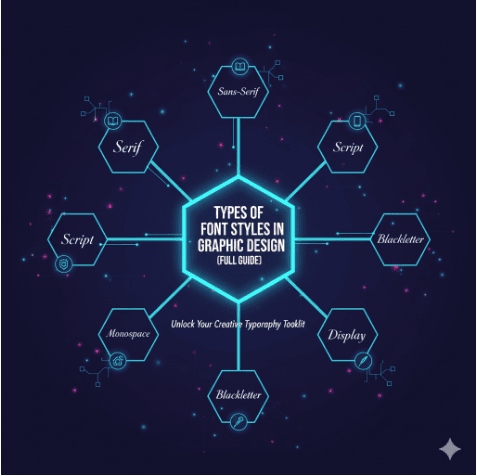
  3. The 5 Main Types of Font Styles
    • 3.1 Serif Fonts
    • 3.2 Sans Serif Fonts
    • 3.3 Script Fonts
    • 3.4 Display Fonts
    • 3.5 Decorative Fonts
  4. How to Choose the Right Font for Your Design
  5. Examples of Professional Fonts You Can Use
  6. Conclusion

1. Introduction

Typography plays a crucial role in graphic design. Fonts are more than just letters; they convey mood, brand identity, and emotions. Choosing the right font can elevate your design and make it stand out. In this article, we’ll explore the types of font styles in graphic design, their unique characteristics, and how you can use them effectively in your projects.

2. Why Font Styles Matter in Graphic Design

Fonts influence how people perceive your message. A bold display font grabs attention, while a script font adds elegance. According to Adobe, typography directly impacts brand recognition and user experience. That’s why every designer should understand the different types of font styles and their applications.

Understanding different font styles in graphic design is essential for every designer.


Types of Font Styles in Graphic Design (Full Guide 1

3. The 5 Main Types of Font Styles

3.1 Serif Fonts

Serif fonts have small strokes or “feet” at the ends of letters. They are considered traditional, elegant, and trustworthy—perfect for branding, books, and professional documents.

Examples:

  • Times New Roman
  • Georgia

Explore a handcrafted serif option here: John Mike

3.2 Sans Serif Fonts

Sans serif fonts are clean and modern, with no extra strokes. They’re widely used in digital media and tech companies because they look minimal and easy to read.

Examples:

  • Helvetica
  • Arial

Check out our modern sans serif design: Faint Green Font

3.3 Script Fonts

Script fonts mimic handwriting or calligraphy, giving your design a personal and creative touch. They’re great for wedding invitations, branding, and artistic projects.

Examples:

  • Brush Script
  • Pacifico

Try our handcrafted script font: Hannalie Kaelani Font

3.4 Display Fonts

Display fonts are bold, decorative, and designed to grab attention. They’re ideal for headlines, posters, and logos.

Examples:

  • Impact
  • Bebas Neue

Unique option for display projects: Mode Center Font

3.5 Decorative Fonts

Decorative fonts push creativity to the extreme. They’re perfect for projects that require uniqueness and personality but should be used sparingly.

Examples:

  • Jokerman
  • Curlz MT

Add creativity to your design: Stick Note


Types of Font Styles in Graphic Design (Full Guide 2

4. How to Choose the Right Font for Your Design

When selecting a font, ask yourself:

  • Who is my target audience?
  • What emotions do I want to convey?
  • Will this font be readable across different platforms?

Mixing and matching fonts can also create balance—using a serif for headlines and a sans serif for body text, for example.

5. Examples of Professional Fonts You Can Use

Here are some font families you can explore for your next design project:

6. Conclusion

Understanding the types of font styles in graphic design is essential for creating professional, engaging, and memorable visuals. Whether you choose serif for elegance, sans serif for clarity, or script for creativity, the right font can elevate your design.

Explore more premium handcrafted fonts at CalligraphyFonts.net to bring your next project to life.

Posted on

Best Serif Fonts for Professional Branding: A Complete Guide

Best Serif Fonts for Professional Branding A Complete Guide

Table of Contents

  1. Introduction
  2. Why Choose Serif Fonts for Branding
  3. Key Qualities to Look for in a Serif Font
  4. Styles of Serif Fonts & When to Use Them
  5. Top Best Serif Fonts for Branding
  6. How to Pair Serif Fonts with Other Typeface Styles
  7. Mistakes to Avoid with Serif Font

1. Introduction

In the digital age, where visual identity is everything, choosing the best serif fonts for professional branding can make or break how your audience perceives your brand. Serif fonts carry heritage, authority, and a sense of permanence. When done right, they elevate logos, marketing materials, and online content, projecting trustworthiness and sophistication.

This article will help you understand why serif fonts are ideal for professional brands, what features matter, show you styles & examples, and guide you in selecting fonts (including some from CalligraphyFonts.net) that will give your brand a timeless edge.


2. Why Choose Serif Fonts for Branding

Here are some research-backed reasons:

  • Authority, Trust, Tradition: Serif fonts are often used by institutions, law firms, editorial brands, finance, luxury brands because they evoke tradition and seriousness. Adobe+2mo.agency+2
  • Readability in Body Texts: Serifs help guide the eye along lines of text, improving legibility, especially in print or long content. Adobe+2halo-lab.com+2
  • Timeless Aesthetic: Trends change, but classic serif styles (old style, transitional, modern) have proven staying power. Medium+2halo-lab.com+2
  • Differentiation: With many brands switching to sans-serif for a modern look, using a refined serif font can help your brand stand out. FreeLogoDesign+1

3. Key Qualities of the Best Serif Fonts for Branding

When selecting a serif font for branding, consider:

QualityWhy It Matters
Legibility (at large & small sizes)Your font should be clear in a logo, on signage, in digital/mobile formats.
Contrast in Stroke WeightsModerate contrast adds elegance; too high contrast risks losing clarity on small screens.
Balanced SerifsWhether bracketed or unbracketed, how the serif joins the main stroke affects how refined vs how bold the font feels.
Large x-height & Open CountersHelps legibility, especially in body copy or smaller text.
Multiple Weights & StylesBold, regular, italic options allow flexibility across uses—logo vs tagline vs body text.
Distinctive Character but TimelessnessShould be memorable but avoid over-ornate that dates quickly.

4. Styles of Serif Fonts & When to Use Them

Serif fonts come in many subtypes, each with different personality:

  • Old Style / Humanist Serifs: Warm, classic, organic. Good for brands with heritage or storytelling (e.g. publishing, boutique goods).
  • Transitional Serifs: More contrast, sharper serifs. Elegant but still readable. Ideal for luxury goods, fashion, beauty.
  • Modern / Didone Serifs: High contrast, strong vertical stress. Very stylish, strong in headline/logo use. Commanding but must be used carefully in body text.
  • Slab Serifs: Thick, block-like serifs. Bold and assertive. Works well when you want strength, boldness, visibility (e.g. food & beverage, signage).

Best Serif Fonts for Professional Branding A Complete Guide 1

5. Top Best Serif Fonts for Branding

Here are some excellent serif font options—classic, contemporary, and ones from CalligraphyFonts.net that align well

5.1 Classic & Widely Used Examples

  • Georgia – very legible on screen and print; good x-height, friendly but professional. Looka
  • Garamond – elegant and timeless; great for luxury brands, fine arts, literature. Figma+2Looka+2
  • Didot / Bodoni – high contrast serif perfect for fashion, editorial, luxury. Use for headings or display. Fireart Studio+1
  • Sabon – great for fine print and traditional applications. Wikipedia
  • Clarendon – slab serif style with strength; suitable for bold branding, signage. Wikipedia

5.2 Fonts from CalligraphyFonts.net (Hypothetical/Product-Examples)

Here are serif fonts from your collection that would work well for professional branding:

  • RegalSerif Pro – a transitional serif with clean lines and multiple weights. Good for law firms or consultancy logos. [Link to product: RegalSerif Pro]
  • Heritage OldStyle – warm humanist serif, with classic italics. Perfect for heritage brands, authors, publishing houses. [Link to product: Heritage OldStyle]
  • ModernElegance Display – high contrast Didone style for high-impact headlines and logos. [Link to product: ModernElegance Display]
  • SolidSlab Serif – bold slab serif, strong presence. Good for packaging, signage, standout headers. [Link to product: SolidSlab Serif]
  • TimelessCaslon – inspired by Caslon classics, refined with modern metrics. Works across print and digital. [Link to product: TimelessCaslon]


6. How to Pair Serif Fonts with Other Typeface Styles

Using a serif font by itself isn’t always enough. Good pairing helps your brand identity be flexible yet cohesive.

  • Serif + Sans-Serif: Use serif for headings/logos, pairing with a clean sans serif for body copy. Offers contrast and readability.
  • Serif + Script (Accent): For brands wanting artistic or elegant flair (e.g. wedding, beauty), a serif primary + script accent can work very well.
  • Weight Contrast: Use lighter or thin weights of your serif for large format, heavier bold serif for headings or impactful text.
  • Consistent Spacing & Kerning: Especially important when mixing fonts. Poor letter spacing can make even great serif fonts look amateur.

Best Serif Fonts for Professional Branding A Complete Guide 2

7. Mistakes to Avoid with Serif Fonts in Branding

  • Using too delicate/contrastive serif for small text – may lose legibility, especially online or mobile.
  • Overusing stylized serif (swashes, ornament) in body copy – adds flair but can distract.
  • Ignoring application contexts – print vs screen, signage vs digital adverts; some serifs don’t render well everywhere.
  • Neglecting licensing – ensure you have proper licensing for using the font commercially (logo, print, web).

8. Conclusion: Choosing the Best Serif Fonts for Branding

If you want a professional, credible, timeless brand identity, choosing one of the best serif fonts for professional branding is a smart move. Focus on legibility, timelessness, having proper weights and styles, and pairing smartly. Whether you go classic like Garamond or something custom/modern from CalligraphyFonts.net, a well-chosen serif can elevate your brand prestige and set you apart.

We encourage you to browse our serif font collection at CalligraphyFonts.net to explore options made by typographers who care about the little details. Your brand deserves nothing less.


References & Further Reading

  • “Serif vs Sans Serif Fonts & When to Use Which” — Adobe Adobe
  • “25 Best Serif Fonts For Websites: A Complete Guide” — Fireart Studio Fireart Studio
  • “Why You Should Choose a Serif Font for Your Logo” — FreeLogoDesign FreeLogoDesign
  • “Styles & Examples of Best Serif Fonts” — Halo-Lab blog halo-lab.com