Table of Contents
- Introduction
- Why Understanding Designer Types Matters
- Graphic Designer
- UI Designer
- UX Designer
- Web Designer
- Motion Designer
- Product Designer
- Brand Identity Designer
- Best Fonts for Designer-Related Content (from CalligraphyFonts.net)
- Tips for Choosing the Right Designer for a Project
- Conclusion
- References
1. Introduction Types of Designers Explained
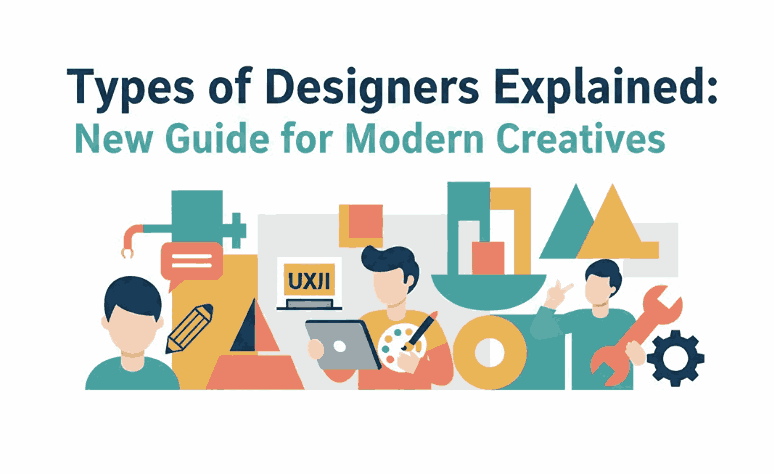
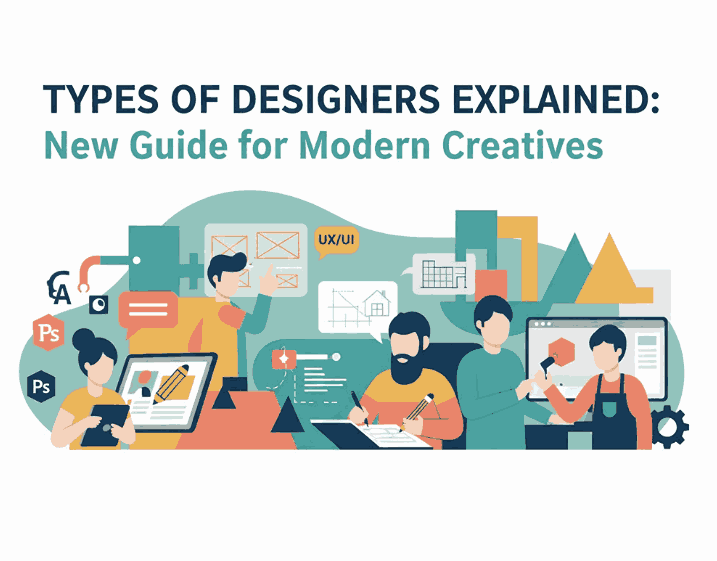
Types of Designers Explained The design industry is expanding rapidly, and with it comes a variety of specialized design roles. From visual communication to user experiences, different designers focus on different aspects of creativity and problem-solving. This article will break down the Types of Designers Explained, helping readers understand each role, their responsibilities, and where they fit in the modern creative ecosystem.
To make this guide even more effective, we also include carefully curated sans serif font recommendations from CalligraphyFonts.net to illustrate how typography influences designer-related content.
2. Why Understanding Types of Designers Explained Matters
Whether you are a business owner, creative director, or aspiring designer, knowing the differences between designer roles is crucial.
Here’s why:
- You can hire the right professional for specific creative needs
- You can delegate tasks more efficiently
- You can understand how designers collaborate within a team
- You can improve project outcomes by aligning skills with objectives
- You can plan more strategic brand or product development
In the following sections, we describe the most common designer types in the industry today.
3. Graphic Types of Designers Explained
A Graphic Designer focuses on visual communication. They create visual assets that communicate messages through typography, color, composition, and imagery.
Core Responsibilities:
- Branding & visual identity
- Poster, flyer, and brochure design
- Social media content
- Packaging
- Editorial layout
Skills Needed:
- Strong typography sense
- Mastery of design software (Adobe Illustrator, Photoshop)
- Understanding color theory & layout
Graphic designers often work closely with marketing teams and brand strategists.
4. UI Types of Designers Explained
UI (User Interface) Designers create the visual layout of digital products, ensuring that digital interfaces look appealing and function smoothly.
Core Responsibilities:
- Designing app & website interfaces
- Creating component systems
- Building style guides & design systems
Skills Needed:
- Consistency in layout
- Knowledge of grid systems
- Familiarity with design tools like Figma or Sketch
- Understanding of web behavior
UI Designers ensure users interact with intuitive and visually cohesive digital products.
5. UX Types of Designers Explained
UX (User Experience) Designers focus on how users feel while interacting with a product. Unlike UI designers who focus on appearance, UX designers emphasize structure, flow, and usability.
Core Responsibilities:
- Conducting user research
- Creating wireframes & prototypes
- Improving user journeys
- Testing usability
Skills Needed:
- Analytical thinking
- Knowledge of human behavior
- UX methodologies
UX Designers ensure products are functional, intuitive, and user-friendly.

6. Web Types of Designers Explained
Web Designers work on websites, combining both visual design and basic coding.
Core Responsibilities:
- Designing website layouts
- Optimizing web visuals
- Enhancing user flow
- Sometimes handling front-end code
Skills Needed:
- Knowledge of HTML/CSS
- Responsive design understanding
- Interface layout
Web designers bridge the gap between graphic design and front-end development.
7. Motion Types of Designers Explained
Motion Designers bring visuals to life using movement and animation.
Core Responsibilities:
- Creating animated graphics
- Video titles & transitions
- Social media motion content
- Digital advertisements
Skills Needed:
- Animation sense
- Video editing mastery
- 2D/3D motion tools (After Effects, Blender)
Motion designers play a key role in modern marketing and digital storytelling.
8. Product Types of Designers Explained
A Product Designer works on digital platforms, combining UI, UX, design systems, and business logic.
Core Responsibilities:
- Designing digital products end-to-end
- Prototyping & design testing
- Improving MVPs
- Creating consistent design systems
Skills Needed:
- Combination of UI + UX + strategy
- System thinking
- Collaboration with product teams
Product Designers are highly valued in the tech industry for their holistic perspective.
9. Brand Identity Types of Designers Explained
Brand Identity Designers focus on how a brand looks and feels. They ensure brand consistency across all touchpoints.
Core Responsibilities:
- Logo design
- Brand guidelines
- Typography selection
- Color palettes
- Brand storytelling
Skills Needed:
- Mastery of conceptual visual language
- Strategic creative thinking
- Strong typography & layout skills
They play a key role in shaping how people perceive a brand.
10. Best Fonts for Designer-Related Content (from CalligraphyFonts.net)
Typography plays a major role in design professionalism. Below are recommended fonts ideal for portfolio websites, design articles, and designer branding.
Pictorial Style Font
A sharp and modern sans serif with clean geometry. Perfect for headings and professional layouts.
Faint Green Font
Minimal and elegant, this font is ideal for body text, blog pages, and UI mockups.
Kawaguchi Font
A futuristic sans serif with strong geometric form — perfect for tech designers and digital creatives.
Overcame Font
Bold and modern, suitable for portfolio headers, case studies, and impactful design statements.
11. Tips for Choosing the Right Designer for a Project
Here are practical guidelines:
- Identify your project goals clearly
- Match the designer’s specialization with project needs
- Review portfolios thoroughly
- Check their experience level
- Ensure communication style fits your workflow
- Use typography (fonts) that strengthen the designer’s identity
Choosing the right designer leads to better creative outcomes and long-term success.
12. Conclusion Types of Designers Explained
Understanding the Types of Designers Explained is essential for anyone involved in creative, digital, or branding work. Each designer plays a unique role and contributes valuable expertise. Whether you’re a business owner or creative professional, this guide helps you navigate the design world more confidently.
Using the recommended fonts from CalligraphyFonts.net, you can elevate your visual presentations, portfolios, and design-related content with clean, modern, and professional typography.
13. References
- Din Studio — “The 7 Common Types of Designers”
- AIGA — Design Roles Overview
- NNGroup — Research-based, practitioner-focused. Your source for UX guidance