Posted on

RGB vs CMYK Difference: New Complete Guide Every Designer Must Know

RGB vs CMYK Difference

Table of Contents

  1. Introduction
  2. What Are Color Modes?
  3. What Is RGB?
  4. What Is CMYK?
  5. Key Differences Between RGB and CMYK
  6. When to Use RGB vs CMYK
  7. Why Colors Look Different in Print
  8. How to Convert RGB to CMYK Properly
  9. Best Practices for Designers
  10. Recommended Fonts for RGB/CMYK Mockups
  11. Final Thoughts
  12. References

1. Introduction RGB vs CMYK Difference

If you work in digital design, printing, branding, or any creative field, you’ve likely encountered the classic debate: RGB vs CMYK. Although both are color modes used in design, they serve very different purposes — which is why choosing the wrong one can lead to washed-out prints, inaccurate hues, or unexpected color shifts.

Understanding the RGB vs CMYK difference is essential to producing consistent, high-quality colors across digital and printed media. Whether you’re designing a logo, social media graphic, poster, or packaging, knowing which color mode to use will save time, resources, and frustration.

This article breaks down the differences between RGB and CMYK, explains when each should be used, and provides best practices for designers — along with font recommendations from CalligraphyFonts.net that work well for mockups in both color modes.

RGB vs CMYK Difference

2. What Are Color Modes RGB vs CMYK Difference?

Color modes are systems used to represent colors in digital and print formats. They define how colors are created, mixed, and displayed. Two of the most important color modes used in design are:

  • RGB (Red, Green, Blue) — used for digital screens
  • CMYK (Cyan, Magenta, Yellow, Key/Black) — used for printing

Choosing the correct color mode ensures accurate reproduction of your design.

3. What Is RGB?

RGB is an additive color model, meaning colors are created by adding light. The more light added, the brighter the color becomes.

RGB is used for:

  • Websites
  • Mobile apps
  • Digital ads
  • Social media graphics
  • UI/UX design
  • Presentations
  • Anything displayed on screens

Why RGB works well for screens:

  • Produces vibrant, glowing colors
  • Supports a wide color gamut
  • Offers more bright neons and saturated tones
  • Perfect for animations and digital visuals

RGB is not intended for print — which is why many designers see dull colors when printing RGB artwork.

4. What Is CMYK?

CMYK is a subtractive color model, meaning colors are created by subtracting light using ink. More ink equals darker results.

CMYK is used for:

  • Brochures
  • Flyers
  • Posters
  • Packaging
  • Business cards
  • Magazines
  • Merchandise printing

Since printers use ink, CMYK is the correct mode for anything that needs to be physically produced.

5. Key Between RGB vs CMYK Difference

1. Color Creation

  • RGB: additive (light-based)
  • CMYK: subtractive (ink-based)

2. Color Range

  • RGB: wider gamut
  • CMYK: limited gamut

Many neon, bright blues, violets, and pinks can’t be reproduced accurately in CMYK.

3. Output Device

  • RGB: screens
  • CMYK: printers

4. Final Appearance

  • RGB is vibrant and glowing
  • CMYK is softer and more matte

5. Purpose

  • RGB = digital
  • CMYK = print

6. When to Use RGB vs CMYK Difference

Use RGB for:

✔ Websites
✔ Social media content
✔ Videos
✔ Animations
✔ Digital ads
✔ UI/UX layouts

Use CMYK for:

✔ Branding materials
✔ Business cards
✔ Posters
✔ Packaging
✔ Print-on-demand merchandise
✔ Large-format printing

Choosing the correct mode at the beginning of the project prevents major color changes later.

RGB vs CMYK Difference

7. Why Colors Look RGB vs CMYK Difference in Print

Designs that look bright on screen often appear dull when printed. This happens because:

  • Screen emits light
  • Paper reflects light
  • RGB colors cannot always be converted perfectly to CMYK
  • Certain saturated tones are outside CMYK’s ink limitations

Printers physically cannot reproduce neon RGB tones.

8. How to Convert RGB vs CMYK Difference Properly

Follow these best practices for accurate conversions:

1. Start designing in the correct color mode

If your project is meant for print, begin in CMYK.

2. Soft-proof your design RGB vs CMYK Difference

Preview how colors will look when printed.

3. Use calibrated color profiles

Such as FOGRA39 or U.S. Web Coated SWOP.

4. Avoid neon or highly saturated tones

These rarely print as expected.

5. Request a physical proof from your printer

This is especially important for brand colors.

9. Best Practices for Designers RGB vs CMYK Difference

  • Always ask clients whether the project is for print or digital
  • Use Pantone for brand consistency
  • Compare printed samples with screen designs
  • Keep brightness lower for print designs
  • Flatten your artwork before exporting for print
  • Export using PDF/X-1a, PDF/X-3, or TIFF for best results

Understanding color mode differences helps maintain professionalism and avoid costly printing mistakes.

10. Recommended Fonts for RGB vs CMYK Difference Mockups

These fonts from CalligraphyFonts.net work beautifully in both digital and printed applications, making them ideal for demonstrating color differences:

1. Pictorial Style Font – Modern Sans Serif

A clean, contemporary sans-serif font perfect for testing color clarity and contrast.

2. Healing Time Font – Elegant Sans Serif

Balanced, sleek, and readable — great for print and digital designs alike.

3. Faint Green Font – Minimal Sans Serif

Strong readability and geometric precision make it excellent for color mode mockups.

4. Overcame Font – Bold Sans Serif

Ideal for posters, headers, and color comparison charts.

These fonts enhance the visual clarity of RGB vs CMYK examples in your article or mockups.

11. Final Thoughts RGB vs CMYK Difference

Understanding RGB vs CMYK difference is one of the most essential skills for modern designers. Whether you’re creating digital artwork or preparing prints, choosing the right color mode can make the difference between a stunning design and a disappointing outcome.

By mastering both color modes and using professional-quality fonts from CalligraphyFonts.net, designers can achieve consistent, beautiful results across digital screens and printed media.

12. References

Posted on

Typography Games Kerning Online: The New Fun Way to Master Spacing

Typography Games Kerning Online

Table of Contents

  1. Introduction
  2. What Are Typography Games?
  3. Why Kerning Matters in Modern Design
  4. How Online Kerning Games Improve Your Skills
  5. Best Typography Games to Train Kerning
  6. Practical Ways to Apply Kerning Skills in Real Projects
  7. Recommended Fonts for Kerning Practice
  8. Final Thoughts
  9. References

1. Introduction Typography Games Kerning Online

Typography Games Kerning Online is more than choosing stylish fonts — it is about ensuring letterforms communicate clearly and beautifully. One of the most important yet often overlooked components of typography is kerning, the adjustment of spacing between individual letter pairs.

As design becomes more digital and competitive, understanding kerning becomes essential for graphic designers, typographers, brand creators, and UI/UX designers. Fortunately, learning kerning doesn’t have to feel like studying math — today, there are fun typography kerning games online that help sharpen your design instincts effortlessly.

This article explores these online games, why kerning is crucial, and how you can improve your spacing skills using interactive tools. We also include mockup font recommendations from CalligraphyFonts.net to inspire your projects.

Typography Games Kerning Online

2. What Are Typography Games Kerning Online?

Typography games are interactive digital games designed to teach visual design skills such as:

  • Kerning (adjusting letter spacing)
  • Tracking
  • Font pairing
  • Color matching
  • Grid alignment
  • Bézier curve manipulation

These games transform complex design principles into fun challenges that help train your visual sensitivity. They are especially helpful for:

  • Beginner designers
  • Students
  • Professional graphic designers wanting regular practice
  • Web/UI designers
  • Typography enthusiasts

The goal is simple: learn typography by playing, not memorizing.

3. Why Typography Games Kerning Online Matters in Modern Design

Kerning directly impacts how a brand or message is perceived. Poor kerning results in:

  • Awkward spacing
  • Misread words
  • Unprofessional visuals
  • Distracting text
  • Weak brand identity

Strong kerning, however, enhances:

  • Readability
  • Balance
  • Aesthetics
  • Brand signature look
  • Viewer trust

From logos to packaging to website headers, kerning determines whether text feels well-crafted or sloppy. This is why kerning games are extremely valuable — they train your eyes to spot spacing issues instantly.

4. How Typography Games Kerning Online Improve Your Skills

Kerning games offer instant skill development because they simulate real-world design challenges.

Benefits of Kerning Games

✔ Improve visual balance
✔ Sharpen spacing sensitivity
✔ Learn faster than reading theory
✔ Provide real-time corrections
✔ Strengthen typographic decision-making
✔ Help develop professional instinct

They also offer scoring systems so you can improve every time you play.

5. Best Typography Games Kerning Online to Train Kerning

Below are some of the top kerning games widely used in design education:

✔ KernType – The Kerning Game

A classic and highly popular kerning game where players adjust spacing between letters to match a typographer’s solution.

✔ ShapeType

Focuses on shaping letters using Bézier curves.

✔ Type War

A simple yet addictive game that sharpens your ability to identify fonts.

✔ Type Connection

A game about pairing fonts that work well together — great for designers doing branding work.

✔ Method of Action Bézier Game

Teaches how to manipulate curves precisely — essential for type designers.

These games make training enjoyable and give valuable muscle memory that improves your design workflow.

6. Practical Ways to Apply Typography Games Kerning Online Skills in Real Projects

Good kerning is essential across nearly all design categories:

Logo Design

Logo text must be perfectly spaced since it represents a brand permanently.

Brand Identity Design

Typography choices such as uppercase headings or handwritten scripts need balanced spacing to maintain consistency.

Web & UI Design

Proper kerning makes interfaces feel clean and professional.

Poster & Print Design

Large typography demands precise spacing to avoid visual imbalance.

Font Design / Custom Lettering

Kerning knowledge helps you understand how letters should interact harmoniously.

Typography Games Kerning Online

7. Recommended Fonts for Typography Games Kerning Online Practice (from CalligraphyFonts.net)

To enhance your typographic projects or create mockups, here are selected fonts from your website that are excellent for kerning exercises due to their clean shapes and consistent structure:

1. Overcame Font – Sans Serif

Perfect for learning kerning because of its bold, modern, and geometric letterforms.

2. Fieldstone Font – Modern Display

Ideal for stylish titles and kerning exploration, especially for uppercase spacing.

3. Faint Green Font – Clean Sans Serif

A minimalistic typeface that makes kerning practice easier and more precise.

4. Healing Time Font – Elegant Sans Serif

Suitable for practicing both subtle and wide kerning adjustments.

Using these fonts in mockups allows readers to visualize kerning improvements in real-world applications.

8. Final Thoughts Typography Games Kerning Online

Typography games are one of the most effective and enjoyable ways to sharpen your design intuition. Kerning might seem like a small detail, but it has a massive impact on branding, readability, and visual harmony.

By incorporating online typography games into your training routine — and practicing with well-designed fonts like Overcame, Fieldstone, Faint Green, and Healing Time — you can grow your design skills significantly faster.

Design is a journey, and kerning is a simple yet powerful step toward mastering it.

9. References

  • Avark — Type Terms
  • Din Studio — Games to Train Your Designing Skills
  • Font Pairings — Check typefaces and font pairings with this interactive tool
  • Method of Action — Method of Action creates tools, toys and games to help you learn design, for free.
Posted on

Forbidden Color Combinations: The Essential Guide for Designers 2025

Forbidden Color Combinations

Table of Contents

  1. What Are Forbidden Color Combinations?
  2. Why Some Color Pairings Hurt Your Design
  3. The Most Common Forbidden Color Combinations
  4. How to Identify Bad Color Contrast
  5. How to Fix or Improve Poor Color Pairings
  6. Recommended Fonts for High-Contrast Designs
  7. Final Thoughts
  8. References

1. What Are Forbidden Color Combinations?

In the world of graphic design, color is one of the most powerful communication tools. However, not all colors work well together. “Forbidden color combinations” refer to color pairings that result in poor readability, visual discomfort, or design imbalance. These are combinations that distract the viewer, reduce clarity, or make the message difficult to understand.

The goal of a designer is not only to choose beautiful colors, but also to ensure harmony, contrast, and accessibility. When colors clash, the design suffers—whether it’s a logo, poster, website, or product label.

Forbidden Color Combinations

2. Why Some Forbidden Color Combinations Pairings Hurt Your Design

There are several reasons why certain colors become problematic when paired together:

A. Low Readability Forbidden Color Combinations

Text may blend into the background, making it hard to read.

B. High Visual Vibration

Some bright tones (such as neon pairs) create an unwanted glowing or vibrating effect.

C. Cultural or Emotional Mismatch

Colors may carry conflicting meanings, causing the design to feel confusing.

D. Poor Contrast Forbidden Color Combinations

Contrast affects accessibility and visual hierarchy. When contrast is too low or too extreme, the viewer’s eyes struggle.

E. Color Blindness Issues

Around 8% of men and 0.5% of women experience some form of color blindness (source: National Eye Institute). Certain combinations—such as red/green or green/brown—become impossible to differentiate for affected viewers.

3. The Most Common Forbidden Color Combinations

Here are the color pairings designers should avoid or handle with extreme care:

1. Red & Green

This pair is difficult for color-blind users and often causes blending, making elements look muddy and unclear.

2. Blue & Red

These two create an optical vibration effect, especially when both are bright. Often seen as a “dizzying” combination.

3. Neon Colors Together (Neon Yellow + Neon Green / Neon Pink + Neon Blue)

Neon-on-neon results in intense visual vibration that strains the eyes.

4. Dark Colors on Dark Backgrounds

Examples: navy on black, dark brown on burgundy.
Low contrast = poor readability.

5. Bright Yellow on White

Even though both are positive colors, they blend together and become nearly invisible.

6. Purple & Red

Both are saturated warm colors and create tension or a “messy” visual feel.

7. Green & Orange

Their similar mid-tone values often make them clash and appear unbalanced.

4. How to Identify Bad Forbidden Color Combinations Contrast

To avoid forbidden combinations, designers must evaluate color contrast effectively. Here are practical steps:

☑ Use Contrast-Checker Tools

Tools such as WebAIM Color Contrast Checker or Adobe Color Accessibility can help measure contrast ratios.

☑ Test Multiple Lighting Scenarios

Designs should remain readable in bright daylight, low light, and on various screen types.

☑ Review Your Design in Grayscale

This helps evaluate luminance contrast—the backbone of readability.

☑ Check With Color-Blind Simulations

Use simulators (e.g., Coblis) to ensure colors remain distinguishable.

☑ Follow WCAG 2.1 Guidelines

Text should meet a minimum contrast ratio of 4.5:1 for accessibility (source: W3C Web Content Accessibility Guidelines).

Forbidden Color Combinations

5. How to Fix or Improve Poor Forbidden Color Combinations Pairings

If you must use a risky combination, here’s how to refine it:

1. Adjust Brightness or Saturation

Darken or lighten one of the colors to create contrast.

2. Add Outlines or Shadows

A subtle outline (white or black) helps make text stand out.

3. Use a Neutral Divider

Black, white, gray, or beige can separate conflicting colors.

4. Modify Hue Slightly Forbidden Color Combinations

A small shift (e.g., from pure red to a deeper burgundy) can instantly fix the clash.

5. Simplify the Palette Forbidden Color Combinations

Sometimes less is more. Limiting to 2–3 main colors generally improves harmony.

6. Recommended Fonts for High-Contrast Designs

When dealing with tricky color combinations, typography plays a crucial role. A strong, legible font can compensate for visual limitations and help your message stand out.

Here are premium fonts from CalligraphyFonts.net that work beautifully even in high-contrast or challenging color settings:

1. Workday Font

A modern, bold, handwritten script with excellent clarity.
Perfect for packaging, branding, and product highlights.

2. Blossom Aura Font

Elegant, smooth, and beautifully balanced.
Ideal for labels, wedding branding, and soft color palettes.

3. Popcorn Chips Font

Fun, playful, and easy to read—great for bold color backgrounds.
Suitable for posters, children’s products, and casual branding.

These fonts help maintain visual clarity even when working with intense or difficult color combinations.

7. Final Thoughts Forbidden Color Combinations

Forbidden color combinations are not strict bans—but they are warnings. Understanding how colors interact helps designers produce cleaner, more effective designs while improving accessibility and user experience.

By avoiding problematic pairings—or adjusting them with contrast, saturation, or neutral tones—you can maintain visual harmony and strengthen your brand identity.

Pairing your designs with the right typography further enhances clarity, ensuring that your message remains readable and impactful, even in challenging color environments.

Whether you’re designing a product label, poster, or digital content, mastering color theory will elevate every project you create.

8. References

  • WebAIM – Color Contrast Analysis
  • Din Studio – Forbidden Color Combination
  • Adobe – Why is color accessibility important?
  • W3C / WCAG 2.1 – Color Contrast & Accessibility Guidelines
Posted on

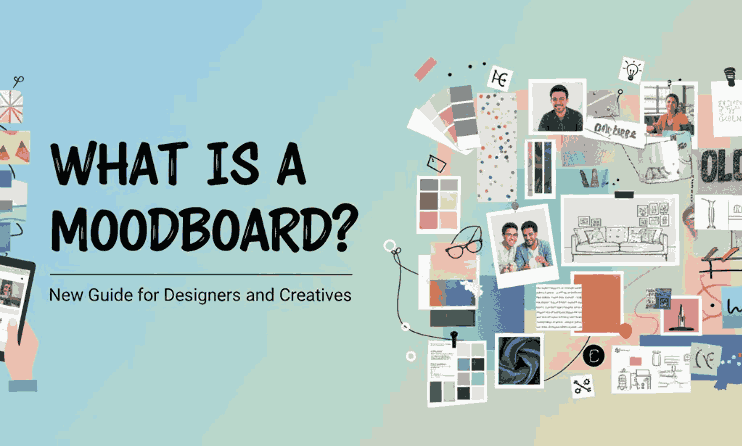
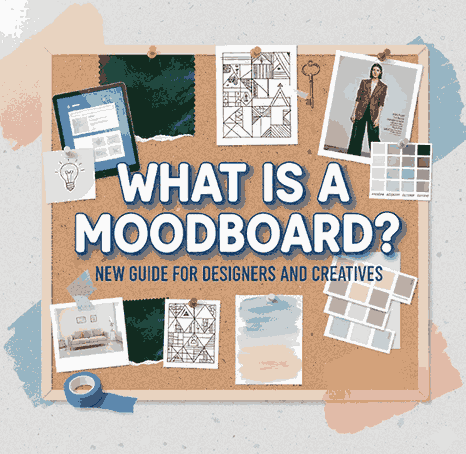
What Is a Moodboard? New Guide for Designers and Creatives

What Is a Moodboard

Table of Contents

  1. Introduction
  2. What Is a Moodboard?
  3. Why Moodboards Matter in Creative Projects
  4. Types of Moodboards: Digital vs. Physical
  5. Key Elements of an Effective Moodboard
  6. How to Create a Moodboard Step-by-Step
  7. Best Fonts to Use in Moodboards (With Examples)
  8. Tips for Using Moodboards in Client Projects
  9. Final Thoughts
  10. References

1. Introduction What Is a Moodboard

What Is a Moodboard In the world of visual communication, clarity is everything. Designers, branding specialists, artists, and creative professionals often rely on moodboards to communicate ideas before moving to the execution stage. Whether you’re working on a logo, packaging, website, or social media identity, a moodboard helps transform abstract ideas into a clear visual direction.

This article will explain what a moodboard is, why it matters, how to create one effectively, and which fonts from CalligraphyFonts.net you can use to enhance your moodboard presentation.

2. What Is a Moodboard?

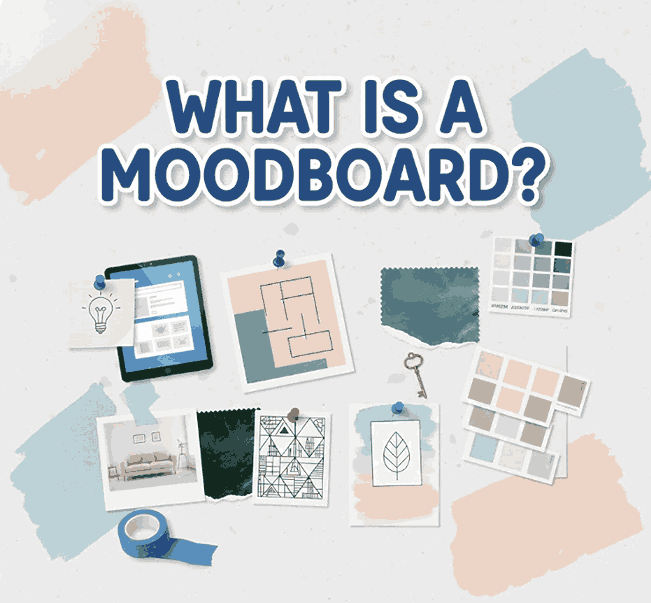
A moodboard is a curated visual collage containing images, colors, typography, textures, patterns, and design inspiration that represent the desired style or concept of a project. It helps communicate the emotional tone (“mood”) and overall aesthetic direction you aim to achieve.

A moodboard acts as a visual brainstorming tool, making it easier to align ideas between designers and clients.

What Is a Moodboard

3. What Is a Moodboard Matter in Creative Projects

3.1. Clarifies Visual Direction

Instead of relying on verbal descriptions, moodboards visually express the atmosphere and style you’re aiming for. Clients understand better and faster.

3.2. Prevents Miscommunication

Design projects commonly fail due to misaligned expectations. A moodboard eliminates this risk by giving a shared point of reference.

3.3. Saves Time and Resources

With a clear visual direction upfront, the design process becomes more efficient, reducing revisions and increasing productivity.

3.4. Boosts Creativity

Moodboards provide inspiration and help spark new ideas that might not emerge through words alone.

4. Types of “What Is a Moodboard”: Digital vs. Physical

4.1. Digital What Is a Moodboard

Digital moodboards are created using software like Canva, Figma, Adobe Illustrator, or Pinterest. They’re flexible, easy to share, and ideal for remote collaboration.

4.2. Physical What Is a Moodboard

These are made using printed materials, magazine cut-outs, fabric samples, or hand-drawn sketches. They provide tactile texture that some designers prefer for fashion, interior, or craft-based projects.

Both types are effective—it all depends on your workflow and project needs.

5. Key Elements of an Effective What Is a Moodboard

Color Palette

Your moodboard should include a consistent color theme that reflects the emotion of the project.

Images/Photography

Photos help convey the style—minimalist, vibrant, vintage, playful, or futuristic.

Typography

Fonts play a key role because they shape a brand’s personality. This is also where your chosen font mockups can shine (see Section 7).

Textures and Patterns

Include fabrics, grids, gradients, geometric shapes, and other visual elements based on your creative direction.

Keywords or Descriptive Notes

Words like “clean”, “elegant”, “retro”, or “bold” help reinforce your concept.

6. How to Create a Moodboard Step-by-Step

Step 1 – Define the Goal

Understand the purpose: branding, packaging, website design, logo creation, advertising, etc.

Step 2 – Research Inspiration

Use Pinterest, design blogs, Behance, or Instagram to gather visuals that express the desired mood.

Step 3 – Collect Visual Elements

Save images, textures, color palettes, icons, and typography samples.

Step 4 – Select Fonts

Choose fonts that express the style you’re going for. Minimalist fonts work for clean concepts; script fonts suit romantic or elegant themes.

Step 5 – Arrange the Layout

Organize your materials in a structured collage. Group similar elements for clarity.

Step 6 – Present to Your Client

Explain each visual choice and how it relates to the final design direction.

Step 7 – Revise if Needed

Refine based on client feedback to ensure alignment.

7. Best Fonts to Use in Moodboards (With Examples)

Typography is one of the most essential elements of any moodboard. To help you create a visually polished presentation, here are recommended fonts from CalligraphyFonts.net:

1. Overcame Font

A clean and modern sans-serif font perfect for bold headings and stylish minimalist concepts.

2. Kawaguchi Font

A geometric sans-serif font ideal for modern, futuristic, or grid-based moodboards. It gives a professional and structured impression.

3. Faint Green Font

A soft and elegant sans-serif with excellent readability. Great for clean branding, lifestyle concepts, and soft mood presentations.

Use these fonts to label sections in your moodboard, create headings, or show typography inspiration for branding projects.

What Is a Moodboard

8. Tips for Using What Is a Moodboard in Client Projects

Be Consistent What Is a Moodboard

Use a consistent color palette and type style to maintain coherence.

Avoid Overcrowding

Only include elements that truly capture the desired direction. Too many visuals make moodboards confusing.

Use High-Quality Images

Clients respond better to polished, high-resolution visuals.

Explain Your Choices

Don’t just show — tell why each element matters. This builds trust and credibility.

Integrate Your Fonts

Show how your own font collection can enhance the branding direction. This also subtly promotes your products.

9. Final Thoughts What Is a Moodboard

A moodboard is more than just a collage — it’s a powerful visual communication tool that helps designers clarify direction, express emotion, and align expectations. Whether you are building a brand identity, crafting packaging, or designing a website, moodboards help set a solid foundation for the creative process.

Using fonts from CalligraphyFonts.net can greatly enhance your moodboard’s professionalism and aesthetic appeal. Incorporate them thoughtfully to communicate style, personality, and design direction clearly.

10. References What Is a Moodboard