Posted on

Triadic Color Combinations Examples: New Create Perfect Harmony in Design

Triadic Color Combinations Examples

Table of Contents

  1. Introduction: Why Color Harmony Matters
  2. What Are Triadic Color Combinations?
  3. The Psychology Behind Triadic Colors
  4. Best Triadic Color Combinations Examples
  5. How to Apply Triadic Colors in Graphic Design
  6. Triadic Colors in Branding and Typography
  7. Showcase: Fonts That Complement Triadic Palettes
  8. Useful Tools and Resources
  9. Conclusion

1. Introduction: Why Color Harmony Matters

Triadic Color Combinations Examples is one of the most powerful tools in design—it communicates emotions, defines brand identity, and influences perception. A well-balanced color palette can turn a simple design into a visually stunning masterpiece. Among the most reliable and creative methods for achieving balance is the Triadic Color Combinations Examples.

In this article, we’ll explore practical Triadic Color Combinations Examples, why they work, and how you can use them in your graphic design projects to achieve vibrant, eye-catching results.

2. What Are Triadic Color Combinations?

A triadic color combination consists of three colors that are evenly spaced around the color wheel. This means they are separated by 120 degrees, creating a perfect visual balance between contrast and harmony.

For example:

  • Red – Blue – Yellow
  • Orange – Green – Purple

Unlike complementary color schemes (which use opposite colors), triadic palettes provide a broader range of hues, making your designs more dynamic while maintaining visual coherence.

According to Canva’s Color Theory Guide, triadic schemes are especially effective in modern branding and web design because they are both bold and balanced.
Triadic Color Combinations Examples

3. The Psychology Behind Triadic Colors

Triadic combinations naturally create a sense of equilibrium. They allow each color to stand out without overwhelming the others. This makes them ideal for projects that need energy and vibrancy while still appearing professional.

  • Red evokes excitement and passion.
  • Blue symbolizes trust and calm.
  • Yellow conveys optimism and warmth.

When used together, these colors create visual interest and emotional harmony—perfect for marketing materials, websites, and social media visuals.

4. Best Triadic Color Combinations Examples

Here are some popular triadic color combinations you can use in your design projects:

1. Red – Blue – Yellow

A classic primary triad, perfect for playful, energetic designs like children’s brands or creative agencies.

2. Orange – Green – Purple

A bold and artistic palette, often used in lifestyle or entertainment branding.

3. Pink – Yellow – Cyan

A modern and youthful combination, great for tech startups or trendy product packaging.

4. Teal – Coral – Mustard

A warm yet sophisticated mix often seen in fashion or interior design visuals.

5. Navy – Gold – Crimson

A luxurious and elegant palette suitable for premium brands and editorial designs.

You can experiment with saturation and contrast levels to adjust the mood of your triadic scheme—keeping one color dominant and the others as accents often creates the best visual balance.

5. How to Apply Triadic Color Combinations Examples in Graphic Design

When using triadic palettes, the key is to maintain balance. Here are a few tips:

  • Pick a dominant color for your main elements.
  • Use the second color for highlights or secondary elements.
  • Reserve the third color for accents, buttons, or calls-to-action.

For web design, tools like Adobe Color Wheel or Coolors can help you generate and test triadic palettes effortlessly.

6. Triadic Color Combinations Examples in Branding and Typography

Triadic color harmony doesn’t only apply to images—it also enhances typography. Using fonts that complement your chosen palette can amplify the mood of your design.

For example:

  • Bold sans-serif fonts work well with vibrant, energetic color schemes.
  • Elegant script or calligraphy fonts pair beautifully with pastel triads.

To see how colors and typography combine beautifully, explore these font mockups from Calligraphy Fonts:

  • Rustte Font – Stylish and rustic, perfect for vintage palettes.
  • Classicly Font – Timeless serif that fits minimalist triadic designs.
  • Overcame Font – Modern and bold, ideal for vibrant color harmony.
  • Southlake Font – Natural and calm, perfect for earthy color triads.
Triadic Color Combinations Examples

7. Showcase: Fonts That Complement Triadic Color Combinations Examples

Typography plays a crucial role in color harmony. Pairing fonts with appropriate color combinations can completely transform a design’s tone.

For instance:

  • A triadic mix of navy, gold, and crimson with Classicly Font evokes sophistication.
  • A bright palette of pink, yellow, and cyan paired with Overcame Font creates a fun, tech-forward vibe.
  • A teal, coral, and mustard triad using Southlake Font offers an organic yet modern feel.

By combining these fonts with triadic color schemes, designers can achieve not just visual appeal but also emotional consistency.

8. Useful Tools and References

To help refine your understanding and create better triadic palettes, explore these useful resources:

9. Conclusion Triadic Color Combinations Examples

Triadic color combinations are a designer’s secret weapon for achieving balance, energy, and vibrancy. They give you flexibility to experiment while ensuring your compositions remain visually harmonious.

Whether you’re working on branding, digital graphics, or packaging, understanding how to use triadic color combinations can elevate your work to a new level of professionalism. Pair them with the right typography—like the beautiful selections available at CalligraphyFonts.net—and your designs will truly stand out.
Posted on

Unlock Canva Pro: The Guide to Smarter, Faster Design

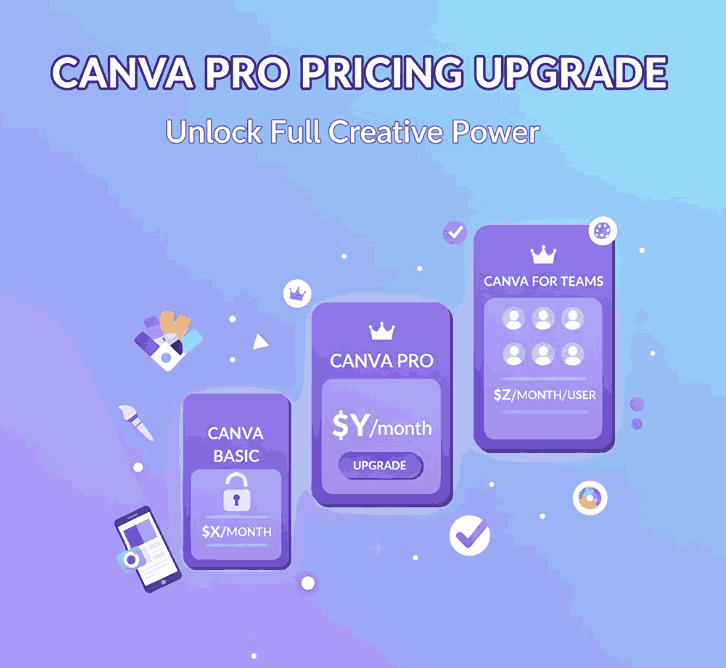
Canva Pro Pricing Upgrade

Table of Contents

  1. Introduction
  2. Canva’s Pricing Structure in 2025
  3. Key Features You Get with Canva Pro
  4. Free vs Pro: What You Gain
  5. Why Upgrade? Return on Creative Investment
  6. How Canva Pro Supports Font & Design Entrepreneurs
  7. Showcase Fonts using Canva Pro + Mockups
  8. Final Verdict
  9. References

1. Introduction

If you’re designing, branding, or selling fonts (like us), you may wonder whether upgrading to Canva Pro Pricing Upgrade is a worthwhile decision. The phrase “Canva Pro pricing upgrade” captures this exact dilemma for many creatives. With Canva becoming more feature-rich and AI-driven, the question isn’t simply “Can I afford Pro?” but rather “Will Pro help me scale, save time, or increase revenue?”

In this article, we break down what you actually get with Canva Pro, compare it against the free plan, and argue when the upgrade makes sense—especially for font creators, designers, and small creative businesses.

Canva Pro Pricing Upgrade

2. Canva’s Pricing Structure in 2025

Let’s begin with the numbers. According to Canva’s official pricing page, Canva offers multiple tiers including Free, Pro, Teams, and Enterprise.

External sources confirm that Canva Pro is priced around USD 12.99/month or USD 119.99/year (varies by region).
Moreover, Canva now heavily leans into AI enhancements and generative tools (Magic Studio, etc.), which feed into justification for pricing, especially for business/teams users.

Note: Canva sometimes adjusts regional pricing, and recently its Teams plan faced steep increases owing to AI feature rollouts.

3. Key Features You Get with Canva Pro

Upgrading unlocks a suite of advanced features not present (or only limited) in the free plan. Some of the most compelling ones:

  • Access to Premium Content Library — Over 100 million photos, illustrations, videos, audio assets included without extra cost.
  • Brand Kit & Font Uploads — You can define brand colors, logos, and upload your custom fonts to maintain consistency.
  • Background Remover Tool — One-click or automatic background removal for images, useful for product mockups.
  • Magic Resize / Reformatting Tools — Instantly adapt a design to different dimensions (Instagram, stories, posters).
  • Advanced Export Options — Export in SVG, transparent PNG, animated GIF/MP4 (depending on design).
  • Larger Storage & Folders — Instead of 5 GB (free), you often get 1 TB in Pro.
  • Generative AI Tools — Higher usage quotas of Magic Write, image generation, text-to-image, etc.
  • Better Collaboration & Workflow Features — Shared projects, version history, approval workflows (especially useful if you work in a small agency or team).
  • License Simplicity — Pro users automatically receive “Pro content license” so you don’t have to separately buy usage rights for many design assets.

Together, these features give Pro users a much more capable design workflow.

4. Free vs Pro: What You Gain

Here’s a side-by-side snapshot:

FeatureCanva FreeCanva Pro
Storage~5 GB Unlimited Graphic Design ~1 TB
Templates & AssetsLimited free templates + free elements Premium + full access to 100M+ assets
Brand Kit / FontsBasic color palette, limited branding toolsFull Brand Kit, font uploads, multiple brand kits
Background RemovalNot built in (or very limited)
Unlimited Graphic Design
Full background remover included
Resize / ReformatManual resizing onlyMagic Resize / automatic reformatting Unlimited Graphic Design
Export FormatsPNG, JPG, PDF (basic) SVG, transparent PNG, animation exports
AI & Generative ToolsLimited usageExpanded credits, full access
Collaboration / WorkflowBasic sharing and commentingAdvanced sharing, approval flows, team tools Unlimited Graphic Design

From a functional perspective, the gap is quite wide — for casual users, Free may suffice. But for professionals, Pro offers a productivity boost.

5. Why Upgrade? Return on Creative Investment

When considering a Canva Pro Pricing Upgrade, you want to see returns in either time saved, higher quality output, or increased revenues / sales.

  • Time Efficiency: Tools like Magic Resize, background remover, and template reuse dramatically reduce hours per design.
  • Consistency & Branding: With brand kits and custom font uploading, every design stays on brand, which is essential for brand identity.
  • Better Assets: Access to premium stock, illustrations, and design elements means fewer external purchases or workarounds.
  • Scalability: As your font business or design studio grows, collaboration, workflows, and team features become critical.
  • AI Leverage: Generative tools can speed ideation, mockups, or variations, giving you more creative options in less time.
  • License simplicity: With Pro content licensing, you reduce friction in using assets legally for commercial purposes.
Canva Pro Pricing Upgrade

If a single client project pays more than your monthly Pro cost—or if you reclaim hours weekly—the upgrade can pay for itself many times over.

6. How Canva Pro Pricing Upgrade Supports Font & Design Entrepreneurs

Because your business is centered on fonts and design, here’s how Canva Pro specifically helps:

  • Custom Font Previews & Mockups: Upload your fonts to create direct previews, sample text graphics, and promotional banners.
  • Product Marketing Assets: Use Pro templates + premium assets to create polished flyers, social media ads, and web banners.
  • Better Visual Consistency: Store your brand palette and logos, then apply them across all designs quickly.
  • Faster Iterations: You can generate multiple versions of one design quickly (e.g. size, colors, text) using AI or tools like Magic Resize.
  • Collaboration with Clients: Share editable previews with clients, allow comments, or receive feedback directly in Canva.
  • Mockup Realism: Remove backgrounds, place your fonts on product images or lifestyle photos seamlessly.
  • Reduced Asset Costs: Save on purchasing stock or graphic assets externally since many are bundled.

When selling fonts, first impressions matter.Canva Pro Pricing Upgrade helps you present your typefaces in compelling, high-quality contexts effortlessly.

7. Showcase Fonts using Canva Pro Pricing Upgrade + Mockups

Here are three font examples you can use in your Canva Pro Pricing Upgrade designs or promotional mockups (linking to your products as examples):

Using Canva Pro’s features, you can:

  • Upload each font and build brand templates around them
  • Use background remover + stock photography to mock them in real-world scenes
  • Generate social media banner sets with unique font treatments
  • Use generative AI or mockup tools to present fonts in varied contexts (e.g. packaging, greeting cards, logos)

These mockups, when done well, help potential customers visualize the font in use, increasing sales confidence.

8. Final Verdict Canva Pro Pricing Upgrade

The Canva Pro Pricing Upgrade is not just about paying for extra “nice-to-have” features. For serious creatives, using fonts commercially, or running design ventures, it’s a productivity multiplier and brand automator.

If your design workflows are frequent, your clients demand polish, or your font business needs a strong visual identity, Pro is a strategic investment. For occasional or hobby use, the free plan can still do the basics.

In short: Upgrade when it helps you deliver better results faster, not merely because of added features.

9. References

  1. Canva – Pricing & Plans (official)
  2. Canva — Pro Features (official)
  3. Spendflo — Canva Pricing Guide (2025)
  4. Penji — Canva Free vs Paid (feature comparison)
Posted on

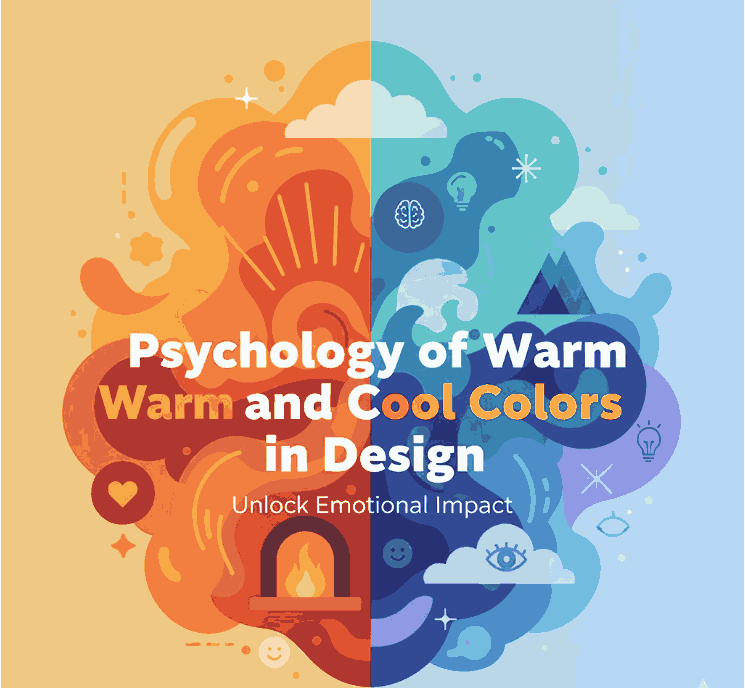
Unlock the Psychology of Warm and Cool Colors in Design

Psychology of Warm

Table of Contents

  1. Introduction
  2. What Are Warm and Cool Colors?
  3. The Emotional Impact of Warm Colors
  4. The Calming Effect of Cool Colors
  5. Balancing Warm and Cool Tones in Design
  6. Applying Color Psychology in Branding
  7. Using Fonts and Colors Together
  8. Final Thoughts
  9. References

1. Introduction

In the Psychology of Warm world of graphic design, color is not just a visual choice — it’s a psychological tool. The Psychology of Warm and cool colors plays a key role in how audiences interpret a brand’s message, mood, and emotional tone. Whether it’s the fiery energy of red or the soothing calm of blue, every hue tells a story that connects deeply with viewers.

For example, pairing the right font design with a warm or cool palette can elevate your visual identity. Explore creative font options like Aeromove Font, Kidsway Font, or Glow Curly Font — each has its own emotional “temperature,” perfectly complementing color psychology in design.

Psychology of Warm

2. What Are Psychology of Warm and Cool Colors?

Warm colors include reds, oranges, and yellows, often linked to heat, sunlight, and passion. These hues grab attention and evoke excitement or comfort.
Cool colors — blues, greens, and purples — bring calm, relaxation, and professionalism. They are often used in healthcare, technology, and wellness industries for their soothing effects.

Designers often use a color temperature wheel to balance these tones effectively. Understanding how warm and cool colors interact helps ensure your visuals remain both emotionally resonant and visually balanced.

3. The Emotional Impact of Psychology of Warm Colors

Warm tones are stimulating and energetic. They can make designs feel cozy, passionate, and bold.

  • Red symbolizes excitement, urgency, or love.
  • Orange conveys creativity, enthusiasm, and friendliness.
  • Yellow suggests optimism, clarity, and youthfulness.

These colors are ideal for calls-to-action (CTAs) or promotional visuals that need to grab attention instantly. However, overusing warm hues can lead to overstimulation — balance is key.

4. The Calming Effect of Cool Colors

Cool colors bring harmony, trust, and tranquility.

  • Blue signifies dependability and calm — a favorite among corporate brands.
  • Green represents growth, health, and balance.
  • Purple conveys luxury, creativity, and mystery.

When used in digital design, cool palettes can make websites or brand visuals feel professional, peaceful, and trustworthy — especially when paired with minimalist font styles.

Psychology of Warm

5. Balancing Psychology of Warm and Cool Tones in Design

A visually effective composition uses a strategic mix of warm and cool colors.

  • Use warm tones for emotional highlights (buttons, accents).
  • Use cool tones for stability (backgrounds, text areas).
  • Maintain color contrast for visual hierarchy.

For instance, combining an inviting orange header with a calming blue background helps direct the viewer’s attention while maintaining harmony.

6. Applying Color Psychology of Warm in Branding

Brands consciously use color Psychology of Warm to influence customer behavior:

  • Coca-Cola uses red for passion and energy.
  • Facebook uses blue for trust and connection.
  • Starbucks uses green for freshness and calm.

Your brand’s color scheme should align with its core values and emotional tone. A warm palette suits lifestyle or food brands, while cool colors work for tech, wellness, or finance.

7. Using Fonts and Colors Together

Typography amplifies color Psychology of Warm. Choosing the right font can reinforce or balance a color’s emotional message.
For instance:

  • Warm-toned designs pair beautifully with bold, expressive typefaces like Aeromove Font.
  • Cool color schemes can benefit from smooth, rounded fonts like Glow Curly Font.
  • For playful designs, Kidsway Font adds a friendly and approachable touch.

By blending color temperature and typography psychology, you create cohesive and memorable visuals.

8. Final Thoughts Psychology of Warm

Mastering the Psychology of Warm and cool colors allows designers to craft visuals that don’t just look good — they feel right. Colors influence emotions, actions, and memories, making them a powerful branding asset.

Whether you’re designing logos, packaging, or web layouts, remember: every color has a voice. Use it wisely, pair it with the right font, and let your design speak directly to your audience’s emotions.

9. References

  • Canva — How to use the power of color
  • Adobe — A guide to color meaning
  • 99Designs — Color Psychology and Branding
Posted on

Breakthrough AI Tools for Designers 2025: Unleash Creativity with Confidence

AI design tools

    Table of Contents

    1. Introduction: Why AI Matters for Designers in 2025
    2. Key Benefits of AI Tools in Design
    3. Top AI Tools for Designers in 2025
      • Adobe Firefly
      • Canva AI Tools
      • Figma AI Plugins
      • Runway ML
      • MidJourney & DALL·E
    4. How AI Improves Workflow and Productivity
    5. Real-World Use Cases of AI in Design
    6. Fonts and Visual Identity: Keeping Creativity Human
    7. Challenges and Ethical Considerations
    8. Future Trends: Where AI and Design are Heading
    9. Recommended Fonts for Modern AI-Driven Projects
    10. References

    1. Introduction: Why AI Design Tools Matter in 2025

    AI design tools are reshaping the creative workflow in 2025. By automating repetitive tasks and suggesting bold creative directions, AI design tools let designers focus on strategy and craft—while speeding up production and experimentation. By 2025, AI tools for designers are expected to be indispensable for streamlining workflows, improving productivity, and unlocking creativity. According to Adobe, AI-powered tools help designers save time on repetitive tasks while still allowing full creative control.

    2. Key Benefits of AI Tools in Design

    Using AI tools provides:

    • Faster design iterations
    • Automated background removal, resizing, and image enhancement
    • Smart design recommendations
    • Enhanced collaboration with real-time suggestions

    As highlighted in HubSpot’s blog, AI empowers creatives to focus on storytelling and strategy instead of wasting time on manual edits.

    AI design tools

    3. Top AI Design Tools for Designers

    Adobe Firefly

    Adobe’s AI tool helps generate text-to-image, text effects, and 3D mockups, making it ideal for branding projects.

    Canva AI Tools

    Canva integrates AI for instant design generation, copywriting, and resizing across platforms.

    Figma AI Plugins

    AI-powered plugins in Figma automate wireframes, design systems, and UX suggestions.

    Runway ML

    Perfect for motion graphics, Runway ML allows video editing with text prompts.

    MidJourney & DALL·E

    Both tools specialize in AI image generation, helping designers brainstorm visual directions quickly.

    4. How to Choose the Right AI Design Tools

    A Forbes report confirms that designers adopting AI reduce project timelines by nearly 40%. This makes AI tools essential for freelancers and agencies handling multiple clients.

    5. Real-World Use Cases of AI in Design

    • Logo creation with AI-generated variations
    • Presentation slides optimized with AI layout tools
    • Social media visuals auto-adjusted for each platform
    • Font pairing recommendations for branding projects

    6. Fonts, Branding, and AI Design Tools

    Even with AI tools, fonts remain a human touch that defines brand personality. At CalligraphyFonts.net, we provide creative fonts that complement AI-driven design projects.

    Examples:

    AI design tools

    7. Challenges and Ethical Considerations

    While AI brings efficiency, designers must address:

    • Copyright concerns for AI-generated assets
    • Over-reliance on automation
    • Maintaining originality and creative authenticity

    As Smashing Magazine notes, the challenge is balancing automation with human creativity.

    8. Future Trends: Where AI and Design are Heading

    By 2030, AI is expected to evolve into personalized creative assistants that understand a designer’s unique style. This will help creatives stay competitive in branding, UX, and digital marketing.

    9. Recommended Fonts for Modern AI-Driven Projects

    • Technophile Font – futuristic visuals
    • Denham Font – bold brand statements
    • Neutrons Font – minimalist UX design
    • Gimme Rose Font – expressive artistic projects

    10. References

    1. Adobe – Creative Cloud Generative AI Features
    2. HubSpot – AI in Graphic Design: The Pros, Cons and What it Means for Designers
    3. Forbes – Why Graphic Designers Are Embracing AI
    4. Canva – AI Tools for Creative Design
    5. Smashing Magazine – AI Technology Will Transform Design