Posted on

Open Source Illustration Software: The Complete Guide for Designers

Open Source Illustration Software

Table of Contents

  1. Introduction: Why Open Source Illustration Tools Matter
  2. What Makes Open Source Illustration Software So Popular
  3. The Best Open Source Illustration Software in 2025
    • 3.1 Inkscape
    • 3.2 Krita
    • 3.3 GIMP
    • 3.4 Blender (for 2D + 3D hybrid illustration)
    • 3.5 Synfig Studio
  4. How Open Source Tools Empower Creators, Designers & Small Businesses
  5. Combining Open Source Software With Premium Fonts
    • Rellative Font
    • Suffragist Font
    • Signatory Font
  6. Tips for Getting the Most Out of Free Illustration Tools
  7. Conclusion
  8. References

1. Introduction: Why Open Source Illustration Software Tools Matter

Open Source Illustration Software has changed the creative landscape. What used to require expensive subscriptions can now be achieved with free, community-developed tools with advanced capabilities. From vector illustrations to digital painting, designers today have access to robust tools without breaking their budget.

The rise of open source software has been especially helpful for:

  • Students
  • Freelancers
  • Small businesses
  • New designers
  • Creators in developing countries

These tools allow anyone to start designing, illustrating, and creating professional-quality work—with no upfront cost.
Open Source Illustration Software

2. What Makes Open Source Illustration Software So Popular

Open source tools are not only free; they’re built by passionate communities. This means constant updates, community support, and flexibility that commercial tools often lack.

Key benefits include:

✔ 100% free to use
✔ No subscriptions or hidden fees
✔ Active community support
✔ Cross-platform compatibility (Windows, MacOS, Linux)
✔ Plugins and customizable features
✔ Perfect for beginners and professionals alike

In many cases, open source illustration applications offer features that rival commercial software like Adobe Illustrator, Procreate, and CorelDraw.

3. The Best Open Source Illustration Software in 2025

Let’s explore the most powerful and widely used open source illustration tools available today.

3.1 Inkscape – The Free Alternative to Adobe Illustrator

Inkscape is the most popular free and open source vector illustration software. It’s known for its precision and powerful features.

Best for:

  • Logo design
  • Typography layout
  • Vector art
  • Icon design
  • Technical diagrams

Highlight features:

  • SVG-based editing
  • Advanced pen & node tools
  • Thousands of extensions
  • CMYK support
  • Professional PDF export

Inkscape has become a favorite among freelancers and small creative agencies that need professional vector capability without premium price tags.

3.2 Krita – A Professional Digital Painting Tool

Krita is one of the most advanced digital painting programs available—paid or free.

Best for:

  • Drawing & sketching
  • Comic art
  • Concept art
  • Digital painting

Highlight features:

  • Brush engine comparable to Procreate
  • Stabilizers for smooth strokes
  • HDR painting capability
  • Animation timeline
  • Brush presets & texture packs

Artists love Krita for its natural brushes, intuitive interface, and ability to run smoothly even on mid-range computers.

3.3 GIMP – The Open Source Illustration Software Photoshop Alternative

GIMP is a long-standing open source application used widely by photographers and designers.

Best for:

  • Photo editing
  • Graphic design
  • Web assets
  • Layer-based composition

Highlight features:

  • Full layer control
  • Advanced retouching tools
  • Plugin library
  • Custom brushes & scripts

While not as refined as Photoshop, GIMP remains one of the most versatile free tools available.

3.4 Blender – For Hybrid 2D/3D Illustration

Although known primarily as a 3D software, Blender is increasingly used for illustration thanks to Grease Pencil, a feature allowing artists to draw in 2D within a 3D space.

Best for:

  • 2D animation
  • Mixed 2D/3D illustrations
  • Motion graphics
  • Visual storytelling

Blender’s open-source community is one of the largest in the world, ensuring constant innovation.

3.5 Synfig Studio – Free 2D Animation Software

Synfig Studio is a powerful option for vector-based 2D animation.

Best for:

  • Cartoon animation
  • Motion graphics
  • Character rigs
  • Cut-out animation

Its timeline and automation tools allow creators to produce high-quality animated content without costly subscriptions.

4. How Open Source Illustration Software Empower Creators, Designers & Small Businesses

Many new designers struggle with the cost of industry-standard software. Open source tools remove that barrier completely.

They allow creators to:

  • Start designing immediately
  • Learn at zero cost
  • Build professional portfolios
  • Run small businesses without heavy software expenses

Small studios often combine open source illustration software with premium fonts to create branded assets, logos, and marketing designs.
Open Source Illustration Software

5. Combining Open Source Illustration Software With Premium Fonts

Pairing free illustration tools with beautiful, professionally-made fonts can produce exceptional results. Whether you’re creating branding, posters, social media graphics, or product packaging, the right typeface elevates your design.

Here are three fonts from CalligraphyFonts.net perfect for mockups created using open source software:

Rellative Font – Modern Signature Aesthetic

A smooth and elegant signature typeface perfect for:

  • Branding kits
  • Logo design
  • Label design
  • Packaging mockups

Its flowing handwritten style works beautifully in Inkscape or Krita illustrations.

Suffragist Font – Casual Calligraphy Style

This stylish calligraphy font fits well for:

  • Creative posters
  • Product labels
  • Illustration titles
  • Social media graphics

Its casual yet expressive strokes pair well with vector illustrations.

Signatory Font – Elegant & Premium Signature Style

Great for:

  • High-end branding
  • Artistic merchandise
  • Minimalist illustrations
  • Business cards

A refined signature look that adds luxury to any design.

6. Tips for Getting the Most Out of Free Illustration Tools

Here’s how designers maximize productivity using open source apps:

✔ Combine multiple programs
Example: Sketch in Krita → refine in Inkscape → final export in GIMP.

✔ Use free plugins & brushes
Most tools offer community-made add-ons.

✔ Learn hotkeys
Open source tools shine when you know shortcuts.

✔ Pair with premium fonts
Typography is often what makes a design look professional.

✔ Participate in communities
Forums and Discord groups help you grow your skills faster.

7. Conclusion

Open source illustration software offers incredible value for beginners and professionals alike. Whether you’re a student saving money or a business optimizing your workflow, tools like Inkscape, Krita, GIMP, and Blender give you everything you need to create stunning illustrations.

Combine these powerful apps with beautiful, premium fonts from CalligraphyFonts.net—like Rellative, Suffragist, and Signatory—to produce polished, high-quality designs that stand out.
8. References

Posted on

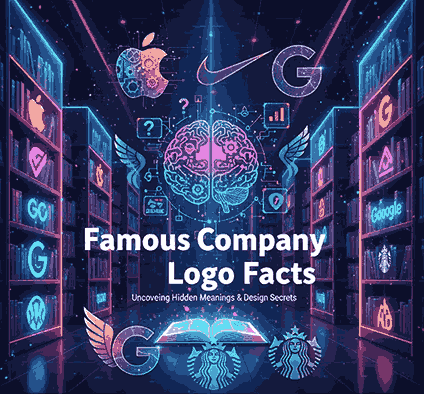
Mind-Blowing Famous Company Logo Facts Behind Iconic New Brands

Famous Company Logo Facts

Table of Contents

  1. Introduction: Why Logo Facts Matter
  2. What Makes a Logo Truly Iconic
  3. Five Mind-Blowing Facts from Famous Company Logos
    1. Hidden Symbols and Negative Space
    2. Color Choices That Tell a Story
    3. Font, Typography and Custom Lettering
    4. Evolution Through Time
    5. Unexpected Origins and Co-incidences
  4. How These Logo Stories Apply to Your Font & Branding Projects
    • Using calligraphic, handwritten or bespoke fonts in branding
    • Mockup examples from our font collection
  5. Bringing It Home: Lessons for Designers and Brand Builders
  6. Conclusion
  7. References

1. Introduction: Why Famous Company Logo Facts Matter

Famous Company Logo Facts When we glance at the little “swoosh”, the bite out of an apple, or the smile-arrow stretching from A to Z, we recognise them instantly. Yet behind these famous logos lies more than just a design—they carry stories, psychology, typography choices and even strategic business decisions. Learning the facts behind famous company logos gives designers, brand builders, and font creators a rich source of insight. It helps you appreciate what makes a logo more than a pretty mark—it makes it memorable, meaningful and effective.

Famous Company Logo Facts

2. What Makes a Famous Company Logo Facts Truly Iconic

Based on research and design analyses, iconic logos share some key attributes: simplicity, memorability, versatility, timelessness, and meaningful typography.
Typography plays a critical role: the letter-forms, spacing, weight, and even custom type define how a brand appears in print, web, packaging, signage etc. A well-designed font or lettering treatment contributes to all the attributes above.

3. Five Mind-Blowing from Famous Company Logo Facts

Here are some real-world facts from big brands that you can learn from.

3.1 Hidden Symbols and Negative Space

Many logos embed clever imagery in “empty” parts of the design. For example, the logo for Baskin Robbins hides the number “31” (the number of its flavors at founding) within the “B” and “R”. Another example: FedEx has a hidden arrow between the “E” and “x” to signify speed and precision. Takeaway for you: When designing logos or fonts, consider not just the visible shapes, but how negative space or letter-spacing might carry extra meaning.

3.2 Color Choices That Tell a Story

Color is rarely random in major branding. For instance, the yellow arrow in Amazon’s logo not only forms a smile, but runs from “A” to “Z” to show the full-range offering.
Color also links to emotional triggers: red = energy/passion, blue = trust, green = growth etc.
Your design insight: When applying fonts in brand contexts, the font colour and background must support the same story the logo tells. A beautiful script font used in the wrong colour may lose its power.

3.3 Font, Typography and Custom Lettering

The typography used in a logo is often bespoke. For example: the iconic Nike “Swoosh” logo originally featured the word “NIKE” in Futura Bold, but soon the swoosh alone became the symbol.
Font choices matter: custom lettering, unique curves and weights set a brand apart.
For your font business: This is your sweet spot. When you create or sell fonts (for example our script fonts like Ameralda, Holdsmith or Souther), showing how typography drives brand identity is a compelling story. You might link your fonts as “perfect for logo treatments inspired by big-brand stories”.

3.4 Evolution Through Time

Logos rarely stay fixed forever. Many famous logos evolved to adapt to new media, minimalism trends or global markets. For instance, the first logo of Apple was an intricate depiction of Isaac Newton under a tree—it later evolved into the simple bitten-apple icon.
Design lesson: When designing fonts, think about adaptability — how will the design look at small sizes, on mobile, in print, etc. A script font that only works at large size may limit its utility for branding.

3.5 Unexpected Origins and Co-incidences

Sometimes the logo story is surprising. For example, the Bluetooth logo represents the letters “H” and “B” from King Harald Bluetooth of Denmark—something most people didn’t guess.
Your takeaway: Use surprising trivia or hidden details in your blog or marketing. It draws attention. If you show how a font was inspired by vintage signage or historic scripts, you add depth and credibility.

4. How These Logo Stories Apply to Your Font & Branding Projects

Using calligraphic, handwritten or bespoke fonts in branding

Because many famous logos depend on unique letterforms, your font design business has a direct tie-in. Think of your fonts as tools for brand storytelling:

  • A script font conveys elegance, heritage or personal touch.
  • A bold sans serif indicates modernity and clarity.
  • A custom flourish (swash, alternate glyph) can add hidden meaning or uniqueness just like big brand logos.

Mockup examples from our font collection

To illustrate how typography can elevate a brand-style presentation, check out these real-world font mockups:

  • Ameralda Font — script style perfect for premium logos.
  • Holdsmith — handwritten signature style, great for boutique branding.
  • Souther Font — clean calligraphic style with elegant curves.
    Including such mockups helps your audience visualise how fonts influence brand identity.
Famous Company Logo Facts

5. Bringing It Home: Lessons for Designers and Brand Builders

  • Start with meaning – A logo (or wordmark) should do more than look good; it should reflect values, story or identity, just like the examples above.
  • Typography is brand identity – The font choice is not secondary; it is a core part of logo and brand perception.
  • Adapt for scale & medium – From tiny icons on mobile to giant billboards, your design (and font) must work across scales.
  • Showcase your fonts in context – As you sell fonts, show them in branding mockups, logos, packaging examples. It positions them as usable for serious brand work.
  • Leverage storytelling – Using fun facts (like those logo stories) in your blog builds authority and engagement. People remember stories more than just specs.

6. Conclusion Famous Company Logo Facts

The world’s most Famous Company Logo Facts are not simply icons—they carry hidden messages, refined typography, colour strategy and decades of evolution. For font creators and brand designers, these logo facts provide rich inspiration and concrete lessons. By understanding what makes a logo iconic, you can design fonts and projects that carry deeper meaning, higher usability and stronger market appeal.

Explore our font collection at calligraphyfonts.net and imagine how the right typeface can become the next big brand identity.

7. References Famous Company Logo Facts

  • Wix Blog — “20 famous logos with 20 fun facts”
  • The Branding Journal — “Discover the hidden meanings behind these 40 company logos”
  • The Futur — “The Evolution of Famous Logos Over Time”
  • Ramotion — “Famous Brand Logos: Stories, Meanings & Traits”
  • DinStudio — “Fun Facts About Famous Company Logo You Must Know”
  • ArXiv — Academic paper: “Famous Companies Use More Letters in Logo”
Posted on

Best Color Palette Generator: New Tools & Tips for Designers

Best Color Palette Generator

Table of Contents

  1. Introduction: Why a Good Color Generator Matters
  2. What Makes a Color Palette Generator “Best”?
  3. Top Best Color Palette Generator Tools in 2025
    • 3.1 Coolors
    • 3.2 Adobe Color
    • 3.3 Paletton
    • 3.4 Colormind
    • 3.5 Khroma
    • 3.6 ColorSpace / MyColor.Space
    • 3.7 ColorMagic / AI generators
  4. How to Choose the Right Generator for Your Workflow
  5. Applying Generated Palettes to Fonts & Branding
  6. Font Mockup Examples from Your Collection
  7. Tips & Best Practices When Working with Generated Palettes
  8. Common Pitfalls to Avoid
  9. Conclusion & Action Steps
  10. References

1. Introduction: Why a Good Color Generator Matters

Choosing a Best Color Palette Generator can be one of the most challenging and yet foundational steps in any design project. A strong color palette sets tone, mood, and visual harmony. For font designers and sellers, the palette behind your mockups and branding visuals matters: it influences perception and lets your typefaces shine.

This is where a best color palette generator becomes invaluable. It helps you experiment with harmony, contrast, and visual coherence quickly and reliably. In this article, we’ll explore top tools, how to pick one that suits your workflow, and how to apply those palettes to font mockups and branding.

Best Color Palette Generator

2. What Makes a Best Color Palette Generator?

Not all color tools are created equal. Here are criteria to judge whether a generator is worth your time:

  • Ease of use / UI / UX — simple interface, clear controls
  • Color harmony modes — support for analogous, complementary, triadic, tetradic, etc.
  • Image upload or extraction — ability to extract palettes from photos or inspirations
  • AI / smart suggestions — help with palette variation, learning your preferences
  • Export / integration formats — HEX, RGB, CSS, ASE, plugins for design tools
  • Preview / context — show palettes in mockups or UI / layout previews
  • Performance & reliability — fast, responsive, no heavy lag

A generator that ticks many of these boxes becomes a go-to tool in your design arsenal.

3. Top Best Color Palette Generator Tools in 2025

Here are some of the leading, widely recognized tools used by designers today:

3.1 Coolors

Coolors is praised for speed, simplicity, and versatility. You can lock certain colors and shuffle others, browse trending palettes, and export in many formats.

3.2 Adobe Color

Adobe Color offers multiple harmony rules (analogous, monochrome, triad, etc.) and integrates with Adobe Creative Cloud. You can also upload images and extract color themes.

3.3 Paletton

Paletton is ideal for more experimental palette exploration. It shows previews, scheme variations, and interactive wheel adjustments.

3.4 Colormind

Colormind uses deep learning to suggest palettes based on existing design styles, photos, and popular palettes.

3.5 Khroma

Khroma applies AI to learn your preferred colors and continuously generate palettes aligned with your taste.

3.6 ColorSpace / MyColor.Space

These tools offer palette generation and gradient exploration based on user input or random generation.

3.7 ColorMagic / AI Generators

ColorMagic allows generating palettes from text, images, brand names—with AI backing.

Each of these tools has strengths—some are faster and simpler, others more advanced or AI-powered. You may use multiple depending on your project type.

4. How to Choose the Right Best Color Palette Generator for Your Workflow

Here are guiding questions to help you select the best generator for you:

  • Do you prefer creativity or control? (Some tools give you full control, others guide you.)
  • Do you need to extract palettes from images / brand assets?
  • Do you often work inside Adobe / Figma / design tools and need plugin integration?
  • Do you want AI assistance or more manual adjustment?
  • Which export formats do you need (CSS, image, ASE, etc.)?
  • Do you need preview context (UI mockups, layout previews)?

Choose a generator that fits your typical design flow—whether quick mockups or fine-tuned branding work.

5. Applying Best Color Palette Generator to Fonts & Branding

Once you have a palette, here’s how to apply it in your font business:

  • Mockup backgrounds: Use primary or secondary palette colors behind your font samples.
  • Accent layers: Use secondary or highlight palette colors on swashes, alternates, curves, ligatures.
  • Font pairing visuals: Use different colors in your palette for heading, subheading, body text in your examples.
  • Hover / UI states: If you display font previews in a UI or webpage, use accent palette colors for hover overlay or border.
  • Brand consistency: Match your brand’s color vocabulary in your marketing, packaging, and interface visuals.

Your palette becomes an extension of brand identity, guiding how fonts are perceived in context.

6. Font Mockup Examples from Your Collection

Here are fonts from your catalog and mockup ideas using generated palettes:

  • Holdsmith — place it on a muted, complementary palette background; use a contrasting accent color for decorative strokes or shadows.
  • Ameralda Font — present in elegant tones with gentle accent hues to make the script pop.
  • Shailendra Font — use bold accent for the name, background in subdued palette tones to let details shine.
  • Leathering Font — try textured mockups with color palette-derived earthy tones + one bright accent to highlight edges or texture.

Test multiple generated palettes on the same font mockup to see which palette gives the desired mood or style.

Best Color Palette Generator

7. Tips & Best Practices When Working with Best Color Palette Generator

  • Don’t accept palette blindly—adjust saturation, brightness, contrast as needed.
  • Use the 60-30-10 rule: dominant, secondary, and accent colors proportions.
  • Always check text contrast – ensure legibility.
  • Combine with neutral grays or whites to buffer strong colors.
  • Lock colors you like and regenerate the rest to find variations.
  • Save your favorite palettes in a swatch library.
  • Use palette previews (UI, layout, mockups) before committing.
  • Test across devices/screens to avoid color surprises.

8. Common Pitfalls to Avoid

  • Accepting a palette without testing it in real use (mockups).
  • Ignoring contrast and readability.
  • Relying entirely on bright colors or extremes—balance with neutrals.
  • Using too many accent colors from generated palettes.
  • Forgetting to match your font style / brand tone with the palette mood.

9. Conclusion & Action Steps Best Color Palette Generator

A best color palette generator is not just a tool — it’s a creative partner that helps you explore harmony, contrast, and visual identity. For your font business, using strong, intentional palettes makes your typefaces look more professional, compelling, and cohesive in context.

Action Steps:

  1. Pick 2–3 generator tools above (e.g. Coolors, Adobe Color, Colormind).
  2. Generate 5–10 palettes and apply to one of your fonts in mockup visuals.
  3. Choose the palette(s) that reflect your brand mood, test readability.
  4. Save hex codes and build a swatch library.
  5. Use your palette consistently across branding, marketing, mockups.

References

  • Paletton — “The Color Scheme Designer”
  • Color Designer — “Color Palette Builder & Mixer”
  • Wixel — “8 Best Free Color Palette Generator Tools”
  • School of Motion — “10 Tools to Help You Design a Color Palette”