Posted on

Lorem Ipsum Latin Origin Explained: History & New Typography Significance

Lorem Ipsum Latin Origin

Table of Contents

  1. What Is Lorem Ipsum?
  2. The Latin Origin of Lorem Ipsum
  3. Why Lorem Ipsum Became the Standard Dummy Text
  4. Lorem Ipsum in Typography and Design
  5. Choosing the Right Font for Lorem Ipsum Mockups
  6. Font Mockup Examples from CalligraphyFonts.net
  7. Is Lorem Ipsum Still Relevant Today?
  8. Final Thoughts

1. What Is Lorem Ipsum Latin Origin?

Lorem Ipsum Latin Origin is a placeholder or dummy text commonly used in design layouts to simulate real content. Its primary purpose is to allow designers and clients to focus on visual structure, typography, spacing, and hierarchy without being distracted by meaningful text.

Unlike random filler text, Lorem Ipsum resembles natural language, making layouts feel realistic while remaining neutral.

2. The Lorem Ipsum Latin Origin

Understanding the Lorem Ipsum Latin origin requires going back nearly 2,000 years.

The text originates from a work by the Roman philosopher Cicero, written in 45 BC, titled “De Finibus Bonorum et Malorum” (On the Ends of Good and Evil). The phrase “Lorem ipsum dolor sit amet” is derived from a scrambled section of this philosophical treatise.

Although the text has been altered and rearranged over time, its classical Latin roots give it a balanced rhythm and natural letter distribution—one of the reasons it works so well in typography testing.

Lorem Ipsum Latin Origin

3. Why Lorem Ipsum Latin Origin Became the Standard Dummy Text

Lorem Ipsum gained popularity in the printing industry during the 1500s, when typesetters needed sample text to demonstrate fonts and layouts. Its advantages include:

  • It looks like readable text without conveying meaning
  • It has a natural distribution of letters and word lengths
  • It avoids reader distraction
  • It works across languages and cultures

These qualities made Lorem Ipsum ideal for showcasing typography—long before digital design existed.

4. Lorem Ipsum Latin Origin in Typography and Design

In modern design, Lorem Ipsum plays a crucial role in:

  • Web and UI mockups
  • Editorial layouts
  • Branding presentations
  • Font previews and specimen sheets

Typography designers often use Lorem Ipsum to test:

  • Readability
  • Line spacing
  • Kerning and tracking
  • Font personality

Because of its Latin structure, Lorem Ipsum highlights the true characteristics of a typeface without semantic bias.

5. Choosing the Right Font for Lorem Ipsum Latin Origin Mockups

When presenting Lorem Ipsum, font choice matters more than many designers realize. The right typeface can:

  • Enhance readability
  • Reflect brand tone
  • Demonstrate hierarchy clearly
  • Elevate overall presentation

Using clean, well-designed fonts helps clients and audiences evaluate layouts objectively—just as Lorem Ipsum intends.

Lorem Ipsum Latin Origin

6. Font Mockup Examples from CalligraphyFonts.net

Here are excellent font choices from CalligraphyFonts.net that pair beautifully with Lorem Ipsum for mockups and typography demonstrations:

Ravenously Font

A modern sans serif font with strong structure and clarity—perfect for showcasing Lorem Ipsum in UI, web, and editorial layouts.

Healing Time Font

Minimal, professional, and highly readable. This font works exceptionally well for body text mockups using Lorem Ipsum.

Dreamy Lanie Font

A clean display sans serif that adds personality while maintaining readability—ideal for headlines and featured Lorem Ipsum samples.

Madame Grettha Font

An elegant serif font that complements the classical Latin roots of Lorem Ipsum, making it ideal for editorial and book-style layouts.

These fonts allow designers to demonstrate how different typographic styles influence perception—even when using the same placeholder text.

7. Is Lorem Ipsum Still Relevant Today?

Despite modern alternatives like real content previews or AI-generated text, Lorem Ipsum remains relevant because it:

  • Preserves design neutrality
  • Saves time during early design stages
  • Works universally across industries
  • Helps focus attention on layout and typography

Its historical legacy combined with modern usability ensures it remains a timeless design tool.

8. Final Thoughts

The Lorem Ipsum Latin origin connects modern design practices with ancient philosophy, making it one of the most fascinating tools in visual communication. More than just dummy text, Lorem Ipsum is a bridge between history, typography, and contemporary design workflows.

By pairing Lorem Ipsum with high-quality fonts from CalligraphyFonts.net, designers can create professional, realistic mockups that showcase typography at its best—without distraction.

References

Posted on

Color Psychology in Marketing: Colors Influence Consumer Decisions & New Brand

Color Psychology In Marketing

Table of Contents

  1. What Is Color Psychology in Marketing?
  2. Why Color Psychology Matters for Brands
  3. Common Color Meanings in Marketing
  4. How Color Influences Consumer Behavior
  5. The Role of Typography in Color Psychology
  6. Font Mockup Examples for Color-Driven Marketing
  7. Tips for Applying Color Psychology Effectively
  8. Final Thoughts

1. What Is Color Psychology In Marketing?

Color psychology in marketing refers to how colors affect human emotions, perceptions, and decision-making in a marketing context. Brands use specific colors to evoke trust, excitement, calmness, urgency, or luxury—often without consumers realizing it.

For example:

  • Fast-food brands often use red and yellow to stimulate appetite.
  • Tech companies favor blue to convey trust and reliability.
  • Luxury brands use black, gold, or deep purple to signal exclusivity.

Color is not just decorative—it is strategic.

Color Psychology In Marketing

2. Why Color Psychology In Marketing Matters

Color psychology matters because:

  • 90% of snap judgments about products are based on color alone
  • Colors increase brand recognition and recall
  • The right color can improve conversion rates
  • Color helps communicate brand personality instantly

In a competitive market, the correct color palette can be the difference between a brand that is ignored and one that stands out.

3. Common Meanings Color Psychology In Marketing

While color perception can vary by culture, some associations are widely recognized in marketing:

Red

Represents passion, urgency, excitement, and appetite. Common in sales promotions and food branding.

Blue

Symbolizes trust, calm, and professionalism. Popular in finance, technology, and healthcare.

Yellow

Associated with optimism, warmth, and attention. Often used for call-to-action elements.

Green

Represents growth, health, and sustainability. Frequently used by eco-friendly brands.

Black

Conveys luxury, sophistication, and power. Used by premium and high-end brands.

These colors become even more impactful when paired with suitable typography.

4. How Color Influences Consumer Behavior

Color affects how consumers:

  • Feel about a product
  • Trust a brand
  • Decide to click, buy, or engage

For example:

  • Warm colors (red, orange) can increase impulse buying
  • Cool colors (blue, green) encourage longer engagement
  • High contrast improves readability and conversions

However, color alone is not enough—typography determines how the message is delivered.

5. The Role of Typography Color Psychology In Marketing

Typography works hand-in-hand with color psychology. Fonts influence how colors are perceived and interpreted.

  • Script fonts add emotion, warmth, and personality
  • Sans serif fonts improve clarity and trust
  • Elegant calligraphy fonts elevate premium color palettes

When brands simplify visuals, typography often becomes the main identity element. The wrong font can weaken even the best color strategy.

Color Psychology In Marketing

6. Font Mockup Examples for Color-Driven Color Psychology In Marketing

Here are font examples from CalligraphyFonts.net that work exceptionally well in marketing designs based on color psychology:

Suffragist Font

A natural and expressive script font that enhances emotional color palettes such as red, pink, or warm neutrals. Perfect for lifestyle and personal brands.

Jungle Queen Font

A bold and energetic script font ideal for vibrant colors like orange, yellow, or tropical palettes used in promotional marketing.

Loving Change Font

A clean sans serif font that pairs well with calming colors like blue or green, making it perfect for trust-driven marketing and modern branding.

Charima Sharene Font

An elegant calligraphy font that complements luxury color palettes such as black, gold, or deep purple. Ideal for premium and beauty brands.

These fonts show how typography can amplify the emotional impact of color choices in marketing.

7. Tips for Applying Color Psychology In Marketing Effectively

To use color psychology in marketing successfully:

  • Align colors with your brand values
  • Test color combinations with real users
  • Maintain consistency across all platforms
  • Balance bold colors with readable typography
  • Avoid overusing too many colors at once

Typography should always support color—not compete with it.

8. Final Thoughts

Color psychology in marketing is a powerful strategy that shapes how people perceive, remember, and interact with brands. When combined with thoughtful typography, color becomes a persuasive communication tool rather than just a visual choice.

By using expressive fonts from CalligraphyFonts.net alongside strategic color palettes, designers and marketers can create branding that resonates emotionally and performs effectively.

References

Posted on

Popular Color Gradients: Trends & How to Use Them in Modern Typography

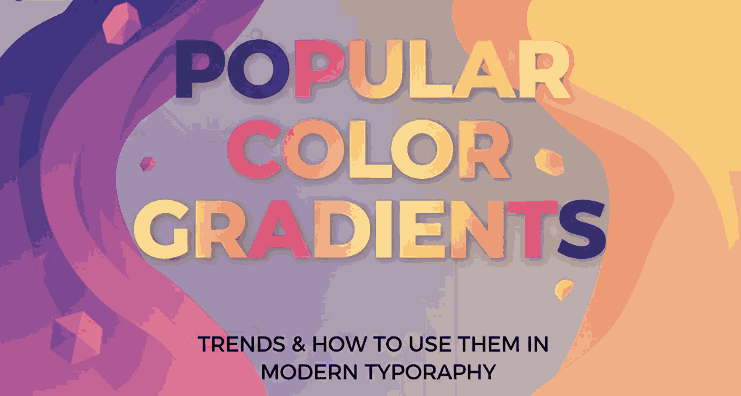
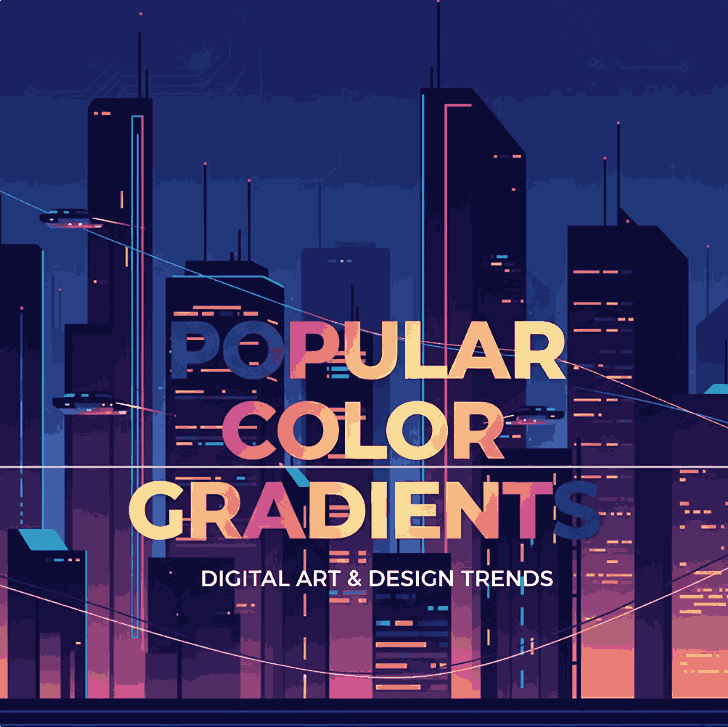
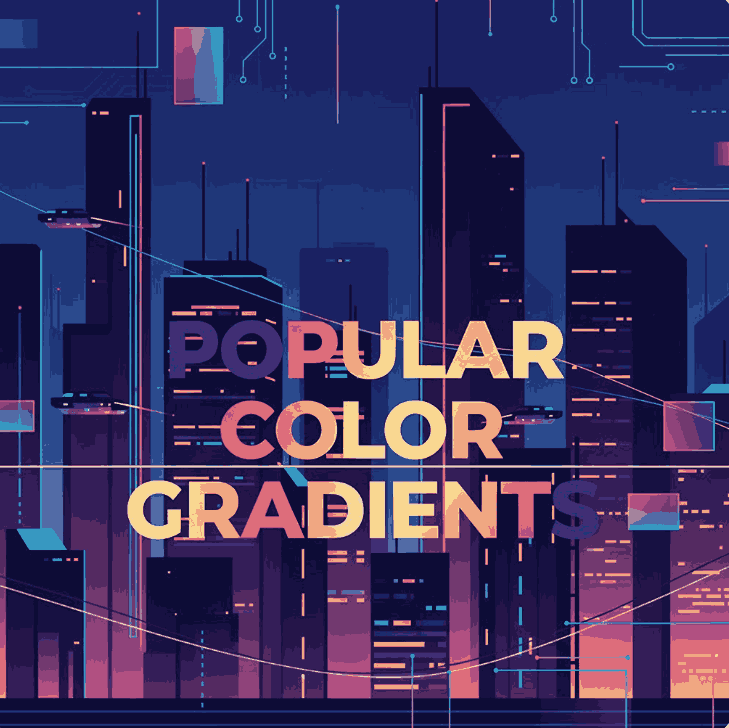
Popular Color Gradients

Table of Contents

  1. What Are Color Gradients?
  2. Why Color Gradients Are So Popular
  3. Types of Popular Color Gradients
  4. Trending Color Gradient Combinations
  5. Using Color Gradients in Typography
  6. Font Mockup Examples with Popular Color Gradients
  7. Tips for Choosing the Right Gradient for Your Design
  8. Final Thoughts

1. What Are Popular Color Gradients?

Popular Color Gradients is a gradual transition between two or more colors. Instead of a flat, solid tone, gradients blend hues smoothly to create depth and dimension. Designers use gradients to add realism, motion, and visual interest to digital and print designs.

There are several common gradient types:

  • Linear gradients (colors transition in a straight line)
  • Radial gradients (colors radiate from a central point)
  • Angular gradients (colors rotate around a center)
Popular Color Gradients

2. Why Are Popular Color Gradients

Color gradients are popular because they:

  • Create visual depth and hierarchy
  • Add a modern and dynamic feel
  • Evoke emotions and brand personality
  • Work well across web, social media, and print

In typography, gradients help text stand out, especially for headlines, logos, posters, and product mockups. When paired with expressive fonts, gradients enhance legibility while adding artistic flair.

3. Types of Popular Color Gradients

Soft Pastel Gradients

These gradients blend gentle hues like pink, lavender, mint, and baby blue. They are widely used in lifestyle branding, beauty products, and minimalist designs.

Vibrant Neon Gradients

Bold combinations such as purple-to-pink, blue-to-cyan, or orange-to-magenta are common in tech branding, music visuals, and creative portfolios.

Dark & Moody Gradients

Deep blues, blacks, purples, and reds create dramatic and luxurious moods. These gradients are perfect for premium branding and high-end typography.

Natural & Earthy Gradients

Inspired by nature, these gradients combine green, brown, sunset orange, and sky blue tones, making them ideal for eco-friendly and organic brands.

4. Popular Color Gradients Combinations

Some popular color gradient trends dominating modern design include:

  • Purple → Pink → Orange (creative & energetic)
  • Blue → Teal (clean & professional)
  • Gold → Amber → Brown (luxury & elegance)
  • Peach → Coral → Rose (friendly & modern)

These combinations work especially well when applied to large typographic elements like logos and hero headlines.

5. Using Popular Color Gradients in Typography

Typography is one of the most effective areas to apply gradients. However, balance is key. Here are some best practices:

  • Use gradients mainly on headlines or display text
  • Pair gradient text with neutral backgrounds
  • Choose fonts with smooth curves or bold strokes
  • Avoid overly complex gradients on small text

Script and calligraphy fonts are particularly suitable because their flowing forms allow gradients to transition naturally across letter shapes.

Popular Color Gradients

6. Font Mockup Examples with Popular Color Gradients

Here are some excellent font choices from CalligraphyFonts.net that work beautifully with popular color gradients:

Workday Font

A casual and friendly calligraphy font, perfect for pastel or warm gradients in lifestyle branding and social media designs.

Shimmer Gold Font

This elegant script font pairs perfectly with gold, amber, or dark luxury gradients, making it ideal for premium logos and product packaging.

Super Dreamer Font

A bold brush-style script font that shines with vibrant neon or sunset gradients, perfect for creative branding and posters.

Southeasterly Script Font

A dynamic and expressive script font that works well with dramatic and high-contrast gradients for branding and editorial designs.

Using these fonts in gradient-based mockups helps demonstrate how typography and color trends work together in real-world designs.

7. Tips for Choosing the Right Gradient for Your Design

  • Match the gradient mood with your brand identity
  • Test readability on different screen sizes
  • Use subtle gradients for professional designs
  • Reserve bold gradients for creative or promotional content
  • Always preview your gradient typography in real mockups

A good gradient should enhance your font—not overpower it.

8. Final Thoughts

Popular color gradients continue to shape modern design trends, especially in typography and branding. When used thoughtfully, gradients can elevate fonts, communicate emotion, and create memorable visuals.

By combining trending color gradients with expressive calligraphy fonts from CalligraphyFonts.net, designers can create typography that feels modern, artistic, and impactful. Whether you’re designing logos, posters, packaging, or digital content, gradients remain a powerful creative tool.

References

Posted on

Value-Based Pricing Graphic Design: A Complete Guide Modern New Designers

Value-Based Pricing Graphic Design

Table of Contents

  1. Introduction
  2. What Is Value-Based Pricing in Graphic Design?
  3. Why Value-Based Pricing Is Essential
  4. Fixed Pricing vs. Hourly Pricing vs. Value-Based Pricing
  5. Core Principles of Value-Based Pricing
  6. How to Apply Value-Based Pricing as a Designer
  7. How to Communicate Value to Clients
  8. Realistic Scenarios of Value-Based Pricing
  9. Professional Font Recommendations for Design Presentations
  10. Conclusion
  11. References

1. Introduction Value-Based Pricing Graphic Design

Value-Based Pricing Graphic Design creative work is one of the biggest challenges in the design industry, especially for beginners and freelancers. While many designers rely on hourly rates or fixed packages, these models often fail to reflect the true impact of design. That’s why more professionals are adopting Value-Based Pricing Graphic Design — a method that focuses on the results and benefits delivered to clients rather than the time spent designing.

This article will guide you through the concept, principles, and strategies behind value-based pricing and how you can implement it effectively in your design business.

Value-Based Pricing Graphic Design

2. What Is Value-Based Pricing Graphic Design?

Value-based pricing is a strategy where designers set their fees based on the client’s perceived value of the design outcome. Instead of billing by the hour, designers consider:

  • The long-term impact of the design
  • The client’s goals and desired outcomes
  • How the design improves branding, communication, or sales
  • The strategic value the design contributes

This model emphasizes outcomes rather than deliverables, shifting the focus toward meaningful design solutions.

3. Why Value-Based Pricing Graphic Design Is Essential

a. It reflects the true worth of creative work

Design is more than creating visuals. It’s about solving problems, improving communication, and influencing behavior. Value-based pricing recognizes this.

b. Encourages outcome-driven Value-Based Pricing Graphic Design

Designers focus on delivering results and strategic value instead of just completing tasks.

c. Builds stronger client relationships Value-Based Pricing Graphic Design

Clients who understand the value of design are more collaborative, open-minded, and committed to the design process.

d. Supports long-term professional growth

As your skills, portfolio, and reputation improve, the perceived value of your work naturally increases.

4. Fixed Pricing vs. Hourly Pricing vs. Value-Based Pricing Graphic Design

Pricing MethodBenefitsLimitations
HourlySimple, easy to trackCan limit creativity; clients may focus on time
Fixed/PackageClear deliverablesMay not reflect the impact of the final result
Value-Based PricingFocuses on impact and resultsRequires strong communication and client education

Value-based pricing provides flexibility and fairness because the price is tied to the significance of the work rather than the amount of effort required.

5. Core Principles of Value-Based Pricing Graphic Design

1. Understand the client’s goals

Learn what the client truly wants to achieve through the project — whether improving brand identity, boosting engagement, or increasing credibility.

2. Identify the your Value-Based Pricing Graphic Design brings

Consider how your design contributes to the client’s growth or solves their problems.

3. Communicate outcomes, not outputs

Instead of saying “I’ll design five concepts,” focus on “I’ll help elevate your brand presence.”

4. Build trust and professionalism

Clients need to feel confident that your work will deliver meaningful results.

5. Focus on long-term impact Value-Based Pricing Graphic Design

Great design can serve a business for years, making it more valuable than temporary work.

Value-Based Pricing Graphic Design

6. How to Apply Value-Based Pricing Graphic Design

Step 1: Start with a discovery session

Ask insightful questions to understand the client’s needs, such as:

  • What problem are you trying to solve?
  • What outcome would you consider successful?
  • How will this design be used?

Step 2: Evaluate the project’s impact

Project impact depends on factors like industry, audience size, brand goals, and long-term usability.

Step 3: Build pricing proposals based on Value-Based Pricing Graphic Design tiers

Instead of time-based or rigid packages, offer options that reflect different levels of strategic involvement.

Step 4: Communicate with confidence

Clients trust designers who speak clearly, explain concepts well, and present themselves professionally.

Step 5: Deliver consistent Value-Based Pricing Graphic Design

Strong processes, high-quality output, and strategic thinking reinforce the worth of your work.

7. How to Communicate Value to Clients

Explain what makes your work different

Show how your skills, experience, and design approach help clients achieve meaningful outcomes.

Provide case studies or examples

Use before-after visuals, mockups, and success stories to highlight the effectiveness of your designs.

Use professional presentation tools

High-quality mockups and well-chosen fonts can dramatically improve the perceived value of your work.

8. Realistic Scenarios of Value-Based Pricing Graphic Design

Scenario 1: Brand Identity Project Value-Based Pricing Graphic Design

A designer creates a brand identity that helps a business communicate professionalism and build trust with customers. The value lies in clarity, consistency, and long-term brand recognition.

Scenario 2: Packaging Value-Based Pricing Graphic Design

Thoughtfully designed packaging increases customer interest, enhances shelf appeal, and strengthens brand messaging. The value extends far beyond the visuals.

Scenario 3: Social Media Visual System

A cohesive design system increases engagement, improves brand readability, and supports marketing goals. Its value lies in consistency and long-term usability.

Scenario 4: Logo Restoration or Refinement

Modernizing an outdated logo can refresh the brand’s look and create a more credible image across digital and print platforms.

In every scenario, the value comes from results, not time spent.

9. Professional Font Recommendations for Design Presentations

Fonts play a crucial role in enhancing the perceived value of your design work. Using refined, high-quality fonts elevates your visual storytelling, helping clients understand the professionalism behind your process.

1. Holdsmith

Stylish script font ideal for luxury-style branding and elegant presentations.

2. Edline Font

Soft calligraphy with graceful strokes — perfect for boutique, wedding, and classic-themed projects.

3. Workday Font

A modern brush-style script suitable for lifestyle brands and fresh social media visuals.

4. Rutinitas Font

Minimalist signature font ideal for personal branding and corporate identity designs.

10. Conclusion Value-Based Pricing Graphic Design

Value-Based Pricing Graphic Design is not just a pricing method — it’s a mindset. It encourages designers to think strategically, communicate confidently, and focus on delivering design that matters. By understanding value, presenting work professionally, and using strong visual elements such as premium fonts, designers can elevate their brand, attract better clients, and build long-term success in the industry.

11. References

Posted on

Serif vs Sans Serif Readability: New Designers Need to Know

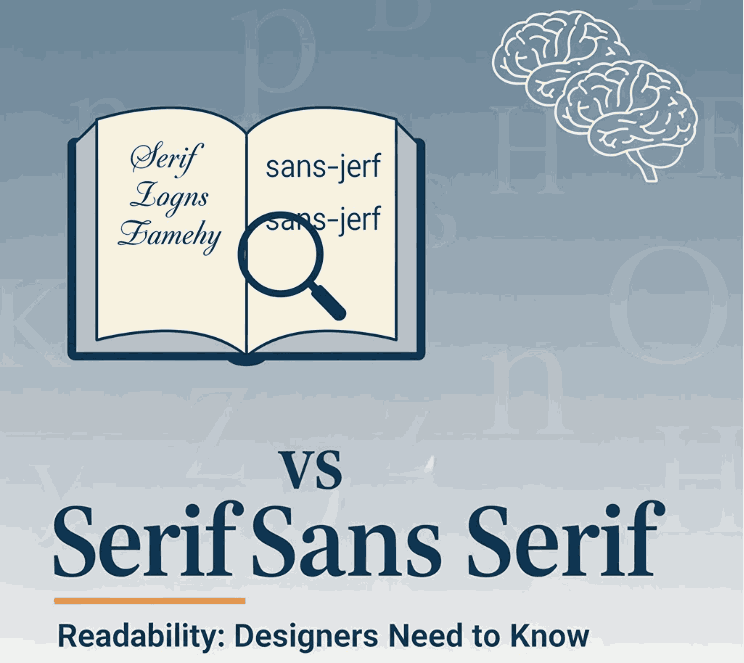
Sans Serif Readability

Table of Contents

  1. Introduction
  2. What Are Serif and Sans-Serif Fonts?
  3. The Readability Debate: Serif vs Sans Serif
  4. Key Factors That Influence Readability
  5. How This Applies to Your Font Design & Mockups
  6. Font Examples for Mockups & Practice
  7. Conclusion
  8. References

1. Introduction

When choosing typefaces for branding, web design, print or packaging, one of the most common questions is: “Should I use a serif or Sans Serif Readability” The short answer: it depends. In this article we’ll explore the nuance of serif vs sans serif readability, examine scientific research, highlight key influencing factors, and show how you can apply this knowledge to your font-design business at CalligraphyFonts.net.

2. What Are Serif and Sans Serif Readability Fonts?

A serif font features small decorative strokes or “feet” at the ends of letterforms. The term “serif” comes from the Dutch word schreef meaning a line or stroke.
A sans-serif font (from French sans meaning “without”) lacks those extra strokes, giving a cleaner and more modern appearance.
From a designer’s perspective:

  • Serif fonts often convey tradition, formality, readability in print.
  • Sans-serif fonts often convey modernity, clarity, minimalism—especially in digital contexts.
Sans Serif Readability

3. The Readability Debate: Serif vs Sans-Serif

For decades, designers and typographers assumed serifs help guide the eye along lines of text (especially in print) and thus improve readability. But what does the research say?

Research Highlights

  • A study published by PMC found that participants read slightly faster and more accurately from sans‐serif typefaces in some digital contexts.
  • Another review notes: “There is no evidence that serif or sans‐serif significantly impacts readability.”
  • A 2023 article in Readable states that the “sans‐serif is easiest” assumption isn’t always true, and that reading speed/comprehension depends on many factors beyond serif presence.
  • A font-readability blog notes: “Serif fonts were slightly more legible for printed text with no anti-aliasing; sans-serif performed best on screen with anti-aliasing.”

What It Means

In practical terms:

  • In print contexts or very small type sizes, serif fonts may offer a slight advantage (though not huge).
  • On digital screens, high resolution and anti-aliasing have reduced the advantage of serifs; many sans-serif fonts perform equally well or better.
  • Ultimately readability depends more on font design quality, x-height, letter spacing, contrast, line length, line spacing, and audience context.

4. Key Factors That Influence Sans Serif Readability

When thinking about serif vs sans-serif readability, keep these factors in mind—they often matter more than the presence or absence of serifs:

  • x-Height & letter proportions: A larger x-height tends to improve legibility.
  • Stroke contrast: High contrast (thin/thick strokes) may reduce readability, especially at small sizes or screen resolution.
  • Spacing (kerning/leading/tracking): Tight spacing can hinder readability; generous spacing helps.
  • Line length & layout: Very long lines of text reduce readability regardless of font style.
  • Medium & resolution: On low-resolution screens, serifs may blur; on print or high-dpi displays, this is less an issue.
  • Audience & context: Readers with visual impairment or dyslexia may respond differently; some studies suggest sans‐serif may have slight advantages for certain groups.

5. How This Applies to Your Font Design & Mockups

As a font-design business (CalligraphyFonts.net) you’re not just choosing fonts—you’re creating them and selling to other designers. Here’s how you can apply the readability insight:

  • Design for context: If a font is intended for body text (print or long reading), then consider serif or well-designed sans with strong x-height and spacing.
  • Mockup your fonts in both display and text usage so customers see readability in context.
  • Use your fonts in relevant digital or print scenarios:
    • For example, a font designed with strong x-height and simplified forms will work well on screen as a sans-serif choice even if it has subtle serifs.
  • Educate your customers: In your product descriptions mention readability context—“ideal for screen use”, “optimized for print body copy”, etc.
  • Pair fonts thoughtfully: When using display fonts (for headlines) vs text fonts (body), the readability requirements differ—display can be more stylised, text needs clarity.
    By aligning font style with readability research (rather than simply relying on “serif for print, sans for web”), you’ll build trust and credibility with your customers.
Sans Serif Readability

6. Font Examples for Mockups & Practice

Here are four fonts from your collection that you can use for readability-focused mockups and display them in contexts (print vs screen) to showcase versatility:

  • Faint Green Font – Try this in body text print mock-up to illustrate serif readability in print context.
  • Clangorous Font – Use in bold headings or web hero to show how sans-serif or hybrid forms perform on screen.
  • Barley Round Font – A friendly rounded sans-serif ideal for digital reading and lifestyle brand usage.
  • Patriotics Font – Vintage-inspired serif display font – good for print use or headings where tone and readability matter.

Show your audience how each font performs in both screen and print contexts, and you’ll not only sell fonts—you’ll educate your market and position your brand as expert.

7. Conclusion Sans Serif Readability

The serif vs Sans Serif Readability discussion doesn’t have a one-size-fits-all answer—but the takeaway is clear: context matters more than dogma. Good font design, appropriate spacing, layout and medium matter more than whether a font has serifs. For your font-design business, that means being deliberate about readability in every mockup, controlling context, and educating your customers. By doing so, you set your fonts apart as thoughtful, usable, and high-quality assets — not just pretty typefaces.

8. References

Posted on

Modern Art Trends Shaping the New Future of Interior Design

Modern Art Trends Interior Design

Table of Contents

  1. Introduction
  2. Why Modern Art Influences Interior Design
  3. Key Modern Art Trends Shaping Interiors
    • 3.1 Bold & Unexpected Color Palettes
    • 3.2 Abstract Shapes & Geometric Forms
    • 3.3 Mixed Media & Texture Play
    • 3.4 Digital Art, Projections & Interactive Elements
    • 3.5 Large-Scale Murals & Statement Walls
    • 3.6 Minimalism & Negative Space
    • 3.7 Sustainability & Recycled Materials
  4. Translating Art Trends into Interior Strategy
  5. Applying Art-Driven Aesthetics in Font & Branding Spaces
  6. Font Mockup Ideas Aligned with Art Trends
  7. Tips & Cautions When Integrating Modern Art in Interiors
  8. Conclusion & Call to Action
  9. References

1. Introduction Modern Art Trends Interior Design

Modern Art Trends Interior Design are converging more than ever. Interiors are no longer neutral canvases but expressive spaces where art trends directly shape color, form, texture, and interactive experience. The article “How Modern Art Trends Are Influencing Interior Design” discusses this shift: contemporary art’s striking palettes, textures, and shapes now inspire spatial design.

In this article, we’ll explore the major art trends infiltrating interior design and show you how you (as a font and design business) can reflect these trends in your mockups, branding, and visual storytelling.

Modern Art Trends Interior Design

2. Why Influences Modern Art Trends Interior Design

Art has always been a mirror of culture, innovation, and visual experiment. As interior design becomes more expressive and personal, designers borrow from modern art to:

  • Bring identity into spaces
  • Create emotional resonance (color, form, texture)
  • Blur boundaries between gallery and home
  • Introduce interactive, media-rich elements

Art offers a vocabulary of visual tension and harmony, which interiors can leverage to make spaces feel alive.

3. Key Modern Art Trends Interior Design Shaping

3.1 Bold & Unexpected Color Palettes

Modern art often experiments with contrast, saturated pigments, unexpected combinations, and accent pops. Interiors reflecting this trend may use avant-garde palettes—neon accents over muted bases or unconventional color pairings.

3.2 Abstract Shapes & Geometric Forms

From fluid organic abstract to strict geometry, modern interiors embrace abstract shapes: sculptural furniture, geometry in wall patterns, asymmetric layouts, and fragmented partitions.

3.3 Mixed Media & Texture Play

Art trends often fuse materials—canvas, metal, resin, textiles. Interiors adopt this via textured walls (plaster, terrazzo), layered materials, and juxtaposed finishes to evoke depth.

3.4 Digital Art, Projections & Interactive Elements

Digital art—projection maps, interactive walls, LED art—adds kinetic dimension to interiors. With screens more integrated, interiors may include motion, evolving visuals, or responsive surfaces.

3.5 Large-Scale Murals & Statement Walls

Instead of small artworks, walls themselves become canvases. Oversized murals, abstract compositions, or bold wall graphics anchor the room visually. Designers use these as focal statements.

3.6 Minimalism & Negative Space

In contrast to boldness, modern art also influences pared-down interiors—emphasizing negative space, selective color, simplicity as expressive. Clean lines, minimal objects, and curated voids are tools of modern interiors.

3.7 Sustainability & Recycled Materials

Modern art increasingly highlights ecological concerns. Interiors borrow by repurposing materials, using recycled art installations, or elevating found objects as sculptural elements.

4. Translating Modern Art Trends Interior Design Strategy

To use these art trends in real spaces:

  • Choose a dominant art element (mural, sculpture, digital panel) and let other design choices echo it.
  • Build layers of texture—floor, wall, ceiling—to complement artistic features.
  • Use accent lighting & focal illumination to showcase art elements.
  • Keep furniture, fixtures neutral or simple so the art becomes the hero.
  • Balance bold zones with calm zones to avoid overstimulation.

Interior trend forecasts for 2025 also highlight earth neutrals, warm metallics, and bold accent scales as trending.

Modern Art Trends Interior Design

5. Applying Art-Driven Aesthetics in Font & Branding Spaces

For your font business and brand visuals:

  • Use color palettes inspired by art trends (unexpected duos, muted + pop) in your font specimen pages.
  • Mock your fonts on “statement walls” visuals or alongside digital panels/abstract backgrounds.
  • Use geometric or abstract overlays in your branding to echo interior art forms.
  • In your office or studio space, display your own font posters as art panels in interior décor.

By aligning your visual brand with interior-art trends, you bridge the world of fonts with spatial design sensibility.

6. Font Mockup Ideas Aligned with Modern Art Trends Interior Design

Here are fonts from your catalog and mockup ideas that mirror modern interior art trends:

  • Black Roll Font — place it over an abstract expressionist background or layered texture wall.
  • Aesthetic Sunset Font — use gradient abstract sunset mural behind text, reflect on color interplay.
  • Madame Grettha Font — elegant script paired with minimal negative space and bold statement wall behind.
  • Overcame Font — use strong color-blocked or geometric geometry behind the type sample.

Try creating mockups where fonts appear as if part of modern interiors: floating on walls, integrated with art panels, or interacting with projected animations.

7. Tips & Cautions When Integrating Modern Art Trends Interior Design

  • Don’t let art overwhelm function—spaces still need flow and comfort.
  • Ensure the art focal point complements architecture, not fights it.
  • Test lighting and contrast: some art colors fade or read poorly under regular lighting.
  • Be mindful of scale—art elements too large or small lose impact.
  • For digital art: consider maintenance, updates, and how it ages.

Balance creativity with usability.

8. Conclusion & Call to Action

Modern art trends are reshaping interiors into expressive, dynamic environments. For designers and font creators, these trends provide rich visual language—color, shape, texture, digital interplay—you can mirror in your branding and mockup worlds.

References

  • Din Studio — How Modern Art Trends Are Influencing Interior Design
  • Decorilla 20 Interior Design Trends 2025
  • Prazzle ArtsIntegration of Traditional Art in Contemporary Interior Design
  • Singulart Top 10 Art Trends in 2025

Posted on

Best Color Palette Generator: New Tools & Tips for Designers

Best Color Palette Generator

Table of Contents

  1. Introduction: Why a Good Color Generator Matters
  2. What Makes a Color Palette Generator “Best”?
  3. Top Best Color Palette Generator Tools in 2025
    • 3.1 Coolors
    • 3.2 Adobe Color
    • 3.3 Paletton
    • 3.4 Colormind
    • 3.5 Khroma
    • 3.6 ColorSpace / MyColor.Space
    • 3.7 ColorMagic / AI generators
  4. How to Choose the Right Generator for Your Workflow
  5. Applying Generated Palettes to Fonts & Branding
  6. Font Mockup Examples from Your Collection
  7. Tips & Best Practices When Working with Generated Palettes
  8. Common Pitfalls to Avoid
  9. Conclusion & Action Steps
  10. References

1. Introduction: Why a Good Color Generator Matters

Choosing a Best Color Palette Generator can be one of the most challenging and yet foundational steps in any design project. A strong color palette sets tone, mood, and visual harmony. For font designers and sellers, the palette behind your mockups and branding visuals matters: it influences perception and lets your typefaces shine.

This is where a best color palette generator becomes invaluable. It helps you experiment with harmony, contrast, and visual coherence quickly and reliably. In this article, we’ll explore top tools, how to pick one that suits your workflow, and how to apply those palettes to font mockups and branding.

Best Color Palette Generator

2. What Makes a Best Color Palette Generator?

Not all color tools are created equal. Here are criteria to judge whether a generator is worth your time:

  • Ease of use / UI / UX — simple interface, clear controls
  • Color harmony modes — support for analogous, complementary, triadic, tetradic, etc.
  • Image upload or extraction — ability to extract palettes from photos or inspirations
  • AI / smart suggestions — help with palette variation, learning your preferences
  • Export / integration formats — HEX, RGB, CSS, ASE, plugins for design tools
  • Preview / context — show palettes in mockups or UI / layout previews
  • Performance & reliability — fast, responsive, no heavy lag

A generator that ticks many of these boxes becomes a go-to tool in your design arsenal.

3. Top Best Color Palette Generator Tools in 2025

Here are some of the leading, widely recognized tools used by designers today:

3.1 Coolors

Coolors is praised for speed, simplicity, and versatility. You can lock certain colors and shuffle others, browse trending palettes, and export in many formats.

3.2 Adobe Color

Adobe Color offers multiple harmony rules (analogous, monochrome, triad, etc.) and integrates with Adobe Creative Cloud. You can also upload images and extract color themes.

3.3 Paletton

Paletton is ideal for more experimental palette exploration. It shows previews, scheme variations, and interactive wheel adjustments.

3.4 Colormind

Colormind uses deep learning to suggest palettes based on existing design styles, photos, and popular palettes.

3.5 Khroma

Khroma applies AI to learn your preferred colors and continuously generate palettes aligned with your taste.

3.6 ColorSpace / MyColor.Space

These tools offer palette generation and gradient exploration based on user input or random generation.

3.7 ColorMagic / AI Generators

ColorMagic allows generating palettes from text, images, brand names—with AI backing.

Each of these tools has strengths—some are faster and simpler, others more advanced or AI-powered. You may use multiple depending on your project type.

4. How to Choose the Right Best Color Palette Generator for Your Workflow

Here are guiding questions to help you select the best generator for you:

  • Do you prefer creativity or control? (Some tools give you full control, others guide you.)
  • Do you need to extract palettes from images / brand assets?
  • Do you often work inside Adobe / Figma / design tools and need plugin integration?
  • Do you want AI assistance or more manual adjustment?
  • Which export formats do you need (CSS, image, ASE, etc.)?
  • Do you need preview context (UI mockups, layout previews)?

Choose a generator that fits your typical design flow—whether quick mockups or fine-tuned branding work.

5. Applying Best Color Palette Generator to Fonts & Branding

Once you have a palette, here’s how to apply it in your font business:

  • Mockup backgrounds: Use primary or secondary palette colors behind your font samples.
  • Accent layers: Use secondary or highlight palette colors on swashes, alternates, curves, ligatures.
  • Font pairing visuals: Use different colors in your palette for heading, subheading, body text in your examples.
  • Hover / UI states: If you display font previews in a UI or webpage, use accent palette colors for hover overlay or border.
  • Brand consistency: Match your brand’s color vocabulary in your marketing, packaging, and interface visuals.

Your palette becomes an extension of brand identity, guiding how fonts are perceived in context.

6. Font Mockup Examples from Your Collection

Here are fonts from your catalog and mockup ideas using generated palettes:

  • Holdsmith — place it on a muted, complementary palette background; use a contrasting accent color for decorative strokes or shadows.
  • Ameralda Font — present in elegant tones with gentle accent hues to make the script pop.
  • Shailendra Font — use bold accent for the name, background in subdued palette tones to let details shine.
  • Leathering Font — try textured mockups with color palette-derived earthy tones + one bright accent to highlight edges or texture.

Test multiple generated palettes on the same font mockup to see which palette gives the desired mood or style.

Best Color Palette Generator

7. Tips & Best Practices When Working with Best Color Palette Generator

  • Don’t accept palette blindly—adjust saturation, brightness, contrast as needed.
  • Use the 60-30-10 rule: dominant, secondary, and accent colors proportions.
  • Always check text contrast – ensure legibility.
  • Combine with neutral grays or whites to buffer strong colors.
  • Lock colors you like and regenerate the rest to find variations.
  • Save your favorite palettes in a swatch library.
  • Use palette previews (UI, layout, mockups) before committing.
  • Test across devices/screens to avoid color surprises.

8. Common Pitfalls to Avoid

  • Accepting a palette without testing it in real use (mockups).
  • Ignoring contrast and readability.
  • Relying entirely on bright colors or extremes—balance with neutrals.
  • Using too many accent colors from generated palettes.
  • Forgetting to match your font style / brand tone with the palette mood.

9. Conclusion & Action Steps Best Color Palette Generator

A best color palette generator is not just a tool — it’s a creative partner that helps you explore harmony, contrast, and visual identity. For your font business, using strong, intentional palettes makes your typefaces look more professional, compelling, and cohesive in context.

Action Steps:

  1. Pick 2–3 generator tools above (e.g. Coolors, Adobe Color, Colormind).
  2. Generate 5–10 palettes and apply to one of your fonts in mockup visuals.
  3. Choose the palette(s) that reflect your brand mood, test readability.
  4. Save hex codes and build a swatch library.
  5. Use your palette consistently across branding, marketing, mockups.

References

  • Paletton — “The Color Scheme Designer”
  • Color Designer — “Color Palette Builder & Mixer”
  • Wixel — “8 Best Free Color Palette Generator Tools”
  • School of Motion — “10 Tools to Help You Design a Color Palette”

Posted on

Brand Color Personality: How Colors Shape Your New Brand Identity

Brand Color Personality

Table of Contents

  1. Introduction: Why Color Isn’t Just Decoration
  2. What Is Brand Color Personality?
  3. How Colors Influence Consumer Perception
  4. Key Color–Personality Associations
  5. Choosing a Color Personality for Your Brand
  6. Applying Brand Color Personality in Typography & Fonts
  7. Font Mockup Examples from Your Collection
  8. Pitfalls & Cultural Considerations
  9. Tips to Test & Validate Your Brand Color Personality
  10. Conclusion & Call to Action
  11. References

1. Introduction: Why Color Isn’t Just Decoration

You’ve probably heard that “colors speak louder than words.” In branding, that’s more than a cliché—it’s a strategic truth. The colors you choose for your brand become a nonverbal language, signaling who you are and what you stand for to your audience. This is at the heart of brand color personality.

For a font business like yours, where visual identity is core, aligning your brand’s personality with color helps your fonts “feel right” in context, attract the right customers, and create stronger brand recall.

2. What Is Brand Color Personality?

Brand color personality refers to the emotional, psychological, and associative traits that a brand’s color palette communicates to the audience. It’s how colors express the “character” of a brand—whether it feels energetic, trustworthy, youthful, sophisticated, earthy, or whimsical.

It is grounded in color psychology, which studies how color influences human emotion, behavior, and perception. In branding, color is a powerful cue—studies show that up to 90% of first impressions can be formed based on color alone.

So choosing colors isn’t just aesthetic; it’s a strategic decision in aligning visual identity with brand values and messaging.

Brand Color Personality

3. How Colors Influence Consumer Perception

Colors influence perception in several interlocking ways:

  • Emotional associations: People often unconsciously connect colors with feelings (e.g. blue = calm/trust, red = energy/passion).
  • Cultural & contextual meaning: Interpretations of colors differ across cultures, industries, and usage context.
  • Recognition & recall: A consistent color palette builds memory linkage—customers start to associate that hue set with your brand.
  • Decision-making & behavior: Colors can influence what people pay attention to or how they perceive brand attributes like trust, sophistication, energy, or friendliness.

In short: your color choices help shape how your brand is felt and judged at a glance.

4. Key Color–Personality Associations

While these associations are not universal, here are commonly recognized linkages in branding:

  • Blue → Trust, stability, professionalism
  • Green → Nature, growth, harmony
  • Red → Excitement, urgency, passion
  • Yellow / Gold → Optimism, warmth
  • Orange → Creativity, friendliness
  • Purple → Luxury, imagination, spirituality
  • Black / Dark Neutrals → Elegance, sophistication
  • White / Light Neutrals → Simplicity, purity

Brands often pair a primary color with neutrals or accent colors to modulate their personality. (E.g. a tech brand might pair blue + gray + neon accent.)

A useful note: color psychology is nuanced and mediated by context, culture, and individual experience. No color guarantees one emotion.

5. Choosing a Your Brand Color Personality

Here’s a framework you can follow:

  1. Define your brand values, tone, and target audience
    What do you want people to feel when they see your brand? Bold? Warm? Premium? Creative?
  2. Map traits to colors
    Pick color(s) that best echo those traits. If your brand is “creative + grounded,” you might lean earthy greens + warm neutrals + one accent.
  3. Test harmony & contrast
    Ensure your palette is usable—text legibility, contrast, color combinations must work in practical use.
  4. Consider accent colors
    Use accent hues to introduce nuance, highlight, or signal interactive states.
  5. Stay consistent
    Apply your color personality across all brand assets—logo, website, social media, mockups, packaging.
  6. Be flexible to context
    Use variations or secondary palettes when needed, but keep primary identity stable.

By anchoring your color decisions in personality and consistency, you build stronger visual identity.

Brand Color Personality

6. Applying Brand Color Personality in Typography & Fonts

As a font designer/seller, your color personality should reflect (or harmonize with) your font style. Here’s how:

  • Font sample previews: Display your fonts on backgrounds that reflect your brand’s personality. Use your primary hue in a way that makes the font pop.
  • Mockup contexts: If your brand is rugged or bold, use earthy, textured palettes. If elegant or luxury, use dark neutrals or muted tones with accent highlights.
  • Font pairing examples: Show how two fonts work together with your brand palette—one in primary color, one in secondary.
  • Highlighting special glyphs or alternates: Use accent colors to draw attention to ligatures, alternates, or stylistic sets in demo visuals.

Your font visuals become not just product previews, but expressions of your brand’s color personality.

7. Font Mockup Examples from Your Collection

Here are some fonts in your catalog and how you might incorporate brand color personality in their mockups:

  • Rustte Font — Use warm rust, burnt orange, deep brown or olive tones to emphasize the rugged, expressive character of the font.
  • Holdsmith — Pair dark neutral or charcoal backgrounds with a bold accent (e.g. muted gold) to present a dignified and timeless personality.
  • Jungle Tribe Font — Use natural greens, earthy browns, and subtle accent colors (like warm ochre) to evoke jungle or organic brand themes.
  • Charima Sharene Font — Elegant, script‐style font might be showcased over soft pastels or muted jewel tones with metallic accents for a more premium aesthetic.

Make sure your mockups align visually with the personality your brand wants to communicate—don’t just randomly use colors.

8. Pitfalls & Cultural Considerations

  • Overgeneralizing color meaning: Color associations differ across cultures and individuals. What is soothing in one region may feel dull in another.
  • Ignoring contrast & legibility: Even the best palette fails if text is unreadable.
  • Trend chasing: Don’t change color personality too often just to follow trends; consistency builds recognition.
  • Clashing personalities: Be careful with secondary or accent hues—they shouldn’t muddy your core identity.
  • Assuming universal responses: Personal and cultural differences mediate how color is perceived.

Always test your color choices with your target audience.

9. Tips to Test & Validate Your Brand Color Personality

  • A/B testing: Present variations of mockups to small audience and see which palette gets better response.
  • Surveys / Feedback: Ask people what emotions or traits they perceive from your color choices.
  • Brand persona tests: Show your brand visuals (with colors) and ask participants to pick adjectives (e.g. “trusted,” “creative,” “bold”).
  • Contrast & accessibility tools: Use contrast checkers to ensure color combinations comply with readability standards.
  • Longitudinal consistency: Evaluate if the palette still feels appropriate as your brand grows or evolves across media.

Validation is key—color personality isn’t just what you like; it’s how your audience receives it.

10. Conclusion & Call to Action

Your brand color personality is a powerful tool: it communicates unspoken values, shapes emotional perception, and gives your brand a visual voice. For a font business, strong alignment between the style of your typefaces and your brand’s color persona is a competitive edge.

Next step: Choose one or two adjectives (e.g. “bold & grounded,” “elegant & creative”) and build a minimal palette (primary + accent + neutrals). Apply that palette across one font mockup and test audience reaction.

References

  • HubSpot — “Color Psychology: How To Use it in Marketing and Branding”
  • HelpScout — “Color Psychology in Marketing & Branding: Will It Always Work?”
  • BrandVM — “Brand Color Psychology: How Hues Influence Emotions and Behavior”
  • Insights in Marketing — “The Power of Color in Branding and Marketing”
Posted on

Earth Tones and Neon Color Trends: New Balancing Nature & Energy

Earth Tones & Neon Color

Table of Contents

  1. Introduction
  2. Why Earth Tones + Neon Are Trending
  3. Defining Earth Tones & Neon Shades
    • 3.1 What Are Earth Tones?
    • 3.2 What Are Neon / Bright Accent Colors?
  4. How These Trends Merge: Nature Meets Digital
  5. Design Applications: When & How to Use Earth + Neon
  6. Using These Trends with Typography & Font Branding
  7. Font Mockup Ideas from Your Collection
  8. Tools and Tips for Testing Earth & Neon Palettes
  9. Risks & Best Practices
  10. Conclusion & Call to Action
  11. References

1. Introduction

In 2024 and beyond, a compelling color balance is emerging: Earth Tones & Neon Color that feel grounding and warm, contrasted with neon accents that inject energy and modern sass. This pairing is reflective of a broader cultural tension—desire for calm rootedness + fascination with digital possibility.

For a font & design business, adopting earth tones and neon color trends offers a way to present your typefaces in contexts that feel both organic and dynamic, catering to brands that straddle analog and digital worlds.

2. Why Earth Tones + Neon Are Trending

Design trend forecasts for 2024 emphasize a fusion of nature and technology in palette choices. Din Studio’s color forecast describes how palettes will “combine nature and technology,” showcasing earthy greens, browns, sky blues, alongside neon blue, digital red, etc.

Other design sources list earthy natural tones + neon accents among the emerging 2024 color trends.

Fashion trend reports echo this shift: warm natural hues like terracotta, olive, clay, and browns are paired with pops of vivid brightness for contrast and visual surprise.

The appeal is clear: earth tones offer comfort and grounding in uncertain times, and neon accents provide vitality, energy, and a digital spark.

Earth Tones & Neon Color

3. Defining Earth Tones & Neon Shades

3.1 What Are Earth Tones?

Earth tones are colors that echo natural landscapes: soil, clay, rock, foliage, wood, moss, sand. Think muted browns, olive greens, beiges, warm taupes, rusts. In color theory, “earth tone” broadly refers to colors similar to natural materials and landscapes.

These colors evoke warmth, stability, calm, and organic authenticity—qualities many brands now want to communicate.

3.2 What Are Neon / Bright Accent Colors?

Neon shades are high-intensity, high-saturation colors like electric blue, hot pink, lime green, fluorescent yellow. They read as modern, energetic, almost digital in nature.

In the trend forecasts, these neon / digital colors are positioned as accents that infuse design with brightness and contrast, complementing the more subdued earth tones.

4. How These Trends Merge: Nature Meets Digital

The blending of earth tones and neons is about contrast in harmony. The idea is not to overshadow nature with neon, but to let neon highlights dance within an earthy base.

  • Earth tones anchor the design, offering base surfaces, backgrounds, textures, media framing.
  • Neon accents pop in focal elements — callouts, hover states, decorative flourishes, small overlays.
  • This contrast emphasizes hierarchy: the eye is drawn to neon, but finds rest in the earthy surrounding.
  • It reflects the real-world tension between analog (nature, grounding) and digital (tech, screens, brightness).

Designers are predicted to lean into such juxtapositions: “nature and technology” being a recurring motif in 2024 trend forecasts.

5. Design Applications: How to Use Earth Tones & Neon Color

Here are practical ways to apply this combined trend:

  • Backgrounds & Base Layers: use earth tones (terracotta, olive, tan) as large surfaces.
  • Accent Elements: apply neon (electric blue, lime, pink) to borders, highlights, interactive cues.
  • Typography Emphasis: neon for headlines or hover states; earth tones for body text or secondary text.
  • Gradients / Overlays: gentle gradients from earth to neon, or semi-transparent neon overlays on earth tones.
  • Texture + Neon Pop: use textured surfaces (wood grain, linen, clay patterns) overlaid with neon glyphs or lines.
  • Interactive / UI Effects: neon glow or neon border animation over muted earthy UI.

Because neon is intense, it works best in small doses against calming earth-tone backdrops.

Earth Tones & Neon Color

6. Using These Earth Tones & Neon Color Trends with Typography and Font Branding

For fonts and type specimens, the earth + neon trend can elevate the presentation:

  • Use earth tone backgrounds (light beige, muted olive, taupe) and place your font sample in neon contrast color (or vice versa) to emphasize the shape.
  • Combine fonts in earth-tone body text and neon headline overlays to show contrast.
  • Use neon outlines or shadows for fonts on earthy surfaces to add depth.
  • In branding previews, show a version in calm earth tones and a variant with neon highlights—this duality appeals to clients who want both elegance and edge.

This approach conveys that your font works in both organic and modern visual systems.

7. Font Mockup Ideas from Your Collection

Here are some fonts from your catalog and suggestions for mockup visuals using earth + neon palettes:

  • Aesthetic Sunset Font — place on muted terracotta or dusky peach base, with neon pink or coral highlights on parts of the text.
  • Leathering Font — simulate leather texture in earthy brown, then overlay neon accent lines or neon emboss effects.
  • Jungle Tribe Font — use deep olive, mossy greens as background, then neon lime or electric green for decorative elements or accent letters.

These mockups help clients envision your fonts in bold, contemporary color contexts—balancing calm and energy.

8. Tools and Tips for Testing Earth Tones & Neon Color Palettes

  • Use Adobe Color / color wheel: create a base earth tone and sample neon accents.
  • Use Coolors.co: generate palettes that mix muted/muted and high-saturation pairs.
  • Use Contrast checkers: ensure readability when a neon color is used over earth tones.
  • Create mood boards: mix textures (wood, clay, stone) with neon color swatches to feel out harmony.
  • Always preview in real mockup context (UI, print, web) to test how neon reads over earthy materials.

Testing in real use is key; neon often changes perception depending on surrounding hues.

9. Risks and Best Practices Earth Tones & Neon Color

  • Neon overuse: too much neon destroys calm; limit it to accent levels.
  • Poor contrast: some neon + earth combos may cause low readability; always test.
  • Clashing temperature: ensure the neon accent doesn’t clash (warm neon vs cool earth).
  • Saturation overload: desaturate neon or earth colors if the mix feels too garish.
  • Maintain brand cohesion: don’t sacrifice brand palette entirely—introduce neon accents thoughtfully.

By balancing restraint and creativity, this trend can feel fresh without overwhelming.

10. Conclusion and Call to Action Earth Tones & Neon Color

The trend pairing of Earth Tones & Neon Color trends allows designs to feel grounded while sparking energy. For font and design businesses, this combination is powerful: you can present your typefaces in contexts that speak both to tactile warmth and digital vivacity.

Call to Action: Pick one font from your catalog. Build a mockup using an earthy base and neon accent as described above. Share it in your portfolio or Instagram and gauge audience reaction. If you like, saya bisa bantu kirimkan 3 preset palette (hex codes) earth + neon yang cocok untuk font usage agar kamu tinggal pakai. Mau saya kirim versi itu?

References

  • Din Studio — “Color Trend Forecast 2024: Embracing Nature and Technology”
  • Pixemix — “Unveiling the Top 2024/2025 Color Trends: Grounding Earth & Bold Neon”
  • BlackSoc — “7 Colour Design Trends for 2024: Earthy + Neon Among Them”
  • Wikipedia — “Earth Tone (Definition & Common shades)”
Posted on

Analogous Colors Definition & How to Use Them in New Design

Analogous Colors Definition

Table of Contents

  1. Introduction
  2. What Is the Analogous Colors Definition?
  3. Why Analogous Schemes Create Visual Harmony
  4. Common Analogous Color Combinations & Examples
  5. Best Practices: Using Analogous Colors in Design
  6. Applying Analogous Palettes in Typography & Mockups
  7. Font Mockup Examples from Your Collection
  8. Tools & Tips to Create & Test Analogous Palettes
  9. Pitfalls to Avoid
  10. Conclusion & Next Steps
  11. References

1. Introduction

Color is one of the foundational building blocks of design. How you pick and combine hues determines mood, readability, cohesion, and emotional impact. Among the many color harmony techniques, Analogous Colors Definition schemes stand out for their subtle beauty and natural feel.

In this article, we’ll explore the Analogous Colors Definition, show you examples, and reveal how to use them effectively—especially in your font mockups, branding visuals, and creative assets.

2. What Is the Analogous Colors Definition?

The analogous colors definition refers to a set of colors that are adjacent to each other on the color wheel. In most applications, an analogous scheme consists of three hues: a base (dominant) color, and one or two supporting (neighbor) colors.

These neighboring hues share similar undertones, which gives analogous palettes a smooth, harmonious, and unified appearance—unlike complementary schemes, which emphasize high contrast.

For example:

  • Blue, blue-green, and green
  • Red, red-orange, and orange
  • Yellow, yellow-green, and green

In digital design, you can tweak saturation, brightness, or tone of these colors to achieve more depth and contrast.

Analogous Colors Definition

3. Why Analogous Schemes Create Visual Harmony

Analogous color schemes are praised for several reasons:

  • Low visual tension: Because the colors are similar in hue, they don’t “fight” each other. This makes them soothing to the eye.
  • Natural occurrences: You often see analogous schemes in nature (sunsets, foliage gradients), which makes them feel organic.
  • Cohesion & unity: They produce a unified look—great for backgrounds, branding, or layouts that shouldn’t feel busy.
  • Flexibility with contrast: Even though they are close in hue, you can achieve contrast by varying brightness, saturation, or applying neutrals (white, gray, black).

Because analogous schemes are more subtle than contrasting ones, they are often chosen when the goal is elegance, calmness, or aesthetic continuity.

4. Common Analogous Color Combinations & Examples

Here are typical triads of analogous hues you can experiment with:

  • Red → Red-Orange → Orange
  • Yellow → Yellow-Green → Green
  • Blue → Blue-Green → Green
  • Blue → Blue-Violet → Violet
  • Purple → Red-Violet → Red

Some designers extend schemes to 4 or 5 hues (neighboring spanning a small arc) as long as they remain adjacent without jumping across the wheel edges.

In interior design, for example, designers often use the 60 / 30 / 10 rule: 60% dominant color, 30% secondary analogous color, and 10% accent (which can be a more muted version).

5. Best Practices: Using Analogous Colors Definition in Design

To make analogous palettes work well, follow these tips:

  • Choose a dominant hue: Use one color for the bulk of your design (backgrounds, large shapes).
  • Support and accent: Use the neighboring colors more sparingly — for accents, buttons, borders, or decorative elements.
  • Vary lightness and saturation: Don’t use pure colors only — lighten or darken, desaturate to create depth.
  • Introduce neutral tones: Gray, off-white, black or very desaturated versions help give rest to the eyes and avoid monotony.
  • Mind contrast for usability: In UI or text design, make sure text is legible across these similar hues — sometimes you’ll need a complementary hue or neutral color to ensure readability.
  • Limit the range: Spread out too far along the wheel and you risk moving away from harmony. Keep the span narrow.

Analogous palettes are ideal when you want aesthetic smoothness rather than stark contrast.

6. Applying Analogous Colors Definition Palettes in Typography & Mockups

For a font/design business, applying analogous schemes can elevate mockups and branding visuals:

  • Use analogous hues for background → secondary shapes → highlight text layer.
  • For text overlays: Use one analogous color for fill, another (slightly darker or lighter) for subtle shadow or outline.
  • In UI or product previews: Use analogous tones in button states, hover effects, or navigation bars for consistency.
  • Combine analogous palettes with neutral typography (black, white) to maintain readability and grounding.

Because fonts and type are the focal point, using analogous color schemes gives them an elegant frame rather than overwhelming them.

Analogous Colors Definition

7. Font Mockup Examples from Your Collection

Here are fonts from your collection and some mockup ideas using analogous color schemes:

  • Classicly Font — Try a calm palette: soft blue, blue-green, and green. Use Classicly for headers and lighter variants for subtext.
  • Creatoria Font — Use warm analogous hues: peach, pink-peach, coral for creative branding visuals.
  • Ballerinas — Elegant pastel analogous colors such as lavender, violet, and blue-violet for feminine or graceful designs.
  • Overcame Font — Use bold analogous palette like orange, red-orange, and red to produce dramatic typographic compositions.

In each mockup, emphasize the dominant hue in backgrounds, the secondary in accents or decorative elements, and the third for smaller highlights. Show how the font remains legible but stylish within the analogous frame.

8. Tools & Tips to Create & Test Analogous Colors Definition Palettes

Here are useful tools and practices:

  • Adobe Color Wheel — switch to “Analogous” mode to generate triads.
  • Coolors.co — lock a hue and get adjacent ones.
  • Paletton — interactive color wheel with analogous scheme support.
  • Contrast checkers — ensure text vs background from your analogous palette remains legible.
  • Preview in context — test your palette on web pages or within your font mockups rather than in isolation.

Trial and iteration are key: you’ll often need to adjust brightness or saturation to make the palette work.

9. Pitfalls to Avoid

While analogous schemes are lovely, there are risks:

  • Too much monotony: All colors too similar can look flat.
  • Poor contrast: Text or UI elements may become unreadable if adjacent hues are too close.
  • Overusing full saturation: Pure colors next to each other can make your design look harsh or garish.
  • Ignoring neutral elements: Without blacks/whites/grays, the scheme may lack grounding.
  • Spanning too wide: If your analogous span covers too many hues, it starts to drift into other schemes and loses harmony.

By anticipating these challenges, you can better manage your palette choices.

10. Conclusion & Next Steps Analogous Colors Definition

The analogous colors definition is simple: hues next to each other on the color wheel, often used in sets of three. What makes them powerful is their ability to deliver harmony, subtlety, and visual cohesion.

For your font and design business, analogous palettes can enliven mockups, showcase your fonts in context, and provide mood without overwhelming contrast. Pair them with good typographic contrast and neutral grounding for the best results.

Next step: Pick a base hue from your branding or a font you want to spotlight. Use a tool to generate its adjacent analogous colors. Create a mockup with those three colors using one of your fonts and see how it feels. Iterate until it feels elegant and readable.

Kalau kamu mau, saya bisa bantu buat preset analogous color palettes (with hex values) khusus untuk font moods (elegant, bold, pastel) + file swatches yang bisa langsung kamu pakai. Mau saya kirim itu?

References

  • Pixflow — “What Is an Analogous Color Scheme? Definition, Examples & Uses”
  • Figma Dictionary — “Analogous Colors Definition & Examples”
  • Art in Context — “What Are Analogous Colors in Color Theory”
  • Creatopy — “What are analogous colors in graphic design”