Posted on

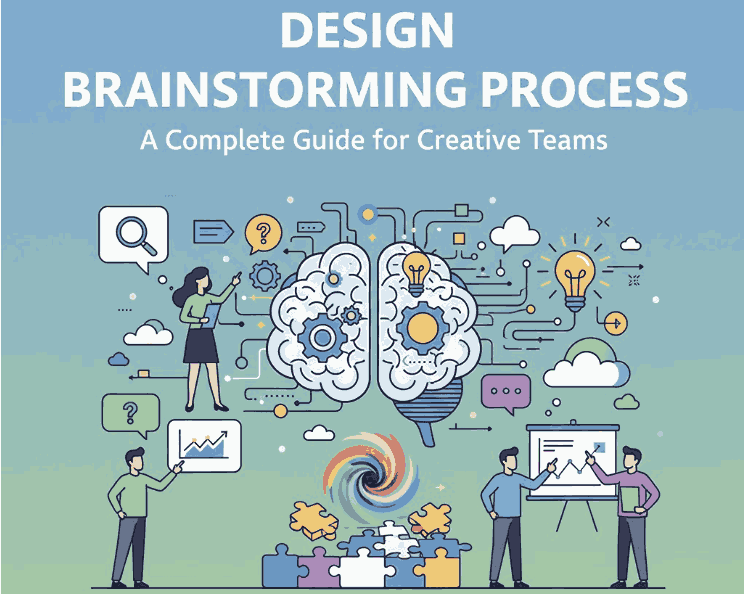
Design Brainstorming Process: A Complete Guide for Creative Teams

Design Brainstorming Process

Table of Contents

  1. Introduction
  2. What Is the Design Brainstorming Process?
  3. Why Brainstorming Matters in Creative Projects
  4. Key Stages of the Design Brainstorming Process
    • 4.1 Preparation
    • 4.2 Idea Generation
    • 4.3 Idea Evaluation
    • 4.4 Refinement & Selection
    • 4.5 Execution
  5. Best Techniques for Effective Design Brainstorming
  6. How Typography Supports the Brainstorming Workflow
  7. Recommended Fonts for Brainstorming Mockups
  8. Tips to Improve Your Brainstorming Sessions
  9. Conclusion
  10. References

1. Introduction

Design Brainstorming Process is an essential step in every creative workflow. Whether you are building a brand identity, designing a website, or crafting digital assets, brainstorming helps teams generate ideas, explore visual directions, and discover solutions that push creativity forward.

This article will guide you through the entire brainstorming process, explain why it is important, share effective brainstorming techniques, and show how typography plays a vital role—complete with recommended fonts from CalligraphyFonts.net.

Design Brainstorming Process

2. What Is the Design Brainstorming Process?

The design brainstorming process is a structured method of generating, evaluating, and refining creative ideas for a design project. It allows designers, teams, or clients to explore concepts freely without judgment, encouraging innovation and unexpected creative outcomes.

Unlike ordinary idea collection, design brainstorming focuses on visual thinking, such as sketching, mood boards, typography experiments, mockups, color exploration, and rapid concept drafts.

3. Why Design Brainstorming Process Matters in Creative Projects

Brainstorming is not just a meeting—it is a strategic tool that improves your design work in several ways:

✔ Encourages Idea Diversity

A structured brainstorm allows participants to share ideas without limitation, resulting in wider creative options.

✔ Solves Problems Faster

Visual ideation helps reveal design issues early and speeds up creative decision-making.

✔ Boosts Creativity & Innovation

Brainstorming breaks mental blocks and encourages designers to think beyond predictable solutions.

✔ Strengthens Team Communication

Collaborative brainstorming aligns vision between designers, marketers, and clients.

✔ Leads to Stronger Visual Identity

Brainstorming helps designers unify typography, layout, color, and brand style in a purposeful way.

4. Key Stages of the Design Brainstorming Process

4.1 Preparation

This is where you define the project scope, design objectives, user needs, and brand direction. Designers gather:

  • brand guidelines
  • color palettes
  • competitor analysis
  • inspirational references
  • target audience insights

4.2 Idea Generation

The fun part. Designers generate as many ideas as possible through:

  • sketching
  • freewriting
  • mood boarding
  • rapid prototyping
  • typography exploration
  • keyword mapping

No judgment—just creativity.

4.3 Idea Evaluation

Next, filter ideas to see which concepts align with project goals. Evaluate based on:

  • brand consistency
  • audience appeal
  • visual clarity
  • originality
  • practicality

4.4 Refinement & Selection

Promising ideas are refined into clearer visual concepts. Designers improve:

  • layout
  • typography choices
  • color combinations
  • iconography
  • illustration style

This stage transforms rough ideas into focused visual directions.

4.5 Execution

The final designs are created based on the refined concepts. This includes:

  • high-fidelity mockups
  • final typography
  • color adjustments
  • asset preparation
  • client-ready presentations
Design Brainstorming Process

5. Best Techniques for Effective Design Brainstorming Process

Use these proven techniques to elevate your brainstorming:

✔ Mind Mapping Design Brainstorming Process

Helps connect ideas visually and explore unexpected directions.

✔ SCAMPER Method Design Brainstorming Process

Substitute, Combine, Adapt, Modify, Put to another use, Eliminate, Reverse.

✔ Mood Boards Design Brainstorming Process

Great for exploring design style, aesthetics, fonts, and imagery.

✔ Sketch Storming Design Brainstorming Process

Rapid sketching pushes visual exploration early.

✔ Brain Writing Design Brainstorming Process

Team members write ideas silently—avoids group pressure.

✔ Typography Experimentation Design Brainstorming Process

Trying different typefaces quickly reveals brand personality.

6. How Typography Supports the Design Brainstorming Process Workflow

Typography is often a key element during the brainstorming stage. The right font can help define:

  • tone and personality
  • visual hierarchy
  • emotional impact
  • brand consistency

Using expressive styles—script, signature, brush, and calligraphy—can make brainstorming mockups feel more alive and inspiring. This is why designers often use premium display fonts early in ideation to visualize strong identity concepts.

7. Recommended Fonts for Design Brainstorming Process Mockups

Here are four font suggestions from CalligraphyFonts.net that work beautifully for design brainstorming presentations, mood boards, and mockups:

1. Rellative Font (Signature Style)

Elegant, modern, and expressive—perfect for branding and concept sketches.

2. Signatory Signature Font

A stylish handwritten font ideal for ideation notes, creative headers, and mood boards.

3. Holters Font

A bold, expressive brush font that brings energy to brainstorming visuals.

4. Anthonyela Calligraphy Font

A sophisticated calligraphy script that adds an artistic and premium feel to presentations.

Using these fonts in your brainstorming mockups instantly upgrades the look and communicates your design direction more effectively.

8. Tips to Improve Your Design Brainstorming Process Sessions

  • Avoid judging ideas too early—creativity thrives on freedom.
  • Set clear objectives so everyone understands the design goal.
  • Use visual tools like sketches, fonts, and mood boards to unlock creativity.
  • Limit sessions to 30–45 minutes to maintain energy and focus.
  • Encourage wild ideas—they often lead to breakthrough concepts.
  • Document everything to revisit sketches and notes later.

9. Conclusion Design Brainstorming Process

The design brainstorming process remains one of the most powerful tools for unlocking creativity and achieving innovative design solutions. Whether you’re working on branding, digital products, or print materials, brainstorming provides structure, clarity, and inspiration. Combined with strong typography choices—such as the fonts from CalligraphyFonts.net—your brainstorming workflow becomes more dynamic and visually engaging.

10. References

(Non-broken authoritative sources)

Posted on

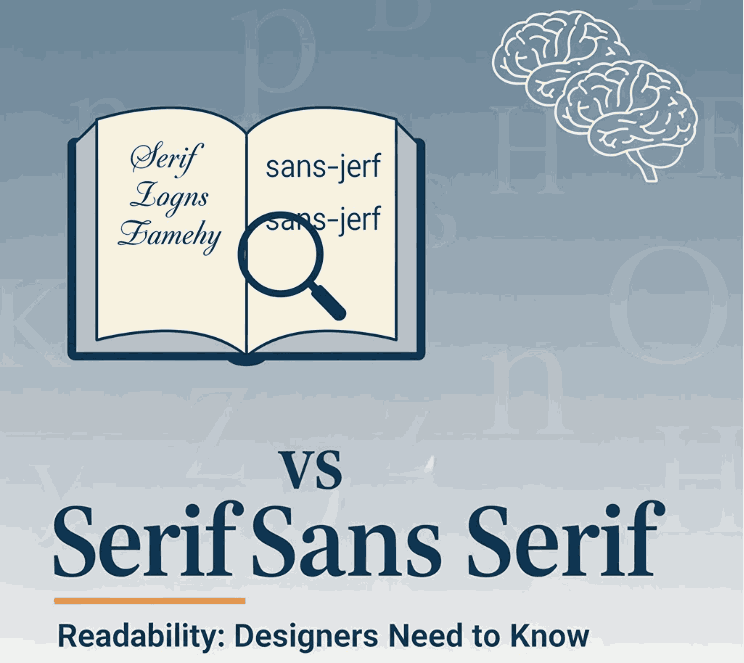
Serif vs Sans Serif Readability: New Designers Need to Know

Sans Serif Readability

Table of Contents

  1. Introduction
  2. What Are Serif and Sans-Serif Fonts?
  3. The Readability Debate: Serif vs Sans Serif
  4. Key Factors That Influence Readability
  5. How This Applies to Your Font Design & Mockups
  6. Font Examples for Mockups & Practice
  7. Conclusion
  8. References

1. Introduction

When choosing typefaces for branding, web design, print or packaging, one of the most common questions is: “Should I use a serif or Sans Serif Readability” The short answer: it depends. In this article we’ll explore the nuance of serif vs sans serif readability, examine scientific research, highlight key influencing factors, and show how you can apply this knowledge to your font-design business at CalligraphyFonts.net.

2. What Are Serif and Sans Serif Readability Fonts?

A serif font features small decorative strokes or “feet” at the ends of letterforms. The term “serif” comes from the Dutch word schreef meaning a line or stroke.
A sans-serif font (from French sans meaning “without”) lacks those extra strokes, giving a cleaner and more modern appearance.
From a designer’s perspective:

  • Serif fonts often convey tradition, formality, readability in print.
  • Sans-serif fonts often convey modernity, clarity, minimalism—especially in digital contexts.
Sans Serif Readability

3. The Readability Debate: Serif vs Sans-Serif

For decades, designers and typographers assumed serifs help guide the eye along lines of text (especially in print) and thus improve readability. But what does the research say?

Research Highlights

  • A study published by PMC found that participants read slightly faster and more accurately from sans‐serif typefaces in some digital contexts.
  • Another review notes: “There is no evidence that serif or sans‐serif significantly impacts readability.”
  • A 2023 article in Readable states that the “sans‐serif is easiest” assumption isn’t always true, and that reading speed/comprehension depends on many factors beyond serif presence.
  • A font-readability blog notes: “Serif fonts were slightly more legible for printed text with no anti-aliasing; sans-serif performed best on screen with anti-aliasing.”

What It Means

In practical terms:

  • In print contexts or very small type sizes, serif fonts may offer a slight advantage (though not huge).
  • On digital screens, high resolution and anti-aliasing have reduced the advantage of serifs; many sans-serif fonts perform equally well or better.
  • Ultimately readability depends more on font design quality, x-height, letter spacing, contrast, line length, line spacing, and audience context.

4. Key Factors That Influence Sans Serif Readability

When thinking about serif vs sans-serif readability, keep these factors in mind—they often matter more than the presence or absence of serifs:

  • x-Height & letter proportions: A larger x-height tends to improve legibility.
  • Stroke contrast: High contrast (thin/thick strokes) may reduce readability, especially at small sizes or screen resolution.
  • Spacing (kerning/leading/tracking): Tight spacing can hinder readability; generous spacing helps.
  • Line length & layout: Very long lines of text reduce readability regardless of font style.
  • Medium & resolution: On low-resolution screens, serifs may blur; on print or high-dpi displays, this is less an issue.
  • Audience & context: Readers with visual impairment or dyslexia may respond differently; some studies suggest sans‐serif may have slight advantages for certain groups.

5. How This Applies to Your Font Design & Mockups

As a font-design business (CalligraphyFonts.net) you’re not just choosing fonts—you’re creating them and selling to other designers. Here’s how you can apply the readability insight:

  • Design for context: If a font is intended for body text (print or long reading), then consider serif or well-designed sans with strong x-height and spacing.
  • Mockup your fonts in both display and text usage so customers see readability in context.
  • Use your fonts in relevant digital or print scenarios:
    • For example, a font designed with strong x-height and simplified forms will work well on screen as a sans-serif choice even if it has subtle serifs.
  • Educate your customers: In your product descriptions mention readability context—“ideal for screen use”, “optimized for print body copy”, etc.
  • Pair fonts thoughtfully: When using display fonts (for headlines) vs text fonts (body), the readability requirements differ—display can be more stylised, text needs clarity.
    By aligning font style with readability research (rather than simply relying on “serif for print, sans for web”), you’ll build trust and credibility with your customers.
Sans Serif Readability

6. Font Examples for Mockups & Practice

Here are four fonts from your collection that you can use for readability-focused mockups and display them in contexts (print vs screen) to showcase versatility:

  • Faint Green Font – Try this in body text print mock-up to illustrate serif readability in print context.
  • Clangorous Font – Use in bold headings or web hero to show how sans-serif or hybrid forms perform on screen.
  • Barley Round Font – A friendly rounded sans-serif ideal for digital reading and lifestyle brand usage.
  • Patriotics Font – Vintage-inspired serif display font – good for print use or headings where tone and readability matter.

Show your audience how each font performs in both screen and print contexts, and you’ll not only sell fonts—you’ll educate your market and position your brand as expert.

7. Conclusion Sans Serif Readability

The serif vs Sans Serif Readability discussion doesn’t have a one-size-fits-all answer—but the takeaway is clear: context matters more than dogma. Good font design, appropriate spacing, layout and medium matter more than whether a font has serifs. For your font-design business, that means being deliberate about readability in every mockup, controlling context, and educating your customers. By doing so, you set your fonts apart as thoughtful, usable, and high-quality assets — not just pretty typefaces.

8. References

Posted on

Design Visuals for Advocacy Campaigns: How to Create Impactful Messaging

Advocacy campaign design

Table of Contents

  1. Introduction: Why Visuals Matter in Advocacy
  2. Core Principles for Advocacy Campaign Design
  3. Choosing Fonts, Colors & Imagery That Resonate
  4. Storytelling & Visual Hierarchy in Campaigns
  5. Examples of Effective Visuals & Mockups
  6. Tips for Social Media, Print, and Digital Use
  7. Avoiding Common Design Pitfalls
  8. Measuring Visual Impact & Engagement
  9. Conclusion
  10. References

1. Introduction: Why Visuals Matter in Advocacy

In today’s digital world, advocacy campaign design plays a crucial role in delivering powerful messages. When your mission is to drive change—whether social, environmental, or political—the visuals you choose are more than decoration. They must communicate urgency, emotion, and clarity. Good visuals capture attention, help messages stick, and turn viewers into supporters. This guide will share how to design visuals for advocacy campaigns that truly move people.

Advocacy campaign design

2. Core Principles of Advocacy Campaign Design

  • Clarity: Avoid clutter; make your message direct and unambiguous.
  • Emotional resonance: Use visuals that evoke empathy, urgency, or hope.
  • Brand consistency: Even advocacy campaigns need a coherent visual identity.
  • Accessibility: Ensure designs are readable for all (contrast, font size, alt text).

3. Fonts & Colors for Advocacy Campaign Design

  • Fonts: Select typefaces that reflect the tone of your campaign—strong and bold for activism, softer for healing themes.
  • Colors: Use color psychology. Reds/oranges for urgency, greens for environment, blues for trust.
  • Imagery: Use real photographs when possible; illustrations when symbolic. Make sure imagery is diverse and representative.

4. Storytelling in Advocacy Campaign Design

Every design should have a flow—what to see first, next, and last. Use size, contrast, and placement to guide eye movement. Start with a powerful headline, follow with a supporting image or statistic, then a clear call to action (CTA).

5. Examples of Effective Visuals & Mockups

To see how typography can enhance campaign visuals, consider these fonts from your collection:

Use these fonts in mockups across social media, posters, banners, infographics to test how your message looks in real-world contexts.

Advocacy campaign design

6. Tips for Social Media, Print, and Digital Use

  • Social media: square or vertical formats; use consistent brand elements.
  • Digital (web / email): ensure responsive design and fast load times.
  • Print: ensure high resolution, CMYK color settings, check readability from a distance.

7. Avoiding Common Design Pitfalls

  • Overloading with text → people won’t read it.
  • Low contrast → poor accessibility.
  • Mixing too many fonts → visual chaos.
  • Ignoring typography spacing (kerning, line height).

8. Measuring Visual Impact & Engagement

Track metrics:

  • Social shares, likes, comments
  • Click-through rates on visuals
  • A/B test different visuals
  • Use heatmaps to see what part of visual draws attention

These insights help refine future campaign design.

9. Conclusion

Designing for advocacy is a powerful responsibility. By designing visuals for advocacy campaigns that are clear, emotive, and accessible, you can turn passive viewers into active supporters. Use the mockup fonts above, always test your designs, and iterate based on real feedback. Your visual voice can inspire real change. By mastering advocacy campaign design, your visuals can inspire real social change.

References

Posted on

Crafting Presentation Design Tips: How to Impress with Style & Readability

Crafting presentation design tips

Table of Contents

  1. Introduction: Why Presentation Design Matters
  2. Core Principles of Great Presentation Design
  3. Typography & Fonts: The Heart of Slide Design
  4. Layout, Visuals & Whitespace Strategies
  5. Font Mockup Examples to Inspire Your Slides
  6. Best Practices & Practical Tips
  7. Common Mistakes to Avoid
  8. Conclusion
  9. References

1. Introduction: Why Presentation Design Matters

When delivering a talk, pitch, or workshop, your slides are more than visual aids—they carry your credibility and connect you to your audience. Crafting presentation design tips ensures your message is delivered clearly, attractively, and memorably. A well-designed presentation elevates your idea; a poor one detracts from it.

2. Core Principles of Crafting Presentation Design Tips

  • One idea per slide: avoid cramming multiple concepts in a single slide. PMC+1
  • Use visuals instead of text when possible: images often communicate faster than words. Multimedia UCSD
  • Limit bullet points — no more than 4 bullets per slide to maintain clarity. Multimedia UCSD+1
Crafting presentation design tips

3. Typography & Fonts: Crafting Presentation Design Tips for Readability

Typography is a foundational design element for clear, engaging slides. Be mindful of:

4. Layout & Visuals: Crafting Presentation Design Tips to Enhance Impact

5. Font Mockup Examples to Inspire Your Slides

Berikut beberapa font dari koleksi kamu yang cocok untuk presentasi elegan dan profesional:

  • Annandale Font — font serif klasik yang menyampaikan kesan formal dan elegan.
  • Rostia Font — gaya modern yang bersih untuk judul atau kutipan.
  • Creatoria Font — kreatif dan artistik, cocok untuk slide desain.
  • Classicly Font — font klasik yang tetap bisa mengikuti tema minimalis dan profesional.

Gunakan salah satu sebagai heading dan kombinasi yang sederhana untuk body text agar presentasimu tetap konsisten dan menarik.

6. Best Practices: Crafting Presentation Design Tips You Can Apply Today

  • Less is more: gunakan teks seminimal mungkin, fokus pada poin-poin.
  • Align elements: pastikan elemen visual dan teks sejajar dan konsisten antar slide.
  • Test readability: cek layar jauh atau tampilan proyektor, pastikan semuanya terbaca.
  • Limit animation: gunakan animasi sederhana agar tidak mengganggu.
  • Use slide templates untuk menjaga keseragaman.
Crafting presentation design tips

7. Common Mistakes to Avoid

  • Menggunakan banyak font berbeda → hasilnya visual jadi kacau.
  • Menaruh banyak kalimat panjang → audiens lebih fokus membaca daripada mendengarkan.
  • Warna teks & latar belakang yang terlalu kontras atau tidak cukup kontras → sulit dibaca.
  • Font terlalu kecil untuk tampilan besar atau jarak jauh.

8. Conclusion

Crafting presentation design tips bukan hanya soal estetika — ini soal menyampaikan pesan secara efektif. Dengan prinsip tipografi, layout yang bersih, visual yang mendukung, dan pemilihan font yang tepat, kamu bisa menciptakan presentasi yang mengesankan dan mudah dipahami. Gunakan mockup font dari koleksimu untuk menambahkan identitas unik dalam setiap slide.

9. References