Posted on

High Resolution Image Design for Print & Digital: Best Practices New Designers

High Resolution Image Design

Table of Contents

  1. Introduction to High Resolution Image Design
  2. What Is High Resolution Image Design?
  3. Why High Resolution Matters in Modern Design
  4. Common Causes of Blurry or Low-Quality Images
  5. DPI, PPI, and Pixel Dimensions Explained
  6. Best File Formats for High Resolution Image Design
  7. Typography and Fonts in High Resolution Design
  8. How to Prepare Images for Print and Digital Use
  9. Professional Font Mockup Examples for High Resolution Design
  10. Final Thoughts

1. Introduction to High Resolution Image Design

In today’s visually driven digital world, high resolution image design is no longer optional—it’s essential. Whether you’re creating branding assets, website visuals, social media graphics, or print materials, image clarity directly affects how professional and trustworthy your brand appears.

Designers often invest time in color theory and layout but overlook resolution, leading to blurry visuals that reduce impact. This guide will help you understand how to create crisp, clean, and professional designs that look sharp on every screen and print medium.

2. What Is High Resolution Image Design?

High resolution image design refers to creating visuals with sufficient pixel density, clarity, and sharpness so they appear detailed and clean at their intended size.

A high resolution image typically includes:

  • Proper pixel dimensions
  • Correct DPI/PPI settings
  • Non-compressed or minimally compressed formats
  • Sharp typography and vector-based elements

When done correctly, high resolution designs maintain clarity whether viewed on retina displays, large monitors, or printed materials.

High Resolution Image Design

3. Why High Resolution Image Design Matters

High resolution image design is critical because it:

  • Enhances brand credibility
  • Improves user experience
  • Ensures print accuracy
  • Prevents pixelation on high-density screens
  • Makes typography appear sharp and professional

Low-quality visuals can instantly damage trust, especially for creative brands, digital products, and typography showcases.

4. Common Causes of Blurry or Low-Quality Images

Even experienced designers sometimes struggle with image clarity. Common mistakes include:

  • Using images smaller than required
  • Stretching raster images beyond their original size
  • Exporting with low DPI for print
  • Excessive compression
  • Using low-quality fonts or rasterized text

Avoiding these mistakes is the foundation of effective high resolution image design.

5. DPI, PPI, and Pixel Dimensions Explained

Understanding these three concepts is essential:

  • Pixel Dimensions: The actual width and height of an image in pixels
  • PPI (Pixels Per Inch): Used for digital screens (72–144 PPI typical)
  • DPI (Dots Per Inch): Used for printing (300 DPI standard)

For print design, always use 300 DPI with large pixel dimensions. For digital designs, prioritize pixel size over DPI.

6. Best File Formats for High Resolution Image Design

Choosing the right format ensures your designs stay sharp:

  • PNG – Best for web, transparency, and sharp typography
  • JPEG – Smaller file size, but avoid excessive compression
  • SVG – Ideal for logos and vector typography
  • PDF – Best for print-ready designs
  • TIFF – High-quality print production

For typography-focused visuals, PNG and SVG are often the best choices.

7. Typography and Fonts in High Resolution Image Design

Typography plays a major role in perceived image quality. Poor font choices can ruin even the best layout.

High-quality fonts:

  • Render cleanly at large sizes
  • Maintain detail when exported
  • Look sharp on high-resolution displays

Premium fonts are especially important for:

  • Branding
  • Logo design
  • Posters
  • Product mockups
  • Website headers
High Resolution Image Design

8. How to Prepare High Resolution Image Design for Print and Digital Use

For Digital Use:

  • Export at 2× or 3× resolution
  • Use PNG or SVG
  • Avoid over-compression
  • Preview on high-density screens

For Print Use:

  • Set canvas to final print size
  • Use 300 DPI
  • Export as PDF or TIFF
  • Use CMYK color mode

These steps ensure your high resolution image design remains consistent across platforms.

9. Professional Font Mockup Examples for High Resolution Design

Using premium fonts significantly enhances visual clarity and professionalism. Below are excellent font examples from CalligraphyFonts.net that work beautifully in high resolution designs:

  • Shotflick Font – A bold display font perfect for sharp headlines and modern branding
  • Holdsmith Font – Elegant signature style ideal for premium mockups and luxury designs
  • Ameralda Font – Artistic and expressive, great for creative high-resolution typography
  • Shailendra Font – Classic calligraphy style that remains crisp even at large sizes

These fonts are ideal for showcasing high resolution image design in both digital and print mockups.

10. Final Thoughts

Mastering high resolution image design is about more than just large images—it’s about precision, preparation, and quality assets. From understanding DPI to choosing premium fonts, every detail matters.

By combining proper resolution settings with professional typography from CalligraphyFonts.net, your designs will look sharper, more polished, and more impactful across all platforms.

Authority References

  • Dribbble — High Resolution
  • Freepik — High resolution Images
  • Adobe Stock — High-Resolution Design Images
  • Din Studio — Pro Tips: How to Make a High Definition, Not Blurry Design
Posted on

Color Palette Inspiration Websites: Best New Resources for Creative Color Combinations

Color Palette Inspiration Websites

Table of Contents

  1. Introduction
  2. Why Color Palette Inspiration Matters in Design
  3. What Are Color Palette Inspiration Websites?
  4. Benefits of Using Color Palette Inspiration Websites
  5. Popular Types of Color Palette Inspiration Websites
  6. How Typography Enhances Color Palette Exploration
  7. Font Mockup Examples for Color Palette Inspiration
  8. How to Use Color Palette Websites Effectively
  9. Common Mistakes to Avoid
  10. Final Thoughts
  11. References

1. Introduction Color Palette Inspiration Websites

Color Palette Inspiration Websites is one of the most powerful elements in visual design. The right color combination can communicate emotion, build brand recognition, and improve usability—while the wrong palette can confuse or overwhelm users. That’s why designers rely heavily on Color Palette Inspiration Websites to discover harmonious color combinations quickly and efficiently.

In this article, we’ll explore what color palette inspiration websites are, why they matter, how designers use them, and how pairing color palettes with strong typography can elevate branding, UI, and creative projects.

Color Palette Inspiration Websites

2. Why Color Palette Inspiration Websites Matters in Design

Choosing colors is not just an aesthetic decision—it’s a strategic one. Colors influence:

  • Brand perception
  • Emotional response
  • Readability and accessibility
  • User experience
  • Visual hierarchy

Designers often face creative blocks or time constraints. Color palette inspiration websites help eliminate guesswork by providing curated, tested, and visually pleasing color combinations that work across digital and print media.

3. What Are Color Palette Inspiration Websites?

Color Palette Inspiration Websites are online platforms that offer ready-made color schemes or tools to generate palettes based on:

  • Harmony rules (analogous, complementary, triadic)
  • Images or photos
  • Trends and themes
  • Accessibility standards
  • Industry use cases

These websites are widely used by:

  • Graphic designers
  • UI/UX designers
  • Branding specialists
  • Web designers
  • Illustrators
  • Content creators

They act as both inspiration sources and practical tools.

4. Benefits of Using Color Palette Inspiration Websites

Using color palette inspiration websites offers several advantages:

✔ Save Time

Instead of building palettes from scratch, designers can start with proven combinations.

✔ Improve Consistency

Palettes are usually balanced and harmonious, reducing visual chaos.

✔ Explore New Ideas

Designers can step outside their comfort zone and discover new color directions.

✔ Support Accessibility

Many platforms provide contrast and readability guidance.

✔ Align with Trends

Some websites highlight trending colors used in modern design.

5. Popular Types of Color Palette Inspiration Websites

Color palette websites generally fall into a few categories:

Palette Generator Tools

Automatically generate color schemes based on rules or images.

Curated Palette Galleries

Collections of hand-picked palettes organized by mood, theme, or industry.

Image-Based Color Extractors

Extract dominant colors from uploaded photos or illustrations.

Brand-Focused Palette Platforms

Show how palettes work in real-world branding and UI contexts.

Each type serves a different creative purpose, and designers often combine multiple tools during the design process.

6. How Typography Enhances Color Palette Inspiration Websites Exploration

Color and typography should never be treated separately. Typography:

  • Defines visual tone
  • Adds personality
  • Creates hierarchy
  • Enhances contrast

When experimenting with color palettes, using the right font helps designers visualize how colors perform in real layouts—logos, headlines, UI elements, or packaging.

Premium fonts with strong structure and character allow color palettes to shine without sacrificing readability or professionalism.

Color Palette Inspiration Websites

7. Font Mockup Examples for Color Palette Inspiration Websites

Below are carefully selected fonts from CalligraphyFonts.net that are ideal for showcasing color palette inspiration in mockups and visual examples.

1. Belleriana Font

An elegant calligraphy font that adapts beautifully to a wide range of color palettes.

Best for:

  • Pastel palettes
  • Luxury branding
  • Fashion and beauty visuals

2. Jungle Tribe Font

A bold display font with strong personality, perfect for testing vibrant and earthy palettes.

Best for:

  • Bold and warm palettes
  • Posters and packaging
  • Creative branding

3. Monoscreen Modern Display Font

A clean, futuristic font ideal for digital and UI-focused color palette exploration.

Best for:

  • Tech palettes
  • Monochrome and neon schemes
  • Web and app mockups

4. Anthonyela Calligraphy Font

A graceful handwritten font that works well with soft, romantic, and muted palettes.

Best for:

  • Wedding and lifestyle branding
  • Natural and pastel palettes
  • Logo and packaging previews

8. How to Use Color Palette Inspiration Websites Effectively

To get the most value from color palette inspiration websites:

  • Start with mood and purpose, not random colors
  • Test palettes in real design mockups
  • Combine light, mid, and dark tones
  • Check contrast for accessibility
  • Pair palettes with suitable typography
  • Save and compare multiple options
  • Avoid relying on color alone—use hierarchy and spacing

Using palettes strategically ensures stronger visual communication.

9. Common Mistakes to Avoid

Even with great tools, mistakes can happen. Avoid these common issues:

  • Using too many colors in one design
  • Ignoring contrast and readability
  • Choosing trendy palettes that don’t fit the brand
  • Forgetting accessibility standards
  • Applying palettes without testing typography
  • Copying palettes without adapting them

Effective design balances inspiration with intention.

10. Final Thoughts

Color Palette Inspiration Websites are essential tools for modern designers. They speed up workflows, spark creativity, and help ensure visual harmony across projects. When combined with high-quality typography, color palettes become powerful storytelling tools.

For designers who want to present color inspiration professionally, premium fonts from CalligraphyFonts.net offer the flexibility, readability, and character needed to bring palettes to life.

11. References

Posted on

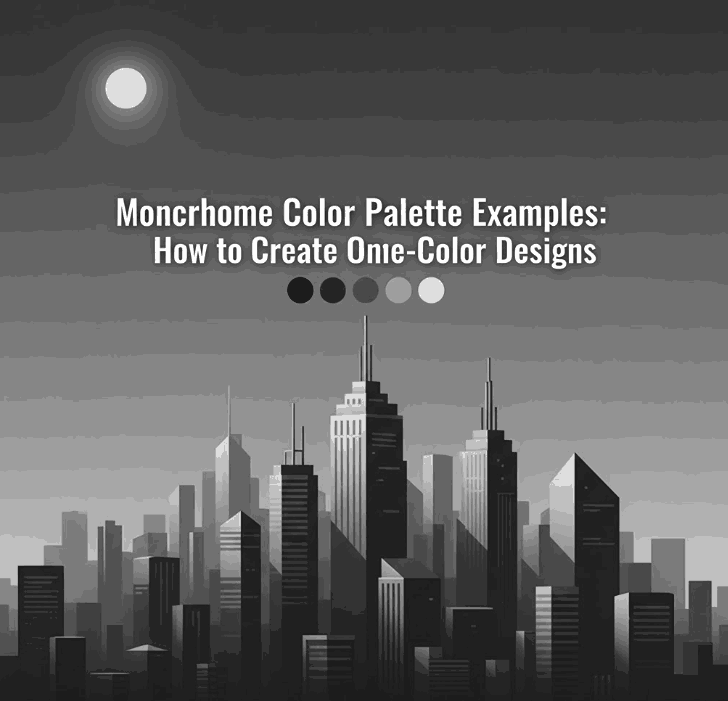
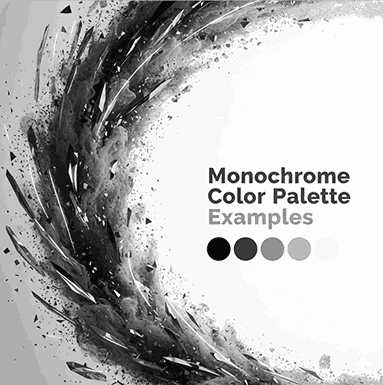
Monochrome Color Palette Examples: How to Create Stunning One-Color Designs

Monochrome Color Palette Examples

Table of Contents

  1. Introduction
  2. What Is a Monochrome Color Palette?
  3. Monochrome vs Black and White: Key Differences
  4. Why Designers Love Monochrome Color Palettes
  5. Popular Monochrome Color Palette Examples
  6. Typography’s Role in Monochrome Design
  7. Font Mockup Examples for Monochrome Designs
  8. Tips for Creating Effective Monochrome Designs
  9. Common Mistakes to Avoid
  10. Final Thoughts
  11. References

1. Introduction Monochrome Color Palette Examples

Monochrome Color Palette Examples plays a crucial role in visual communication, but sometimes less truly is more. One of the most powerful and timeless approaches in design is the monochrome color palette. Designers across branding, typography, packaging, and digital media rely on monochrome palettes to create visuals that feel clean, intentional, and emotionally focused.

In this article, we explore Monochrome Color Palette Examples, explain how they work, and show how the right typography—especially high-quality fonts—can elevate monochrome designs to a professional level.

Monochrome Color Palette Examples

2. What Is a Monochrome Color Palette Examples?

A monochrome (or monochromatic) color palette is created using one base color and expanding it through:

  • Tints (color + white)
  • Shades (color + black)
  • Tones (color + gray)

This results in a palette that maintains visual consistency while still offering depth and contrast.

For example:

  • A blue monochrome palette may include navy, royal blue, sky blue, and pale blue
  • A green monochrome palette may include forest green, olive, sage, and mint

3. Monochrome vs Black and White: Key Differences

Many people mistakenly think monochrome means only black and white. In reality:

  • Black and white is just one type of monochrome palette
  • Monochrome can be built from any color

This flexibility makes monochrome palettes ideal for modern branding, editorial layouts, and typography-focused designs.

4. Why Designers Love Monochrome Color Palette Examples

Monochrome palettes remain popular because they offer multiple advantages:

✔ Visual Harmony

Using one color ensures consistency across all design elements.

✔ Strong Brand Identity

Brands using monochrome colors often appear more confident and memorable.

✔ Focus on Form and Typography

Without multiple colors competing for attention, typography and layout shine.

✔ Timeless Aesthetic

Monochrome designs age well and adapt easily across mediums.

✔ Easier Color Decisions

Designers can focus more on concept, spacing, and hierarchy.

5. Popular Monochrome Color Palette Examples

Here are some widely used monochrome palettes in modern design:

Monochrome Black & Gray

  • Editorial layouts
  • Luxury branding
  • Minimalist websites

Monochrome Blue

  • Technology and SaaS brands
  • Corporate identity
  • UI and web design

Monochrome Green

  • Eco-friendly brands
  • Organic products
  • Wellness and lifestyle designs

Monochrome Beige / Brown

  • Craft, handmade, and vintage branding
  • Packaging and labels

Monochrome Red

  • Bold posters
  • Entertainment branding
  • Promotional visuals

Each palette works best when combined with strong typography and thoughtful contrast.

6. Typography’s Role in Monochrome Color Palette Examples Design

In monochrome design, typography becomes the primary visual element. The font’s:

  • Stroke weight
  • Curves
  • Contrast
  • Texture

…all determine how engaging the design feels.

High-quality fonts help:

  • Create hierarchy without extra colors
  • Add emotion and personality
  • Improve readability
  • Strengthen brand perception

This is why premium fonts are essential for monochrome layouts.

Monochrome Color Palette Examples

7. Font Mockup for Monochrome Color Palette Examples Designs

Below are carefully selected fonts from CalligraphyFonts.net that work exceptionally well in monochrome color palette examples.

1. Belleriana Font

Elegant calligraphy font perfect for monochrome luxury branding, editorial headlines, and premium packaging.

Best for:

  • Monochrome black, navy, emerald palettes
  • Fashion, beauty, and wedding branding

2. Jungle Tribe Font

A bold display font with strong personality that stands out even with a single color.

Best for:

  • Monochrome earthy tones
  • Posters, packaging, and merchandise

3. Monoscreen Modern Display Font

A futuristic display font ideal for clean, modern monochrome digital designs.

Best for:

  • Monochrome gray or blue palettes
  • Tech branding, UI, and web headers

4. Anthonyela Calligraphy Font

A flowing handwritten font that brings elegance and softness to monochrome compositions.

Best for:

  • Monochrome pastel palettes
  • Beauty brands, personal logos, and packaging

8. Tips for Creating Effective Monochrome Color Palette Examples Designs

To get the most out of monochrome color palettes:

  • Use contrast through light and dark tones
  • Combine bold and thin typography
  • Apply spacing and hierarchy carefully
  • Experiment with texture and opacity
  • Avoid flat designs by adding subtle gradients
  • Test readability across screen and print

Typography and composition are the keys to success.

9. Common Mistakes to Avoid Monochrome Color Palette Examples

Even simple palettes can fail if used incorrectly. Avoid these mistakes:

  • Using too little contrast
  • Choosing weak or poorly designed fonts
  • Relying on color alone without hierarchy
  • Ignoring accessibility and readability
  • Overusing decorative fonts

A strong monochrome design is intentional, not accidental.

10. Final Thoughts Monochrome Color Palette Examples

Exploring Monochrome Color Palette Examples is an excellent way to refine your design skills and strengthen visual storytelling. By focusing on one color and pairing it with high-quality typography, designers can create layouts that are elegant, modern, and impactful.

For professional monochrome typography and branding, premium fonts from CalligraphyFonts.net provide the perfect foundation for stunning design results.

11. References

Posted on

The Power of Visual Hierarchy in Design: How to Guide the Viewer’s Eye 2025

Visual Hierarchy in Design

Table of Contents

  1. What Is Visual Hierarchy in Design?
  2. Why Visual Hierarchy Matters
  3. Key Principles of Visual Hierarchy
  4. Practical Tips to Improve Visual Hierarchy
  5. Using Fonts to Enhance Hierarchy
  6. Final Thoughts

1. What Is Visual Hierarchy in Design?

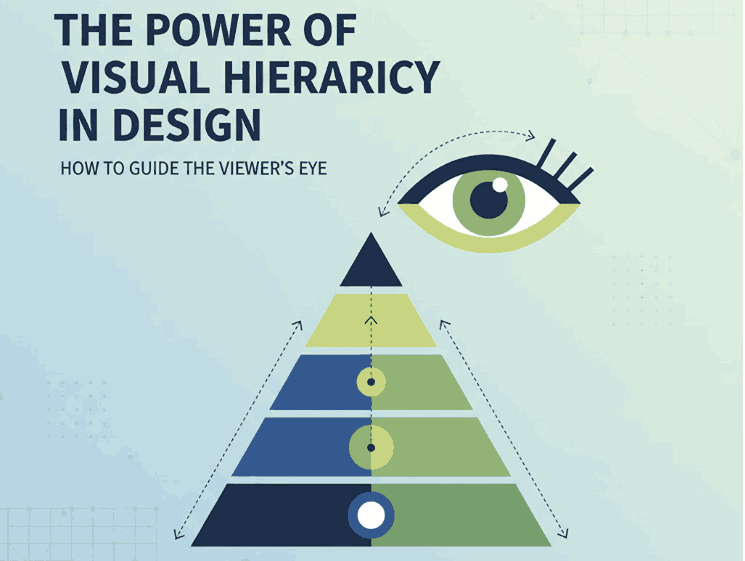
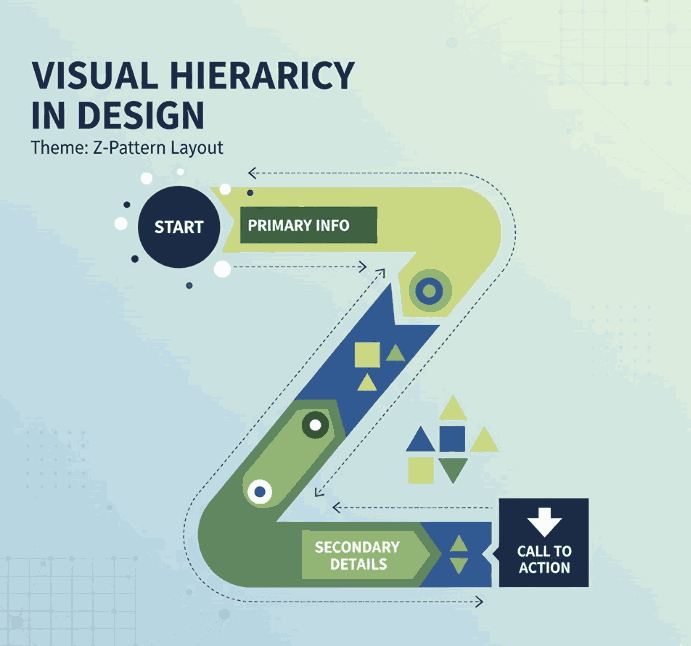
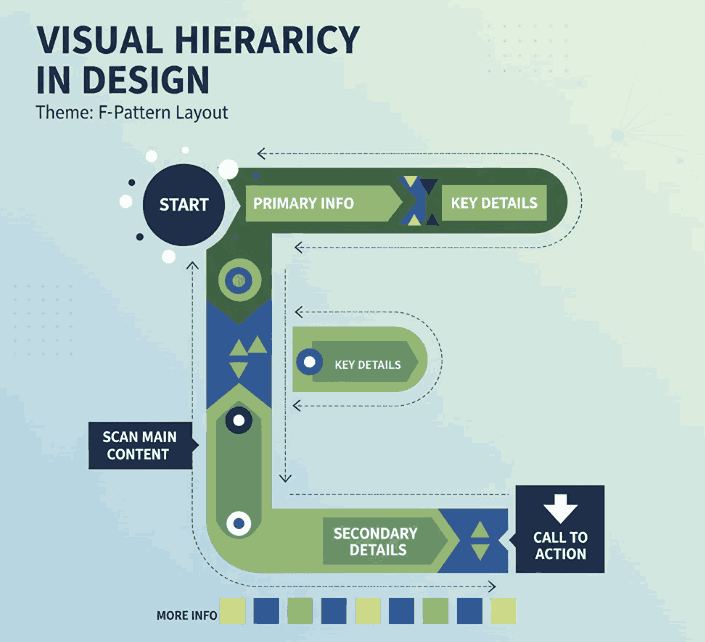
Visual hierarchy in design refers to the strategic arrangement of elements in a way that clearly communicates their order of importance. In simpler terms, it’s how designers guide the viewer’s eye from the most important element to the least.

When used effectively, visual hierarchy helps audiences absorb information naturally and efficiently — whether on a website, poster, logo, or social media post. It’s the foundation that makes a design both aesthetically pleasing and functionally effective.

Visual Hierarchy in Design

2. Why Visual Hierarchy in Design Matters

A well-crafted visual hierarchy is the secret to communicating your message clearly. When hierarchy is missing, your design can appear cluttered or confusing — leaving your audience unsure where to look first.

Here’s why it’s important:

  • Enhances readability and comprehension. Clear hierarchy helps users process content effortlessly.
  • Directs attention strategically. It emphasizes what’s most important — such as a headline, product name, or call-to-action.
  • Creates emotional engagement. Proper balance and contrast create flow, making your design feel dynamic and professional.

When done right, visual hierarchy turns ordinary layouts into captivating compositions that tell a visual story.

3. Key Principles of Visual Hierarchy in Design

There are several foundational principles every designer should understand when applying visual hierarchy:

a. Size and Scale

Larger elements naturally attract more attention. Headings, key images, or call-to-action buttons should be visually dominant compared to supporting text.

b. Color and Contrast

High-contrast colors help highlight important information, while muted tones guide attention elsewhere. Designers often use color psychology to evoke specific emotions.

c. Alignment and Balance

Proper alignment establishes harmony and order. Balanced compositions feel stable and trustworthy, while asymmetrical layouts can create energy and focus.

d. Typography

Font choice dramatically affects perception. Serif fonts convey elegance, sans-serif fonts show modernity, and script or calligraphy fonts express creativity and warmth.

e. White Space

Negative space isn’t “empty” — it’s a powerful tool to separate elements and improve focus. Well-used white space enhances sophistication and clarity.

4. Practical Tips to Improve Visual Hierarchy

To make your designs more visually structured and appealing, consider the following actionable tips:

  • Establish a focal point: Always determine the element you want viewers to notice first.
  • Use consistent typography styles: Keep heading, subheading, and paragraph fonts distinct but cohesive.
  • Play with proximity: Group related items together to indicate relationships.
  • Create rhythm with repetition: Repeating colors, shapes, or lines helps unify your composition.
  • Experiment with grid systems: They help maintain consistent spacing and structure across multiple design formats.
Visual Hierarchy in Design

5. Using Fonts to Enhance Hierarchy

Typography plays a central role in visual hierarchy. The right font choice can immediately set the tone of your design and help guide the viewer’s eye.

Here are some stunning examples from CalligraphyFonts.net that can elevate your design hierarchy:

  • Holters Font – A sophisticated calligraphy typeface that’s perfect for headings and luxury branding.
  • Salvations Font – A bold yet elegant script font that draws immediate attention, ideal for quotes and logo marks.
  • Dinernighty Font – Retro-inspired with strong letterforms, perfect for highlighting focal text or signage.
  • Banana Delight Font – A playful handwritten script that adds warmth and personality to any visual layout.

When combining fonts, maintain contrast and consistency:

  • Use one typeface for titles and another for body text.
  • Pair bold display fonts with simple sans-serif fonts to achieve visual balance.
  • Avoid overusing decorative fonts — one accent typeface is usually enough to stand out.

Good typography hierarchy isn’t just about style; it’s about clarity, flow, and emotion.

6. Final Thoughts

Mastering visual hierarchy in design is one of the most valuable skills for any graphic designer, brand builder, or creative entrepreneur. It ensures your audience sees, feels, and understands your message exactly as intended.

Whether you’re crafting a brand identity, poster, or web layout, remember that hierarchy guides perception.
Experiment with size, color, alignment, contrast, and font choice until your design feels intuitive and balanced.

And if you’re searching for the perfect fonts to elevate your next creative project, explore more exclusive typefaces at
CalligraphyFonts.net — where design meets emotion.

References

  1. DinStudio – 5 Basic Principles of Layout in Graphic Design
  2. Canva Design School – What Is Visual Hierarchy in Design?
  3. Interaction Design Foundation – Visual Hierarchy and Its Role in UX Design
Posted on

What is Digital Illustration: A New Comprehensive Guide for Creatives

What is Digital Illustration

Table of Contents

  1. Introduction
  2. Defining Digital Illustration
  3. How Digital Illustration Differs from Traditional Illustration
  4. The Tools & Techniques of Digital Illustration
  5. Practical Applications: Where Digital Illustration Meets Typography & Design
  6. Examples of Fonts to Use in Digital Illustration Projects
  7. Conclusion
  8. References

1. Introduction

What is Digital Illustration In today’s visual driven world, illustration has taken a major leap beyond pen and paper. With the rise of tablets, powerful software and digital workflows, understanding What is Digital Illustration has become key for designers, typographers and creative entrepreneurs alike.

For a business like CalligraphyFonts.net — where you design, create and sell a variety of fonts — digital illustration is especially relevant. Whether you’re developing font displays, mock-ups, branding visuals or mixed media pieces, the intersection of font design and digital illustration offers rich creative potential. In this article, we’ll define digital illustration, explore how it differs from traditional methods, dig into tools and techniques, highlight how it relates to typography and font work, and show how you can apply high-quality fonts from your collection to these kinds of projects.

What is Digital Illustration

2. Defining Digital Illustration

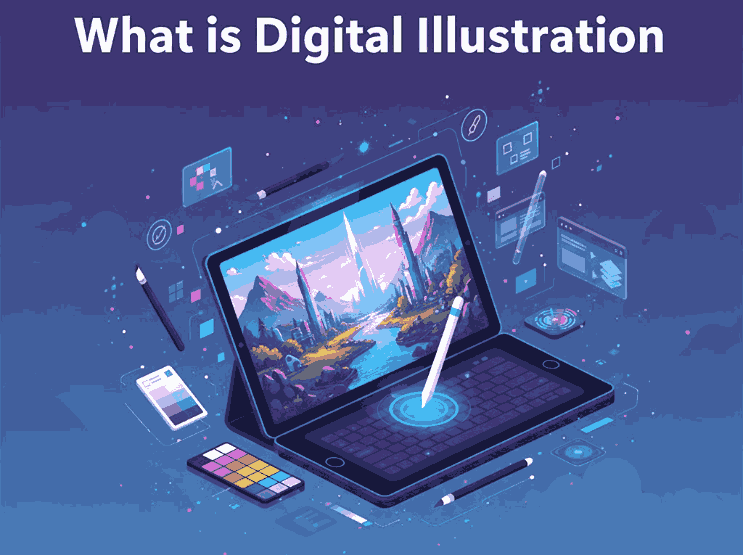
At its core, digital illustration is the process of creating images using digital tools and software — from sketches drawn on a tablet to fully realised vector compositions. As one authoritative source states:

“Digital illustration is the creation of a narrative image that tells a story, conveys an emotion or mood, or sells a concept or product.”

Another source defines it simply as:

“Artwork created or enhanced using digital tools or software, rather than purely traditional, physical media.”

So when you ask “what is digital illustration?”, think of:

  • working on a computer or tablet rather than paper
  • using software like Adobe Photoshop, Illustrator, Procreate or Clip Studio Paint
  • creating artwork that may include or combine vector shapes, raster painting, textures, typography and more
  • producing visuals for multiple applications: branding, web, print, motion, packaging

3. How Digital Illustration Differs from Traditional Illustration

While both digital and traditional illustration share the goal of visual storytelling, the key differences lie in tools, workflow and flexibility. Some distinctions:

  • Materials: Traditional uses physical paper, canvas, brushes, inks; digital uses a tablet, stylus, software and screen.
  • Editability: Digital illustrations allow undo, layering, blending, resizing without loss of quality—vastly different from most physical methods.
  • Distribution: Digital work is easily adapted for web, animation, print and scalable formats; traditional may need scanning or digitisation.
  • Hybrid possibilities: Many digital illustrators combine techniques—drawing on paper, scanning, then enhancing digitally. According to one article: “A digital illustration refers to artwork created using digital tools and techniques such as drawing tablets, software programs and computer graphics.”
  • Tools & specialisation: For example, older illustration may emphasise brush strokes and textures; digital adds vector precision, effects, 3-D mimicry and motion.

For designers and font companies, embracing digital illustration means leveraging these advantages: editable mock-ups, scalable art, quick iteration and integration with typography and branding workflows.

4. The Tools & Techniques of What is Digital Illustration

Tools

Typical digital illustration workflows include:

  • A graphics tablet or pen-display (e.g., Wacom, Huion) or tablet device such as iPad + Apple Pencil. One beginner guide notes: “Look for a computer with at least 8 GB RAM … a laptop or desktop with a drawing tablet …”
  • Software like Adobe Photoshop (raster), Adobe Illustrator (vector), Procreate, Clip Studio Paint, or other digital drawing applications.
  • Input devices with pressure sensitivity, layering systems, vector paths, brushes and masks.

Techniques

Some common techniques include:

  • Vector illustration: Using anchor points, curves and fills to create crisp scalable artwork.
  • Digital painting: Mimicking traditional painting using digital brushes, textures and layers.
  • Mixed media / hybrid: Combining scanned textures, hand-drawn elements and digital enhancements.
  • Vector + raster workflows: Many illustrators use both, especially when integrating typography or logos.
  • Motion / interactive illustration: As digital tools evolve, illustration can include animation, interactive elements and more.

Workflow Tips

  • Start with a concept/sketch (digital or paper).
  • Create layers (background, mid-ground, foreground) for easier editing.
  • Use typography and font elements if working with branding or illustration-for-type contexts.
  • Export in appropriate formats (raster for web, vector for logos, high resolution for print).
  • Reuse and adapt for multiple applications (social media, packaging, web banners).

5. Practical Applications: What is Digital Illustration Meets Typography & Design

What is Digital Illustration

Because you run a font-design business, integrating digital illustration with typography offers powerful opportunities:

  • Font display mock-ups: Use digital illustration to create scenes or compositions where your fonts are shown in use—this helps customers visualise them in branding, packaging or editorial.
  • Custom lettering / type design: Illustrators can hand-draw or digitally paint letterforms, then convert or refine them into fonts.
  • Branding & logo work: Digital illustration adds bespoke illustrative elements around text—so a font becomes part of a broader brand visual.
  • Digital product assets: Icons, patterns, backgrounds and textures created via digital illustration enhance packaging, visual identity and font promotional materials.
  • Educational / tutorial content: Share your process of creating a font or illustration via digital tools—this builds authority and engages your audience.

As you review your font range on CalligraphyFonts.net, consider how each font might pair with illustrative backgrounds or compositions. For example:

  • Senjalara Calligraphy Font — perfect for hand-painted digital illustrations or modern calligraphy contexts.
  • Classicly Font — elegant serif that pairs with digital illustration in editorial or branding contexts.
  • Allure Aesthetic Font — stylish script suited for lifestyle illustration backgrounds.
  • Aesthetic Stories Font — ideal for combining with whimsical digital illustration motifs or social-media visuals.

6. Examples of Fonts to Use in What is Digital Illustration Projects

Here are the specific fonts from your collection that integrate beautifully with digital illustration workflows:

  • Senjalara Calligraphy Font – Can be used with hand-drawn brush textures or digital painted flourishes.
  • Classicly Font/ – Pairs well with minimalist digital illustration for packaging or branding.
  • Allure Aesthetic Font/ – Combine with soft digital pastel illustrations for lifestyle/social media design.
  • Aesthetic Stories Font/ – Great for combining illustrated backgrounds, digital collage and type in one visual asset.

With these fonts, you can create mock-ups, promotional visuals or even font bundles aimed at designers who do illustration + type work. It’s a smart way to position your fonts within the digital illustration trend.

7. Conclusion What is Digital Illustration

Understanding What is Digital Illustration is and how it integrates with typography and design empowers you as a font-creator and a visual innovator. The digital illustration process offers remarkable flexibility, scalability and creative control—ideal for modern design and font display.

For your business at CalligraphyFonts.net, leveraging digital illustration means you’re not just selling fonts—you’re providing creative assets that work within rich visual ecosystems. Use illustration to enhance your font offerings, create compelling brand visuals, and connect with a design-savvy audience. The digital canvas is expansive—let your typography and illustration shine.

8. References