Posted on

The Power of Visual Hierarchy in Design: How to Guide the Viewer’s Eye 2025

Visual Hierarchy in Design

Table of Contents

  1. What Is Visual Hierarchy in Design?
  2. Why Visual Hierarchy Matters
  3. Key Principles of Visual Hierarchy
  4. Practical Tips to Improve Visual Hierarchy
  5. Using Fonts to Enhance Hierarchy
  6. Final Thoughts

1. What Is Visual Hierarchy in Design?

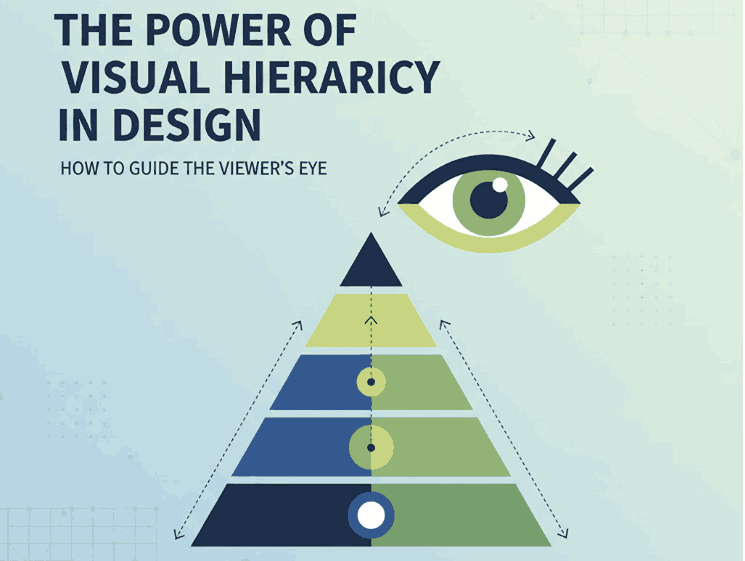
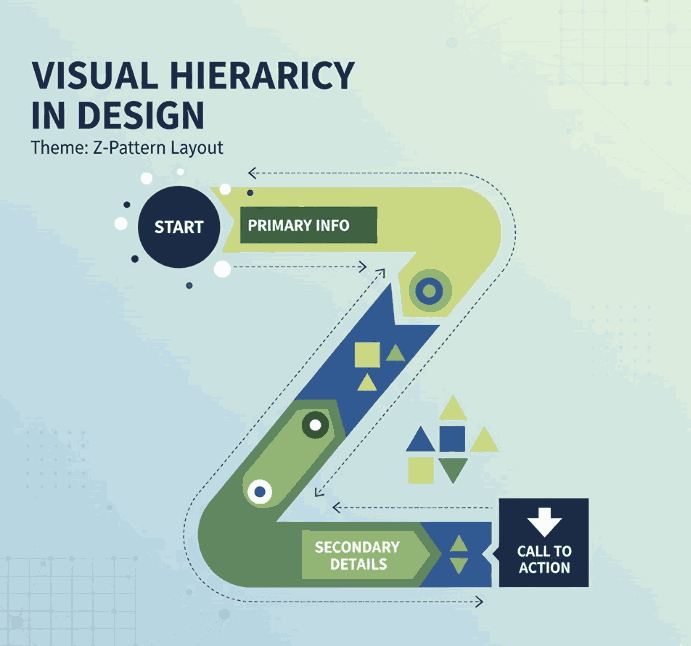
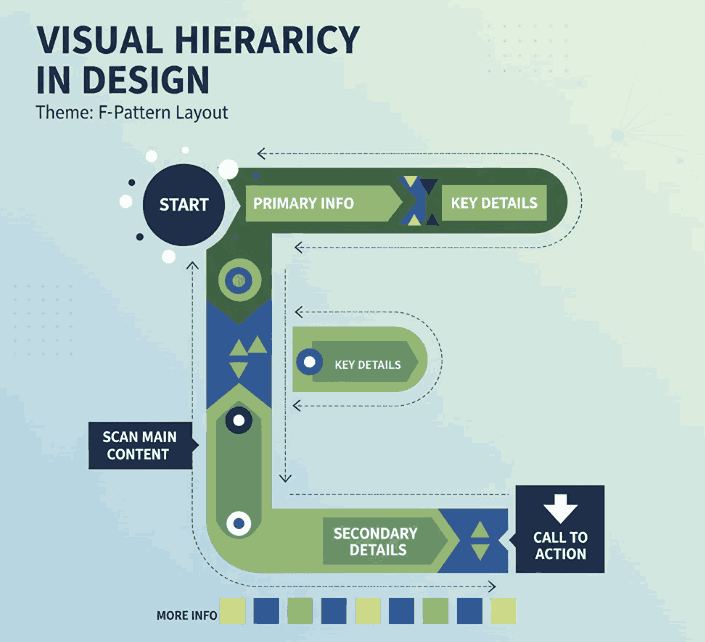
Visual hierarchy in design refers to the strategic arrangement of elements in a way that clearly communicates their order of importance. In simpler terms, it’s how designers guide the viewer’s eye from the most important element to the least.

When used effectively, visual hierarchy helps audiences absorb information naturally and efficiently — whether on a website, poster, logo, or social media post. It’s the foundation that makes a design both aesthetically pleasing and functionally effective.
Visual Hierarchy in Design

2. Why Visual Hierarchy in Design Matters

A well-crafted visual hierarchy is the secret to communicating your message clearly. When hierarchy is missing, your design can appear cluttered or confusing — leaving your audience unsure where to look first.

Here’s why it’s important:

  • Enhances readability and comprehension. Clear hierarchy helps users process content effortlessly.
  • Directs attention strategically. It emphasizes what’s most important — such as a headline, product name, or call-to-action.
  • Creates emotional engagement. Proper balance and contrast create flow, making your design feel dynamic and professional.

When done right, visual hierarchy turns ordinary layouts into captivating compositions that tell a visual story.

3. Key Principles of Visual Hierarchy in Design

There are several foundational principles every designer should understand when applying visual hierarchy:

a. Size and Scale

Larger elements naturally attract more attention. Headings, key images, or call-to-action buttons should be visually dominant compared to supporting text.

b. Color and Contrast

High-contrast colors help highlight important information, while muted tones guide attention elsewhere. Designers often use color psychology to evoke specific emotions.

c. Alignment and Balance

Proper alignment establishes harmony and order. Balanced compositions feel stable and trustworthy, while asymmetrical layouts can create energy and focus.

d. Typography

Font choice dramatically affects perception. Serif fonts convey elegance, sans-serif fonts show modernity, and script or calligraphy fonts express creativity and warmth.

e. White Space

Negative space isn’t “empty” — it’s a powerful tool to separate elements and improve focus. Well-used white space enhances sophistication and clarity.

4. Practical Tips to Improve Visual Hierarchy

To make your designs more visually structured and appealing, consider the following actionable tips:

  • Establish a focal point: Always determine the element you want viewers to notice first.
  • Use consistent typography styles: Keep heading, subheading, and paragraph fonts distinct but cohesive.
  • Play with proximity: Group related items together to indicate relationships.
  • Create rhythm with repetition: Repeating colors, shapes, or lines helps unify your composition.
  • Experiment with grid systems: They help maintain consistent spacing and structure across multiple design formats.
Visual Hierarchy in Design

5. Using Fonts to Enhance Hierarchy

Typography plays a central role in visual hierarchy. The right font choice can immediately set the tone of your design and help guide the viewer’s eye.

Here are some stunning examples from CalligraphyFonts.net that can elevate your design hierarchy:

  • Holters Font – A sophisticated calligraphy typeface that’s perfect for headings and luxury branding.
  • Salvations Font – A bold yet elegant script font that draws immediate attention, ideal for quotes and logo marks.
  • Dinernighty Font – Retro-inspired with strong letterforms, perfect for highlighting focal text or signage.
  • Banana Delight Font – A playful handwritten script that adds warmth and personality to any visual layout.

When combining fonts, maintain contrast and consistency:

  • Use one typeface for titles and another for body text.
  • Pair bold display fonts with simple sans-serif fonts to achieve visual balance.
  • Avoid overusing decorative fonts — one accent typeface is usually enough to stand out.

Good typography hierarchy isn’t just about style; it’s about clarity, flow, and emotion.

6. Final Thoughts

Mastering visual hierarchy in design is one of the most valuable skills for any graphic designer, brand builder, or creative entrepreneur. It ensures your audience sees, feels, and understands your message exactly as intended.

Whether you’re crafting a brand identity, poster, or web layout, remember that hierarchy guides perception.
Experiment with size, color, alignment, contrast, and font choice until your design feels intuitive and balanced.

And if you’re searching for the perfect fonts to elevate your next creative project, explore more exclusive typefaces at
CalligraphyFonts.net — where design meets emotion.

References

  1. DinStudio – 5 Basic Principles of Layout in Graphic Design
  2. Canva Design School – What Is Visual Hierarchy in Design?
  3. Interaction Design Foundation – Visual Hierarchy and Its Role in UX Design
Posted on

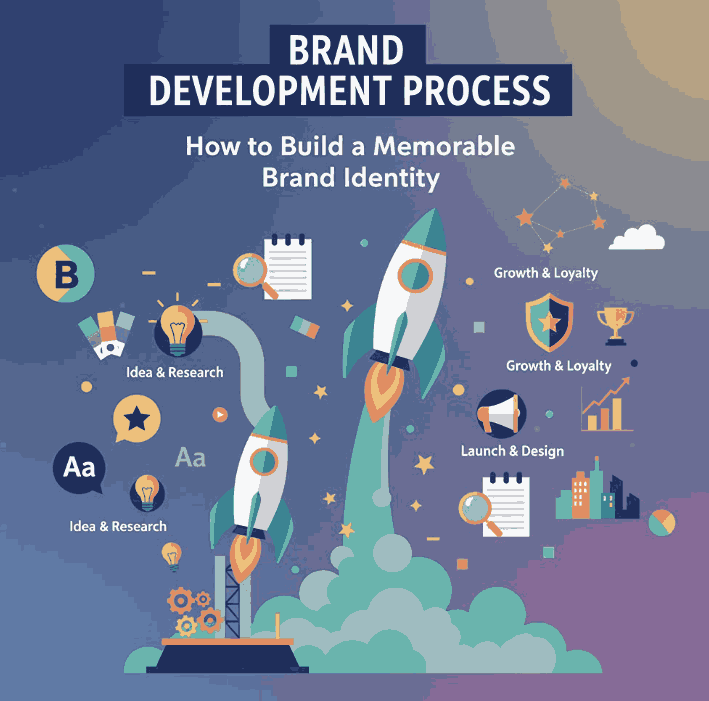
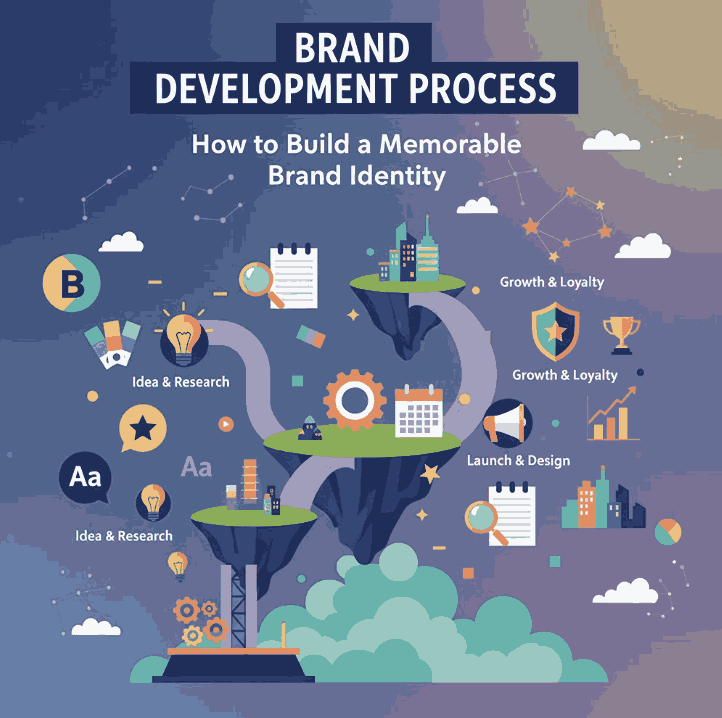
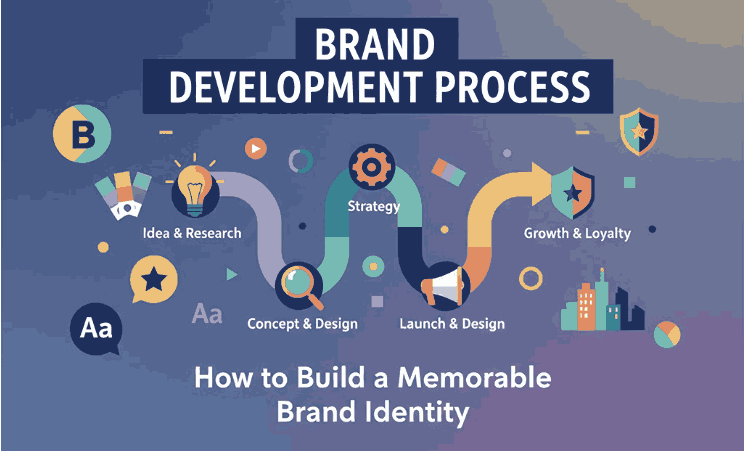
Brand Development Process: How to Build a Memorable Brand Identity

Brand Development Process

Table of Contents

  1. Introduction
  2. What Is Brand Development?
  3. The Importance of a Strong Brand
  4. Step-by-Step Brand Development Process
    • Step 1: Research and Analysis
    • Step 2: Define Your Brand Identity
    • Step 3: Create Your Visual Branding
    • Step 4: Develop a Consistent Brand Voice
    • Step 5: Implement and Monitor Your Brand
  5. Best Practices for Effective Brand Building
  6. Font Inspiration for Your Brand Design
  7. Conclusion
  8. References

1. Introduction

In today’s competitive market, a strong brand isn’t just about having a great logo or catchy slogan—it’s about building trust, recognition, and emotional connection. The brand development process helps transform your business from a simple idea into a recognizable identity that resonates with your target audience.

Whether you’re a startup or a growing company, understanding how to strategically develop your brand is the foundation for long-term success.

Brand Development Process

2. What Is Brand Development Process?

Brand development refers to the strategic process of creating and strengthening your brand identity. It combines research, creativity, and consistency to establish a clear message and visual style that communicates who you are and what you stand for.

It’s not just about your logo or color palette—it’s about how people perceive your company. A well-developed brand conveys professionalism, trustworthiness, and authenticity.

3. The Importance of a Strong Brand Development Process

A strong brand offers several advantages:

  • Builds customer trust and loyalty.
  • Differentiates your business from competitors.
  • Increases brand recall and recognition.
  • Supports consistent marketing strategies.
  • Boosts long-term profitability.

A clear brand identity ensures that your audience immediately recognizes and connects with your values, products, and message.

4. Step-by-Step Brand Development Process

Step 1: Research and Analysis

Begin by understanding your market, audience, and competitors. Conduct:

  • Market analysis to identify trends.
  • Audience profiling to define customer personas.
  • Competitor audits to spot opportunities.

Research gives direction and ensures that your brand’s foundation is built on data, not assumptions.

Step 2: Define Your Brand Identity

This includes defining:

  • Mission and vision – what your brand stands for.
  • Core values – what principles guide your brand’s behavior.
  • Unique selling proposition (USP) – what sets you apart.

Your identity should reflect your tone, style, and promise to customers.

Step 3: Create Your Visual Branding

Your brand’s visual elements—logo, colors, typography, and imagery—are what people notice first. Each element must be consistent with your message and emotional tone.

Here are some beautiful font inspirations from CalligraphyFonts.net that can enhance your brand visuals:

  • Charima Sharene Font – Elegant and feminine, perfect for fashion or lifestyle brands.
  • Rustte Font – Bold and dynamic, ideal for branding with a strong personality.
  • Catcalling Font – Playful and handwritten, great for creative businesses.
  • Jalousie Font – Classy and refined, suitable for premium or boutique brands.

Step 4: Develop a Consistent Brand Voice

Your brand voice is how you communicate. Whether it’s formal, friendly, or witty, your tone should match your brand identity and be consistent across platforms—website, emails, packaging, and social media.

A clear, consistent voice helps build emotional connection and recognition.

Step 5: Implement and Monitor Your Brand

Once your branding is complete, it’s time to roll it out. Apply your logo, fonts, and color schemes across all materials—digital and physical.

Regularly monitor brand performance through:

  • Social media engagement
  • Customer feedback
  • Brand awareness surveys

Adapt and evolve your strategy as your market changes.

Brand Development Process

5. Best Practices for Effective Brand Building

  • Be authentic—people connect with genuine stories.
  • Keep your visuals consistent.
  • Prioritize customer experience.
  • Evolve your brand with feedback.
  • Stay true to your mission and values.

Branding is not a one-time task; it’s an ongoing commitment to your audience.

6. Font Inspiration for Your Brand Design

Typography plays a major role in shaping brand perception. The right font can elevate your logo, website, and product design.
Explore the full collection of handcrafted fonts at CalligraphyFonts.net to find typefaces that bring your brand to life.

7. Conclusion

The brand development process is the foundation of every successful business. It’s about more than visuals—it’s about creating a unified experience that inspires trust, loyalty, and recognition.

By combining strategy, creativity, and consistency, your brand can stand out and leave a lasting impression.

Start building your identity today with the right fonts and design tools to express your unique story.

8. References

  • Canva — The Essential Guide to Branding
  • Wikipedia — Brand (encyclopedic background and references)
  • Din Studio — 4 Simple Steps to Build Branding
Posted on

Full Bleed Printing Guide: How to New Achieve Perfect Edge-to-Edge Prints Every Time

Full Bleed Printing Guide

Table of Contents

  1. Introduction
  2. What Is Full Bleed Printing?
  3. Why Bleed Matters in Print Design
  4. Common Mistakes in Bleed Setup
  5. Step-by-Step: How to Set Up Full Bleed Printing
  6. Bleed Size Standards for Different Projects
  7. Choosing Fonts for Print-Ready Designs
  8. Recommended Fonts for Print Projects
  9. Conclusion
  10. References

1. Introduction

When creating professional print materials—like posters, brochures, or business cards—nothing ruins a design faster than unintended white borders around the edges. That’s where Full Bleed Printing Guide comes in.

In this Full Bleed Printing Guide, we’ll explore what bleed is, why it matters, how to set it up correctly, and how you can combine great printing techniques with elegant typography using fonts from CalligraphyFonts.net.

2. What Is Full Bleed Printing?

Full bleed printing means that your design or image extends beyond the trim edge of the final printed piece.
This ensures that when the paper is cut to size, your artwork or background color goes right to the edge—with no white margin left behind.

Without bleed, slight variations in trimming can result in a visible border.
With bleed, the final result is seamless and professional.

Example: A poster with a full-bleed background color appears as one continuous image, with no distracting lines or gaps along the edges.

Full Bleed Printing Guide

3. Why Matters in Full Bleed Printing Guide Design

Bleed might seem like a small detail, but it has a huge impact on the quality of your printed materials. Here’s why it matters:

  • Prevents White Edges: Even minor trimming errors can cause thin white lines without bleed.
  • Ensures Consistency: A proper bleed setup guarantees professional, edge-to-edge designs.
  • Saves Money: Reprinting due to bleed mistakes can waste time and materials.
  • Enhances Aesthetics: Designs look more polished and premium when printed with bleed.

Bleed is especially important for designs that feature full-color backgrounds, photography, or borderless graphics.

4. Common Mistakes in Full Bleed Printing Guide Setup

Even experienced designers can make errors when preparing print files.
Here are some of the most common bleed-related mistakes:

  • No bleed area added: Forgetting to extend artwork beyond the trim line.
  • Important elements too close to edge: Text or logos placed outside the “safe zone.”
  • Incorrect bleed size: Each print provider may require different bleed settings.
  • File exported without bleed: The bleed margin is set but not included in the final PDF.

To avoid these pitfalls, always check your printer’s specifications before finalizing your design.

5. Step-by-Step: How to Set Up Full Bleed Printing Guide

Follow these simple steps to achieve a perfect full-bleed design every time:

Step 1: Create a New Document

When setting up your document in software like Adobe Illustrator, InDesign, or Canva, look for the “Bleed” setting.

  • Recommended bleed: 0.125 inch (3 mm) on all sides.

Step 2: Extend Backgrounds Beyond the Trim Edge

Any element that should reach the paper’s edge (background color, image, etc.) must extend to the bleed line.

Step 3: Keep Text Inside the Safe Zone

Leave about 0.25 inch (6 mm) of space from the trim edge to ensure no text or logo gets cut off.

Step 4: Export Correctly

When saving your file (usually as PDF for print), make sure to include bleed and crop marks in your export settings.

6. Bleed Size Standards for Different Projects

While the general rule of 0.125 inch (3 mm) is standard, here are some common bleed sizes for various projects:

Print TypeRecommended Bleed
Business Cards0.125 inch (3 mm)
Posters0.25 inch (6 mm)
Brochures / Flyers0.125 inch (3 mm)
Magazines / Books0.125 inch (3 mm)
Large Banners0.5 inch (12 mm)

Tip: Always confirm with your printer, as some machines require specific margins for cutting tolerance.

Full Bleed Printing Guide

7. Choosing Fonts for Full Bleed Printing Guide-Ready Designs

Typography is just as important as layout and color in print design.
The right font can make your message clear, professional, and visually appealing.

When preparing for full bleed prints, here are some font tips:

  • Use high-quality vector fonts for sharp results.
  • Avoid extremely thin fonts that can fade or lose detail.
  • Choose readable typefaces that match your design’s tone.
  • Embed fonts in your print file to prevent substitution errors.

8. Recommended Fonts for Full Bleed Printing Guide Projects

Here are a few handpicked fonts from CalligraphyFonts.net that enhance both creativity and professionalism in print design:

  • Big Price Font – A bold, eye-catching font perfect for headlines or attention-grabbing titles.
  • Ameralda Font – Elegant and balanced, ideal for editorial layouts or invitations.
  • Adorable Smile Font – A playful, handwritten script font great for greeting cards or packaging.
  • Allure Aesthetic Font – A modern and stylish font that adds personality to any full-bleed visual.

These fonts are crafted to ensure crisp, clear print quality—perfect companions for your next edge-to-edge design.

9. Conclusion

Mastering Full Bleed Printing Guide is a must for anyone in the design and printing world.
It’s a simple technique that makes a massive difference in quality, precision, and professionalism.

By combining perfect bleed setup with premium fonts from CalligraphyFonts.net, you can create designs that look stunning on screen and in print—right to the edge.

Whether it’s business cards, packaging, or full-size posters, this guide ensures your next print project achieves flawless, borderless perfection.

10. References

  • Instantprint Bleed Printing Guide
  • Adobe Printer’s marks and bleeds (InDesign)
  • Adobe How to set a print bleed in InDesign
  • Printivity Full bleed versus no bleed printing
  • Avery What is bleed and why does it matter when printing?
Posted on

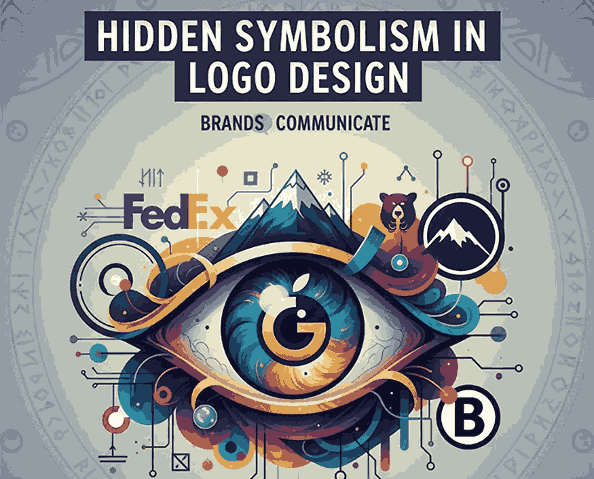
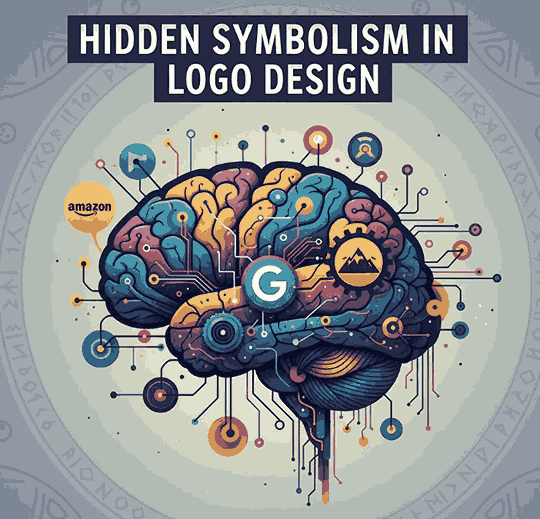
Hidden Symbolism in Logo Design: New Brands Communicate Without Words

Hidden Symbolism Logo Design

Table of Contents

  1. Introduction
  2. Why Symbolism Matters in Logo Design
  3. The Psychology Behind Hidden Meanings
  4. Famous Examples of Hidden Symbolism in Logos
  5. How to Create a Logo with Hidden Meaning
  6. The Role of Typography in Hidden Symbolism
  7. Recommended Fonts for Smart Logo Design
  8. Conclusion
  9. References

1. Introduction

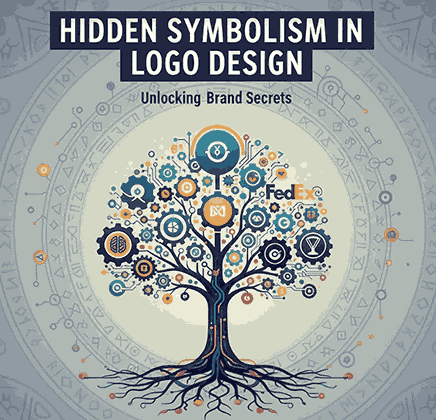
Hidden Symbolism Logo Design are far more than simple graphic marks—they are visual storytellers.Behind many famous brand logos lies a layer of Hidden Symbolism Logo Design—clever design choices that communicate deeper meanings without a single word.

From arrows hidden in letters to symbols that represent heritage, culture, or innovation, the concept of hidden symbolism in logo design has become one of the most powerful tools in visual branding.

In this article, we’ll explore how designers use symbolism to elevate a logo’s impact, why these hidden messages matter, and how you can incorporate them into your own creative work.

Hidden Symbolism Logo Design

2. Why Matters Hidden Symbolism Logo Design

Symbolism gives a logo emotional depth and helps audiences connect with a brand’s identity on a subconscious level.
A great logo doesn’t just tell people what a brand sells—it tells them who the brand is.

Here’s why symbolism is so powerful:

  • Emotional resonance: People remember feelings more than visuals.
  • Cultural meaning: Hidden symbols can reflect values, origins, or missions.
  • Storytelling potential: Symbolism transforms a simple logo into a narrative tool.

For instance, the arrow in Amazon’s logo doesn’t just connect A to Z—it subtly communicates that Amazon offers everything from A to Z, delivered with a smile.

3. The Psychology Behind Hidden Symbolism Logo Design Meanings

Humans are naturally wired to look for patterns and meanings.
That’s why when people discover a hidden symbol in a logo, they often feel a sense of surprise and delight—a subtle but powerful emotional response that deepens brand loyalty.

Hidden symbols can trigger associations such as:

  • Trust (through geometric balance)
  • Movement (through arrows or forward shapes)
  • Innovation (through abstract or layered meanings)
  • Heritage (through cultural or historical motifs)

Designers who understand visual psychology can use these cues to create logos that communicate values instantly, even before words are read.

4. Famous Examples of Hidden Symbolism Logo Design

Let’s look at some of the world’s most iconic examples of hidden symbolism in logo design:

4.1 FedEx

One of the most famous examples—the arrow hidden between the “E” and “x” symbolizes speed, precision, and forward movement.

4.2 Amazon

The arrow pointing from A to Z forms a smile, suggesting customer satisfaction and a wide range of products.

4.3 Toyota

Each overlapping ellipse in Toyota’s logo represents the heart of the customer, the heart of the product, and the heart of technological progress.

4.4 Toblerone

Hidden in the mountain logo is a bear silhouette, representing the Swiss city of Bern, also known as the “City of Bears.”

4.5 Baskin Robbins

The logo cleverly highlights the number 31—referring to its original 31 ice cream flavors—within the initials “BR.”

Each of these designs tells a story through subtle symbolism, making them memorable and meaningful to millions worldwide.

5. How to Create a Hidden Symbolism Logo Design with Meaning

Designing a logo with hidden symbolism requires creativity, research, and restraint.
Here’s how to approach it:

Step 1: Understand the Brand Story

Identify the brand’s core message, mission, and personality. The hidden symbol should reflect an authentic element of that story.

Step 2: Explore Cultural and Visual Metaphors

Use cultural symbols, geometric forms, or letter shapes to embed hidden meanings naturally.

Step 3: Prioritize Simplicity

The best symbolism is subtle and elegant, not forced. It should enhance recognition—not confuse it.

Step 4: Test Recognition

Show your logo to others without context. If they “discover” the hidden element naturally, you’ve struck the perfect balance

Hidden Symbolism Logo Design

6. The Role of Typography in Hidden Symbolism Logo Design

Typography is often the secret ingredient behind great hidden meanings.
The right font can:

  • Suggest personality (modern, classic, playful, or professional)
  • Shape perception through line weight, spacing, and form
  • Embed visual clues—like arrows, initials, or hidden icons—into letterforms

For example, the FedEx arrow exists solely because of the letter spacing in its custom typeface.
Typography doesn’t just convey words—it shapes emotion and symbolism.

That’s why choosing the right font is crucial to making your logo’s hidden meaning truly work.

7. Recommended Fonts for Smart Logo Design

Here are some font recommendations from CalligraphyFonts.net that can elevate your logo design—whether you’re creating subtle symbolism or elegant brand marks:

  • Arphine Dalton Font – A clean, confident typeface ideal for modern minimalist logos with symbolic depth.
  • Sauce Bolognese Font – Playful yet stylish; perfect for food brands or creative industries.
  • Spell Love Font – A flowing calligraphic font that adds warmth and emotion to design storytelling.

Each font has a distinct personality that can enhance logo meaning through style, balance, and form—helping you craft designs that speak beyond visuals.

8. Conclusion Hidden Symbolism Logo Design

Hidden symbolism in logo design isn’t just an artistic trick—it’s a strategic tool that strengthens brand identity and builds emotional connection.

Whether it’s a hidden arrow, a symbolic curve, or a meaningful letterform, these subtle details transform logos into stories that resonate.

By combining smart symbolism with the right typography—such as the elegant fonts from CalligraphyFonts.net—you can design logos that captivate audiences and endure for generations.

9. References

  • Din Studio – Hidden Meanings in Iconic Logos
  • Canva Blog – “50 Famous Logos with Hidden Meanings”
  • Clay – “Famous Logos with Hidden Meanings You Never Noticed”
  • The Branding Journal – “40 Famous Logos with Hidden Meanings”
  • LettersIRO – “16 Logo Secret Message Details You Probably Never Noticed”
Posted on

WPAP Art Style Indonesia: New Geometry of Indonesian Pop Art

WPAP Art Style Indonesia

Table of Contents

  1. Introduction
  2. The Origin of WPAP Art
  3. Who Is Wedha Abdul Rasyid?
  4. Defining the WPAP Art Style
  5. Key Characteristics of WPAP Art
  6. Why WPAP Matters in Indonesian Design
  7. WPAP Art and Typography: A Creative Connection
  8. Recommended Fonts for WPAP-Inspired Projects
  9. Conclusion
  10. References

1. Introduction

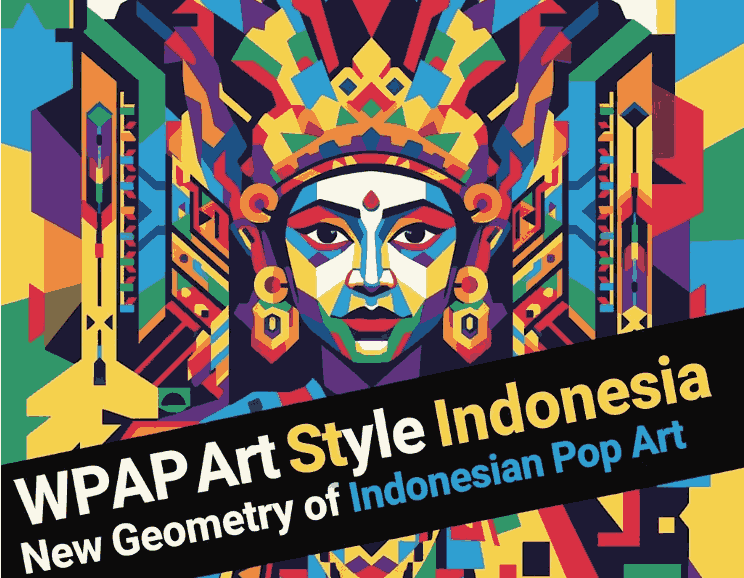
Indonesia has long been a hub for creativity, and one of its most iconic contributions to global design is WPAP Art Style Indonesia—short for Wedha’s Pop Art Portrait. The WPAP art style combines bold colors, sharp geometric shapes, and high-contrast portraits, creating a distinctive visual identity that celebrates individuality and national pride.

In this article, we’ll explore the origins, characteristics, and impact of the WPAP art style from Indonesia, as well as how typography and fonts can complement this dynamic aesthetic.

WPAP Art Style Indonesia

2. The Origin of WPAP Art Style Indonesia

WPAP (Wedha’s Pop Art Portrait) was pioneered by Wedha Abdul Rasyid, an Indonesian illustrator who first introduced the style in the 1990s.
At that time, digital tools were limited, and Wedha sought a new way to create portraits using color segmentation and geometric abstraction.

His experimental approach led to the birth of a new visual language—one that became a symbol of modern Indonesian creativity.
Today, WPAP art has evolved into a globally recognized style used in posters, murals, digital art, and brand design.

3. Who Is Wedha Abdul Rasyid?

Wedha Abdul Rasyid, born in 1951, is often referred to as the father of Indonesian Pop Art.
He began his artistic journey as a magazine illustrator before experimenting with simplifying portraits into flat, colorful planes.
His technique avoided natural shading or gradients—relying purely on geometry and contrast to define faces.

Wedha’s innovation turned into a movement of young digital artists, who adapted WPAP for contemporary mediums like NFTs, music covers, and advertising.

4. Defining the WPAP Art Style Indonesia

The WPAP art style is characterized by:

  • Straight lines and geometric shapes: Every portrait is built using only straight edges—no curves.
  • Vivid color blocks: Bright, contrasting colors replace traditional shading.
  • Abstract yet recognizable portraits: Despite the abstraction, the subject’s identity remains clear.
  • Pop culture influence: WPAP merges the energy of Pop Art with Indonesian creativity.

This combination makes WPAP instantly recognizable and visually striking—ideal for brands or artists wanting bold expression.

5. Key Characteristics of WPAP Art Style Indonesia

Let’s take a closer look at what defines WPAP’s unique visual DNA:

5.1 Geometric Abstraction

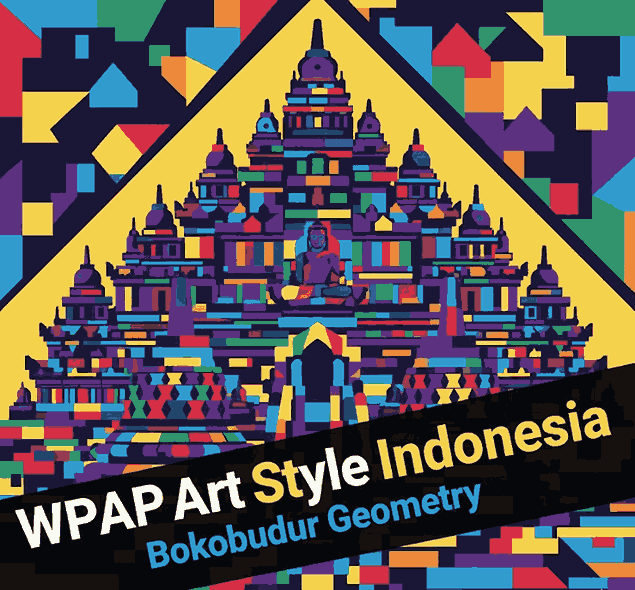
Every image is deconstructed into polygons, transforming organic shapes into angular patterns that maintain facial likeness through composition and color.

5.2 Vibrant Color Palette

WPAP thrives on strong, dynamic colors—purples, yellows, blues, and reds—to convey emotion and personality.
No blending or gradients are used—pure contrast drives depth and energy.

5.3 Flat Design Technique

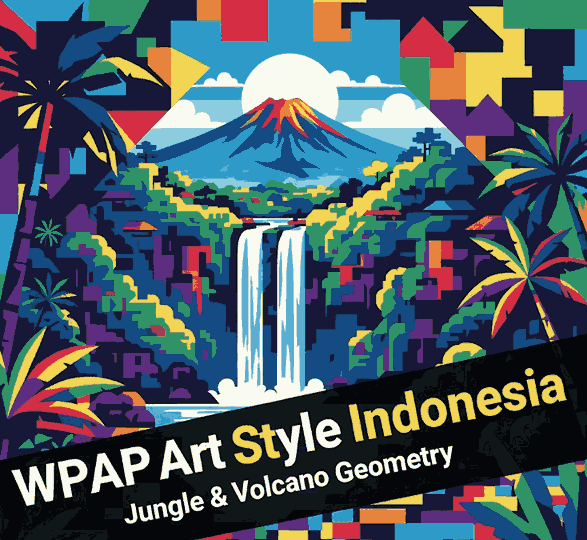
WPAP completely avoids three-dimensional effects, creating a flat yet impactful visual effect that aligns well with modern design trends.

5.4 Cultural Identity

While inspired by Western pop art, WPAP’s spirit is distinctly Indonesian. It symbolizes diversity, vibrancy, and national identity through color and form.

6. Why Matters in WPAP Art Style Indonesia Design

WPAP is more than an art style—it’s a cultural phenomenon.
It represents Indonesia’s ability to innovate within global design languages.
Today, WPAP influences a wide range of creative fields:

  • Advertising and Branding: Used for packaging, posters, and logo concepts.
  • Digital Art and NFTs: Popular among modern illustrators and collectors.
  • Education and Exhibitions: Taught in art schools as a homegrown design innovation.

The WPAP aesthetic continues to bridge traditional portraiture and modern digital design, inspiring new generations of artists.

7. WPAP Art Style Indonesia and Typography: A Creative Connection

Typography plays a vital role in balancing WPAP’s energetic visuals.
While the art focuses on geometry and color, the font choice should either:

  • Complement the sharpness with bold sans-serif fonts, or
  • Contrast it with smooth calligraphic fonts to soften the visual tension.

In branding or poster design, the right typeface enhances the impact and legibility of WPAP artwork.
This is where CalligraphyFonts.net comes in—offering fonts that merge artistic beauty with functional clarity.

WPAP Art Style Indonesia

8. Recommended Fonts for WPAP Art Style Indonesia-Inspired Projects

Here are four stunning fonts that perfectly complement WPAP-style visuals:

  • Black Roll Font – A bold, confident font ideal for titles or logo designs that echo WPAP’s energy.
  • Jungle Queen Font – Adds personality and flair to compositions with vibrant art backgrounds.
  • Classicly Font – Elegant and timeless, perfect for pairing with geometric portraits.
  • Overcame Font – Modern and versatile, great for posters or album covers inspired by pop art.

Each of these fonts embodies a sense of artistic freedom while maintaining readability—perfect for combining with WPAP visuals.

9. Conclusion

The WPAP Art Style Indonesia is a testament to how creativity can transcend boundaries.From Wedha Abdul Rasyid’s pioneering work to its presence in global digital design, WPAP has become a symbol of Indonesian modern art—bold, colorful, and full of character.

By combining WPAP’s geometric power with expressive typography from CalligraphyFonts.net, designers can craft visuals that tell stories, celebrate identity, and captivate audiences worldwide.

10. References

Posted on

Flat Design Style Characteristics: New Essence of Modern Minimalist Design

Flat Design Style Characteristics

Table of Contents

  1. Introduction
  2. What Is Flat Design Style?
  3. The Origin of Flat Design
  4. Key Characteristics of Flat Design
    • 4.1 Minimalism and Simplicity
    • 4.2 Bold and Vibrant Colors
    • 4.3 Clean Typography
    • 4.4 Geometric Shapes and Icons
    • 4.5 Focus on Functionality
  5. Benefits of Using Flat Design
  6. Flat Design in Branding and Typography
  7. Recommended Fonts for Flat Design Projects
  8. Conclusion
  9. References

1. Introduction

In today’s world of digital design, Flat Design Style Characteristics has become one of the most popular and influential visual styles. Known for its clean, minimal, and modern look, flat design eliminates unnecessary textures, shadows, and gradients, focusing instead on clarity and usability.

This article explores the characteristics of flat design style, its evolution, and how designers can use it effectively in branding and typography. If you’re looking to elevate your visual identity or UI project, understanding flat design is essential.

Flat Design Style Characteristics

2. What Is Flat Design Style Characteristics?

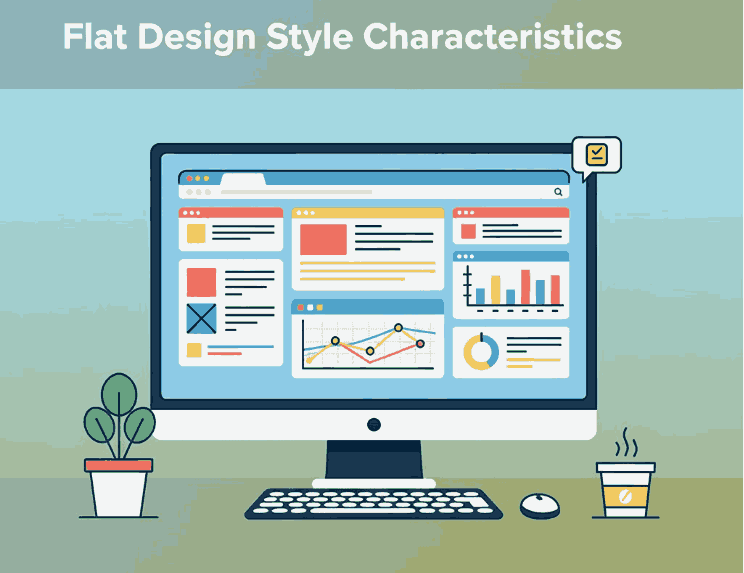
Flat Design is a minimalist approach to user interface and graphic design that emphasizes functionality and simplicity.
Instead of imitating 3D effects or realistic textures (like in skeuomorphism), flat design uses solid colors, clean lines, and two-dimensional elements to convey information efficiently.

Flat Design became popular with tech giants such as Microsoft (Windows 8) and Apple (iOS 7), who adopted the style to create user-friendly, visually clear interfaces.

3. The Origin of Flat Design Style Characteristics

The concept of Flat Design can be traced back to Swiss Style or International Typographic Style from the 1950s, which focused on clarity, readability, and grid-based design.
When digital interfaces became mainstream, designers adapted these principles into a new digital form—resulting in Flat Design.

Its resurgence in the 2010s was a reaction against the heavily textured, skeuomorphic designs that dominated early smartphone interfaces. Designers began favoring cleaner, faster-loading visuals suitable for mobile and responsive environments.

4. Key Characteristics of Flat Design Style Characteristics

Let’s break down the defining Flat Design Style Characteristics that make it stand out.

4.1 Minimalism and Simplicity

Flat design embraces the “less is more” philosophy. Elements are stripped of unnecessary details, leaving only what’s essential. This creates a visually balanced layout that enhances readability and usability.

4.2 Bold and Vibrant Colors

Color plays a major role in flat design. Designers often use bright, contrasting palettes to draw attention and maintain visual interest. Common combinations include blues, oranges, purples, and greens that add energy without relying on gradients or depth.

4.3 Clean Typography

Typography in flat design is simple yet powerful. Sans-serif fonts are typically used for their readability and modern feel.
Fonts with clean lines, strong weight, and geometric proportions enhance the flat aesthetic by aligning with its functional and minimalist principles.

4.4 Geometric Shapes and Icons

Flat design relies heavily on geometric shapes, such as circles, rectangles, and triangles, to create icons and layouts. These elements contribute to a consistent visual system that users can understand instantly.

4.5 Focus on Functionality

Every element in flat design serves a purpose. Buttons, icons, and text are designed to communicate quickly and clearly, ensuring that usability remains at the core of the design.

5. Benefits of Using Flat Design Style Characteristics

Flat Design isn’t just aesthetically pleasing—it offers several practical benefits:

  • Faster loading times: Fewer textures and effects mean lighter graphics.
  • Improved user experience: Simple layouts help users navigate more intuitively.
  • Better scalability: Works well across different screen sizes and devices.
  • Timeless appeal: Minimalist designs age more gracefully than trend-heavy styles.

Because of these advantages, Flat Design remains a favorite among web designers, app developers, and branding experts.

6. Flat Design Style Characteristics in Branding and Typography

Flat Design extends beyond digital interfaces—it influences brand identity, logos, and typographic systems.
Modern brands use flat-style logos for clarity and adaptability. Think of brands like Spotify, Dropbox, and Google, which use minimal geometric forms and bold colors for maximum recognition.

Typography plays a crucial role in achieving harmony within flat design. Fonts must be readable, modern, and visually aligned with the overall design concept.

Here’s where custom or calligraphic fonts come in: adding a touch of human warmth to otherwise minimalist compositions.

7. Recommended Fonts for Flat Design Style Characteristics Projects

Here are some font recommendations from CalligraphyFonts.net that pair beautifully with Flat Design aesthetics:

  • Overcame Font – A strong and minimalist sans-serif perfect for bold titles or UI elements.
  • Faint Green Font – Elegant and modern, ideal for branding that requires clarity and a natural flow.
  • Creatoria Font – A clean and stylish display font, excellent for flat-style logos and posters.
  • Aesthetic Sunset Font – Adds a soft, artistic touch while maintaining simplicity—great for lifestyle or creative brands.

Using the right font enhances your flat design project’s visual balance and emotional tone, making your brand more memorable and consistent.

Flat Design Style Characteristics

8. Conclusion

The Flat Design Style Characteristics showcase the perfect balance between simplicity and function.
By focusing on minimalism, bold colors, and clean typography, designers can create visuals that are not only beautiful but also user-friendly and efficient.

Whether you’re working on a brand identity, mobile app, or website UI, flat design offers a timeless framework for visual communication.
To elevate your design projects, choose fonts that align with flat design’s clarity and purpose—explore more typefaces at CalligraphyFonts.net and bring simplicity to life.

9. References

Posted on

Environmental Graphic Design Examples: New Visual Design Shapes Real-World

Environmental Graphic Design Examples

Table of Contents

  1. Introduction
  2. What Is Environmental Graphic Design (EGD)?
  3. Why Environmental Graphic Design Matters
  4. Key Elements of Environmental Graphic Design
  5. 5 Inspiring Environmental Graphic Design Examples
    • 5.1 Wayfinding Systems in Airports
    • 5.2 Corporate Office Branding
    • 5.3 Museum and Exhibition Graphics
    • 5.4 Retail and Hospitality Environments
    • 5.5 Urban and Public Space Design
  6. Typography and Fonts in Environmental Graphic Design
  7. Recommended Fonts to Enhance Your EGD Projects
  8. Conclusion
  9. References

1. Introduction

Environmental Graphic Design Examples (EGD) is where visual communication meets physical space. From airport signage and corporate offices to museums and retail stores, EGD helps people connect, navigate, and experience an environment. In this article, we’ll explore the concept of EGD, why it’s important, and share inspiring Environmental Graphic Design Examples you can learn from—especially if you’re a designer, architect, or font creator.

2. What Is Environmental Graphic Design Examples (EGD)?

Environmental Graphic Design (EGD), sometimes known as Experiential Graphic Design (XGD), blends architecture, interior design, and visual communication. Its goal is to enhance user experiences through signage, typography, imagery, color, and spatial storytelling.

According to SEGD (Society for Experiential Graphic Design), EGD “connects people to place” by integrating design into the built environment. It includes everything from wayfinding systems to interactive installations and brand storytelling in physical spaces.

Environmental Graphic Design Examples

3. Why Environmental Graphic Design Examples Matters

Environmental Graphic Design isn’t just decoration—it’s communication.
It helps users navigate spaces, understand context, and feel emotionally connected to a brand or environment.

Here’s why EGD matters:

  • Enhances usability: Good wayfinding design reduces confusion and stress.
  • Creates brand identity: It reinforces a company’s culture and visual style in the physical world.
  • Improves user experience: Through colors, typography, and visual flow, it influences mood and engagement.
  • Bridges digital and physical design: Interactive signage and digital displays merge branding with technology.

4. Key Elements of Environmental Graphic Design Examples

Effective EGD relies on several interconnected design components:

  • Typography: Choosing readable, bold fonts suitable for large-scale environments.
  • Color and contrast: Ensures visibility and emotional impact.
  • Material and lighting: Affects how graphics appear in real-world conditions.
  • Spatial placement: Dictates how users experience and interpret information.
  • Brand storytelling: Uses symbols, words, and design to communicate identity and purpose.

5. Inspiring Environmental Graphic Design Examples

Let’s explore five real-world examples that demonstrate the power of environmental graphic design.

5.1 Wayfinding Systems in Airports

Airports are a perfect showcase for EGD—every sign must communicate clearly and quickly to people of different languages.
Designers use color-coded systems, universal icons, and sans-serif fonts for maximum legibility.
Example: Heathrow Airport’s wayfinding system, developed by Mijksenaar, is known for its intuitive design and clarity.

5.2 Corporate Office Branding

Many companies use EGD to make office spaces reflect their brand’s identity and values.
For example, Google’s office graphics include playful typography, color, and wall murals that tell the company’s story.
Fonts and custom lettering play a vital role here—communicating innovation, creativity, and personality.

5.3 Museum and Exhibition Graphics

Museums rely heavily on EGD to guide visitors, provide educational context, and build atmosphere.
For instance, the Smithsonian Museum’s exhibit graphics combine minimalist design with clear typography, making complex information accessible and engaging.

Fonts that balance readability and character—such as elegant calligraphy or bold sans-serifs—are perfect for these spaces.

5.4 Retail and Hospitality Environmental Graphic Design Examples

Retailers and hotels use EGD to create immersive experiences.
From storefront signage to interior murals, every element contributes to how customers perceive the brand.
Typography, color, and scale make the difference between a generic shop and a memorable destination.

Example: Starbucks Reserve stores use handcrafted lettering and textured materials to create a warm, premium atmosphere.

5.5 Urban and Public Space Design

Public installations and city signage embody environmental graphic design on a grand scale.
Take The High Line in New York, where design, landscape, and typography work together to create a sense of place.
Public art, murals, and informational graphics all guide and inspire people as they move through spaces.

Environmental Graphic Design Examples

6. Typography and Fonts in Environmental Graphic Design Examples

Typography is the backbone of EGD. It must be functional, aesthetic, and context-aware.
Large-format signage demands clarity; interior graphics need character. Choosing the right font can transform how a space feels.

Here are a few key considerations:

  • Use sans-serif fonts for signage readability.
  • Choose calligraphy or display fonts for artistic and emotional impact.
  • Test fonts under real lighting conditions to ensure legibility.

At CalligraphyFonts.net, our typefaces combine artistic beauty with readability—ideal for EGD applications such as murals, wayfinding, and spatial branding.

7. Recommended Fonts to Enhance Your EGD Projects

Explore these fonts that work beautifully in environmental and spatial design:

  • Faint Green Font – A clean, organic font ideal for nature-themed or sustainable branding.
  • Pictorial Style Font – Perfect for creative spaces, combining bold shapes with smooth flow.
  • Darkloose Font – A modern and striking choice for signage or corporate installations.
  • Aulion Font Duo – A versatile serif and script combo, great for museum or hospitality designs.

Each of these fonts helps create a distinctive mood while maintaining clarity—ideal for environmental applications.

8. Conclusion

Environmental Graphic Design Examples is about transforming spaces into experiences.From airports to museums, signage to murals, it shows how design can influence movement, storytelling, and brand identity.
As a font designer or creative professional, understanding EGD opens new opportunities to integrate typography into the built world.

At CalligraphyFonts.net, you can find inspiring fonts that bring environmental graphics to life—merging artistic expression and real-world functionality.

9. References

Posted on

Image Resolution & DPI Guide: What Every New Font Designer Should Know

Image Resolution & DPI Guide

Table of Contents

  1. Introduction
  2. What is Image Resolution & DPI?
  3. Why DPI Matters for Font-Design and Branding
  4. Key Resolution Guidelines for Print and Digital
    • 4.1 Standard Print Resolution (300 DPI)
    • 4.2 Large-Format Prints & Signage
    • 4.3 Digital/Web Usage & PPI vs DPI
  5. How to Prepare Your Fonts & Graphics for Optimal Resolution
  6. Practical Tips for Designers at CalligraphyFonts.net
  7. Conclusion
  8. References

1. Introduction

When you’re designing, creating, and selling fonts, every detail counts — from the shape of your glyphs to how your font is showcased in realistic mockups. One often overlooked but critical factor is Image Resolution & DPI Guide. Whether you’re showcasing a font in a mockup, printing marketing material, or preparing for web display, understanding resolution ensures your work looks crisp, professional, and impactful. In this guide, we’ll walk through what image resolution and DPI mean, why they matter for font designers and brand creators, and how you can apply these principles in your work at CalligraphyFonts.net.

Image Resolution & DPI Guide

2. What is Image Resolution & DPI Guide?

Image resolution refers to the number of pixels (in digital form) or dots (in print) contained in an image. DPI stands for “dots per inch” and is a measurement of how many individual dots a printer or output device can place within a one-inch span.

In simpler terms:

  • For print outputs, higher DPI means more dots per inch → better clarity and detail.
  • For digital displays, you’ll more often deal with PPI (pixels per inch) rather than DPI, though the concepts overlap.

It’s crucial to understand that a digital font or graphic file may have many pixels, but if it’s printed too large or at too low a resolution, it will appear blurry or pixelated. Conversely, setting an extremely high DPI beyond the practical printing capability may not yield visible improvement and just inflate file size.

3. Why Image Resolution & DPI Guide Matters for Font-Design and Branding

For a font business like yours, resolution matters in several ways:

  • Mockups & presentations: When you show your fonts in premier visual templates (e.g., a logo mockup, packaging, billboard), these visuals must be sharp and professional. Low resolution undermines perceived quality.
  • Printed marketing materials: If you print a brochure, poster or sample sheet of your font catalogue, using correct DPI ensures your type stays crisp, readable, and brand-worthy.
  • File size, load time & optimization: On the web, using unnecessarily high resolution images can slow load times. Understanding when you can optimize down is as important as knowing when to go up.
  • Digital vs print usage: The same font may live in a digital space (website, PDF) and a printed space (postcard, signage). Each context calls for its resolution strategy.

By mastering image resolution and DPI, your fonts will not only look good—they’ll perform well in every medium, strengthening your brand’s reputation for quality.

Image Resolution & DPI Guide

4. Key Resolution Guidelines for Print and Digital

4.1 Standard Print Resolution (300 DPI)

In the commercial printing world, 300 DPI is widely cited as the standard for high-quality output. According to one expert guide:

“The recommended resolution for all images and art files is 300 dpi … submitting a file with a higher dpi may delay proofing.”

Why 300? At typical viewing distances, this resolution ensures the human eye can’t easily distinguish individual dots, so the printed image appears seamless and crisp.

4.2 Large-Format Prints & Signage

For large prints like posters, banners or signage viewed from a distance, the required DPI can be significantly lower because the viewer is farther away. For instance:

“For a poster (designed to be viewed from six feet away) — needs a minimum resolution of about 150 DPI.”

Over-upping the DPI for large-format when it’s unnecessary just bloats your file. For extremely large graphics viewed from a far distance (billboards, etc.), even 20 DPI can suffice.

4.3 Digital/Web Usage & PPI vs DPI

When designing for screen/web, you will see “pixels per inch (PPI)” rather than DPI, but it’s part of the same concept: how many visual units per inch.

Key points:

  • Web graphics typically display at 72 DPI (or more accurately, 72 PPI) because screen resolution demands are lower.
  • A web-image at 300 DPI will look fine but may be an unnecessarily large file and slow down load times.
  • Always balance quality with performance: use higher resolution where viewers will zoom or print, lower resolution where appropriate.

5. How to Prepare Your Fonts & Graphics for Optimal Image Resolution & DPI Guide

Here are actionable steps for your team at CalligraphyFonts.net to ensure your assets are resolution-ready:

  1. Design your mockup at high resolution: Start with a canvas sized for print (300 DPI). For example, if you design a 10″ × 10″ mockup, the pixel dimensions should be 3000 × 3000.
  2. Export smartly: For print use the 300 DPI version, for web create a smaller version (e.g., 150 DPI or 72 DPI) and optimize file size (JPEG quality, compression).
  3. Check vector vs raster: If you use vector graphics (ideal for fonts and logos), rasterizing for print at high resolution helps maintain crisp edges.
  4. Demonstrate your fonts in context: Link to your font mockups so users can see how they look in high-quality usage:
  5. Communicate resolution to customers: On your font product pages mention which mockups are print-ready (300 DPI) and which are optimized for web (72 DPI) so your clients understand the difference and usage potential.

6. Practical Tips for Designers at CalligraphyFonts.net

  • Always begin with quality: If your original source (vector or raster) is low resolution, you cannot upscale without quality loss. As PrintNinja warns: “Submitting files at a resolution higher than 300 dpi does not improve print quality.”
  • Use correct settings in your software: In Adobe Photoshop (or similar) you can navigate to Image → Image Size and set the resolution.
  • Match resolution to output size: For example, a 12″ × 12″ booklet at 300 DPI would need 3600 × 3600 pixels.
  • Optimize for web: For use on your website, consider exporting at 150–200 DPI or lower — depending on size and expected zoom behavior. In many cases, 72 DPI is sufficient for screen display.
  • Educate your clients: Use your blog (and this article) to help clients understand why your “print-ready” files are flagged at 300 DPI, and why web usage is different. That builds trust in your professionalism and encourages higher-value purchases.

7. Conclusion Image Resolution & DPI Guide

Image Resolution & DPI Guide are not just technical details—they are integral to how your fonts and branding visuals look, feel, and perform. For font designers and creative entrepreneurs, mastering these concepts ensures you deliver quality assets that look amazing in print and online. Whether you’re preparing a product mockup, a printed catalog, or launching a new font collection, a solid resolution strategy sets you apart.

At CalligraphyFonts.net, you design and sell fonts that carry your creative standards. By aligning your visuals with best-practice resolution and DPI guidelines, you enhance the perceived value of your work—and deliver better results for your clients.

8. References

Posted on

Graphic Design Movies for Inspiration: 6 Films Every Designer New Should Watch

Graphic Design Movies Inspiration

Table of Contents

  1. Introduction
  2. Why Designers Should Watch Movies
  3. Top 6 Graphic Design Movies for Inspiration
    • 3.1 Helvetica (2007)
    • 3.2 Objectified (2008)
    • 3.3 The Pixar Story (2007)
    • 3.4 Andy Warhol: A Documentary Film (2006)
    • 3.5 Drew: The Man Behind the Poster (2013)
    • 3.6 Typeface (2009)
  4. How These Films Feed Font & Branding Design Ideas
  5. Connecting Movie Inspiration to Your Font Work
  6. Tips for Watching with Purpose
  7. Conclusion
  8. References

1. Introduction

In the world of graphic design, inspiration can come from many sources — a magazine, a street mural, a brand identity— but one of the most under-utilised is film. Movies that explore design, typography, branding, and creative process not only entertain—they expand your visual vocabulary. This article dives into Graphic Design Movies Inspiration, highlighting films that every designer (especially those working on fonts and brand identity) should watch, and showing how you can turn that inspiration into your own font-making and branding work at CalligraphyFonts.net.

Graphic Design Movies Inspiration

2. Why Should Watch Graphic Design Movies Inspiration

Watching design-oriented films gives you three key benefits:

  • Visual mindset: You see how designers think, how they solve problems, how they address constraints.
  • Historical context: Understanding how typography, branding and design evolved helps you design more thoughtfully. For example, see the film Helvetica which examines the influence of the typeface of the same name.
  • Creative stimulus: Sometimes when you’re stuck designing a font or brand mark, stepping into a different medium (film) re-energises your creativity and leads to fresh ideas.

3. Top 6 Graphic Design Movies Inspiration

Here are six carefully selected films that offer great inspiration for font designers and brand creators.

3.1 Helvetica (2007)

A documentary by Gary Hustwit focused on the iconic typeface Helvetica. It explores how this one font has shaped modern visual culture, signage, corporate branding, and how designers reacted to it. this is a must-watch because it raises questions about legibility, style, aesthetics, neutrality, and typography’s role in everyday life.

3.2 Objectified (2008)

Also directed by Hustwit, this film shifts from pure typography into industrial and product design, examining how everyday objects are designed, how form and function meet, and how design influences our environment. While not purely about fonts, the thinking behind design decisions here helps any creative understand how aesthetics, usability and context matter.

3.3 The Pixar Story (2007)

Although this is more about animation and storytelling, it’s rich in design inspiration—character design, colour palettes, branding of a studio, the evolution of a visual identity. Many of the stories in design films point to how visual systems evolve. Watching how a brand like Pixar Animation Studios built its identity from ground up can spark ideas for how to build font families or brand systems.

3.4 Andy Warhol: A Documentary Film (2006)

This film explores the life and works of Andy Warhol—pop-art icon and pioneer of mass-culture visual language. It shows how art, branding and design intersect. the film underlines how visual identity can become cultural identity, how repetition and branding matter, which is powerful when you’re creating fonts that may become part of someone’s brand.

3.5 Drew: The Man Behind the Poster (2013)

Focusing on poster and album-cover designer Drew Struzan (though strictly speaking this film is more film-industry oriented), it’s still relevant because you’ll see how type, layout, colour and composition all come together in a strong visual piece. The insight helps font creators think about how their fonts might live in real usage, not just in isolation.

3.6 Typeface (2009)

A film about the Hamilton Wood Type & Printing Museum, and the craft of wood-type printing, intersecting with modern design and typography. Wikipedia This is especially relevant for your team since you design and sell fonts—seeing the craft and history behind type gives depth to your font-design practice and story.

4. How These Films Feed Font & Branding Design Ideas

When you watch with purpose, you’ll extract ideas like:

  • Understanding how typography influences mood, message, and brand perception (see Helvetica).
  • Thinking about how a font might behave in different contexts—billboards, mobile, web, print (inspired by Objectified).
  • Observing how brands evolve their identity, consistency in usage (seen in The Pixar Story).
  • Considering cultural impact of visual language (from Andy Warhol).
  • Realising that a font may live with imagery, graphics, and context—not just letters (from Drew).
  • Valuing craftsmanship and historic roots of type (from Typeface).

Using these insights, you can create font families that are not only visually appealing, but also conceptually strong—ones that solve design problems, carry meaning, and support brand storytelling.

5. Connecting Graphic Design Movies Inspiration to Your Font Work

At CalligraphyFonts.net, where you design and sell fonts, you can leverage movie-inspired thinking:

  • Create story-driven fonts: Just like Helvetica shows type with a story, you can craft fonts that have a meaningful narrative behind them.
  • Visual context matters: In your product pages, show how fonts work in brand identity, signage, posters, just like in the movies.
  • Use font mockups inspired by cinematic visual style: For example:
  • Show designers how the font could live: Use case studies or mockups showing your fonts in brand movies-style posters or creative visuals.
  • Tell the craft story: Reference the type-making craft as seen in Typeface, to position your fonts as thoughtfully designed, not just quick digital typefaces.
Graphic Design Movies Inspiration

6. Tips for Watching with Purpose Graphic Design Movies Inspiration

  • Take notes: Watch each film with a sketchbook—or digital notes—ready to capture interesting typography, colour palettes, compositions.
  • Pause and analyse: When you see a compelling title sequence, brand logo or typographic detail, pause and break it down: What font (or style) did they use? Why did it work?
  • Apply it: After watching, pick one insight and apply it to your next font-design: e.g., how to build legibility across sizes, how to design for multi-context use.
  • Share with your team: Make watching a design-team activity. Discuss what each film triggered in terms of ideas for your next font collection.
  • Keep a “watch list”: These six are a start; you can add more design-films (documentaries and features) to your list to keep inspiration flowing.

7. Conclusion Graphic Design Movies Inspiration

Inspiration for font designers is everywhere—but films about design bring a unique depth. With the six recommended movies in this article under the theme Graphic Design Movies Inspiration, you’ll gain fresh perspective on typography, brand identity, visual storytelling and design process. At CalligraphyFonts.net, you can channel this inspiration into creating font collections that are not only beautiful, but conceptually rich and brand-ready. Watch with intention, design with passion—and let the visual stories you consume become the fonts you create.

8. References

  • Linearity — “14 must-see graphic design movies you should watch”.
  • Din Studio — “Recommended Graphic Design Movies You Should Watch”.
  • Medium — “A Curated List of Movies and Books For Designers”.
  • Wikipedia Helvetica (film).
  • Wikipedia Typeface (film).